Full Page Screenshots,
Recording & Device Mockups
ShotFlow captures an entire webpage — including everything below the fold — and takes it all the way to something you can send: framed in a device, on a backdrop, exported at full resolution. Every other mockup tool makes you save a PNG and upload it to a website first. No account, no watermark, and nothing leaves your browser unless you choose to share it.
What it looks like
Real captures of the extension, not mockups of it.
Everything in one extension
Capture, record, annotate, edit, mock up, and share.
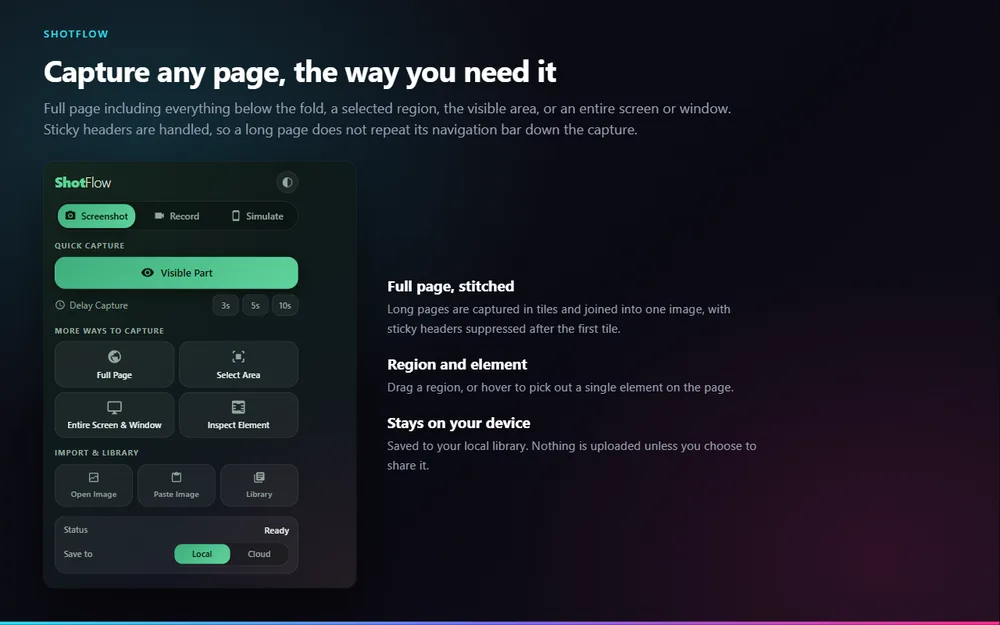
Capture everything below the fold in one image. Tiles are stitched as the page scrolls, and sticky headers are suppressed so they do not repeat down the capture.
Drag a region, hover to pick out a single element, grab just the visible area, or capture an entire screen or window.
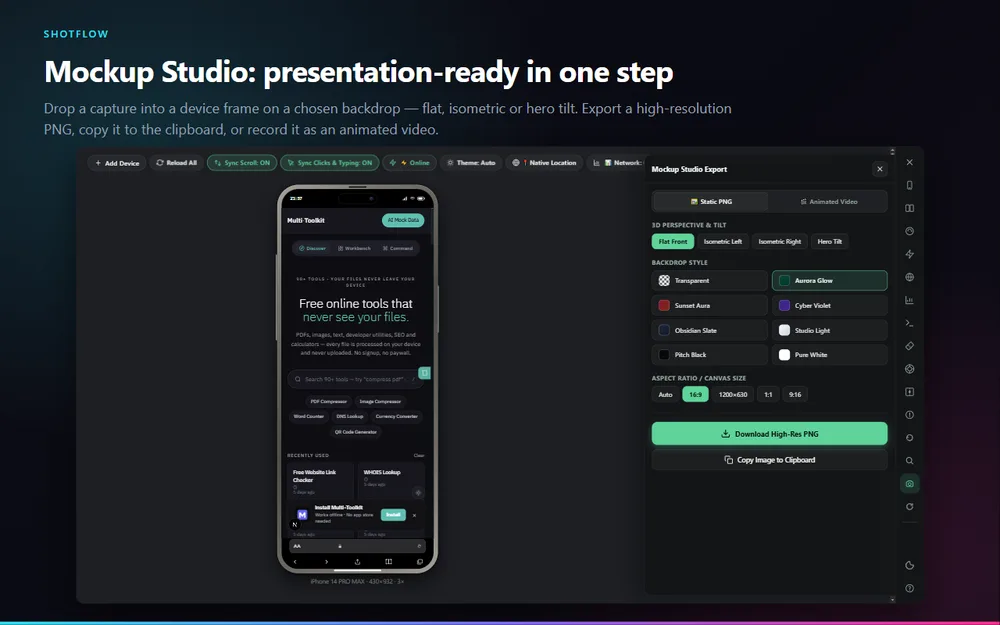
Drop a capture into a device frame on a chosen backdrop, in flat, isometric or hero-tilt perspective. Export a high-resolution PNG, copy to clipboard, or record an animated version.
Record your desktop, this tab, a chosen region of a tab, or your camera alone — with microphone, tab audio and a round webcam inset.
Arrows, boxes, numbered steps, callouts, highlighter, blur, redaction and a spotlight, over any capture. Extract text from an image with built-in OCR.
Trim and cut, crop, mute, watermark. Blur or redact a region for part of the clip, ease in a zoom, change speed, cut silences, add captions, export video or GIF.
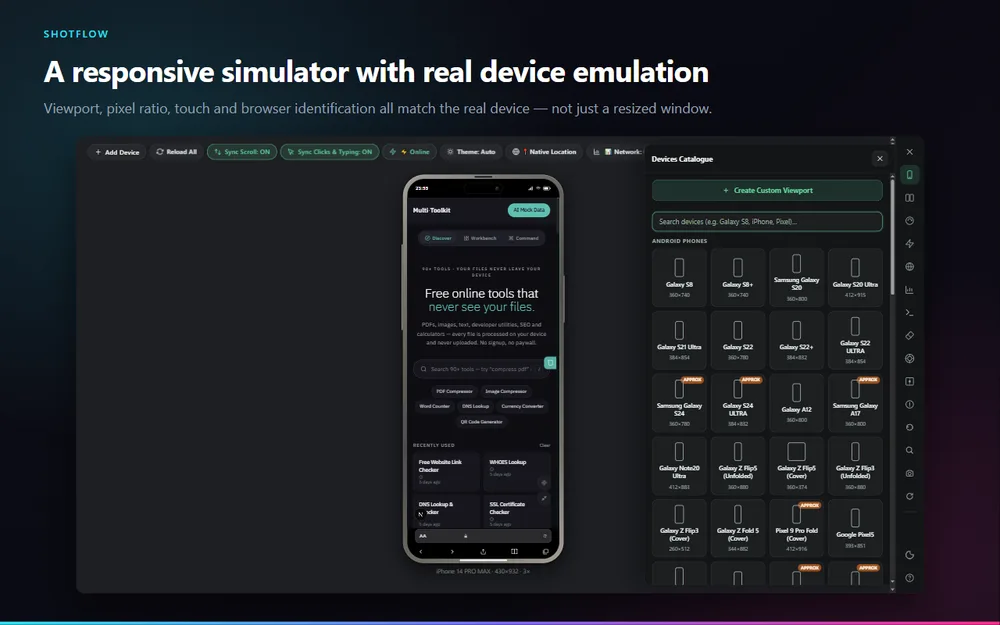
76 device profiles in frames that look like the real hardware. Real device emulation through Chrome DevTools Protocol — viewport, pixel ratio, touch and browser identification all match.
While you type into a password field it is covered in the recording, so a video never reveals even how long your password is.
Keep it local, or upload one file for a short link. Uploads are opt-in per file, expire after 30 days, and any link can be revoked.
Guides for each feature
How to do the thing you came here for, one page each.
Chrome only screenshots what fits on screen.
Read the guide →Most browser recorders cap you at five minutes, stamp a watermark on the output, require an account before you can press record, or only give you a hosted link instead of a file.
Read the guide →Every mockup tool works the same way: take a screenshot, save it as a PNG, go to a website, upload it, position it, download the result.
Read the guide →Dragging a browser window narrower is not a mobile test.
Read the guide →You need to share a screenshot that has a customer name, an email address or an account number in it.
Read the guide →The text you need is in an image — a screenshot someone sent you, a scanned invoice, an error message in a support ticket, a page that blocks selection.
Read the guide →Coming from GoFullPage?
ShotFlow does the same core job — scroll, stitch, one image — and keeps going from there.
| What you want | In ShotFlow |
|---|---|
| Capture a whole page | Full Page — tiles are stitched as the page scrolls, so lazy-loaded images are triggered along the way |
| Sticky headers not repeating | Handled automatically after the first tile, along with floating page controls |
| Save as PNG, JPG or PDF | All three, plus copy straight to the clipboard |
| Annotate before sending | Arrows, boxes, numbered steps, callouts, highlighter, blur, redaction and spotlight, built in |
| Send someone a link | Optional per-file upload, 30-day expiry, revocable — never automatic |
| Record a video instead | Desktop, tab, tab region or camera, with mic and tab audio |
| An account to get started | Not required, and there isn't one |
How it works
Four steps, no setup.
Add ShotFlow from the Chrome Web Store and pin the icon to your toolbar.
Visible area, full page, a region, a single element, an entire screen — or switch to Record for video, or Simulate for a device preview.
The capture opens in the editor. Add arrows and numbered steps, blur anything sensitive, or trim and caption a recording.
Download it, drop it into a device mockup, copy it to the clipboard, or generate a link you can revoke later.
Free, no account, no watermark, and nothing leaves your browser unless you share it.
Add ShotFlow to ChromeWorks in Chrome, Edge, Brave and other Chromium browsers.
A full page screenshot tool that keeps your captures on your device
Most screenshot extensions ask you to create an account, stamp a watermark on the output, or quietly sync every capture to their servers. ShotFlow does none of those things. Screenshots and recordings are produced in your browser and written to local storage. There is no analytics and no telemetry in the extension at all, and no capture is transmitted anywhere unless you press Share on that specific file.
When you do share, the file goes to a link that expires after 30 days and that you can revoke at any time from the editor or your library.
About the permission warning
Chrome will warn that ShotFlow can read and change all your data on all websites and access the page debugger backend. Both come from a single permission, used by a single feature: the Responsive Simulator needs Chrome's DevTools Protocol to emulate real devices, and Chrome does not allow that permission to be optional or requested later.
- It attaches only to ShotFlow's own preview tab, only while the simulator is open, and detaches when you close it.
- It applies device emulation — screen size, pixel ratio, touch, user agent — and photographs that one tab. Nothing else.
- It sends commands and subscribes to no events, so no content from the pages you browse is ever read through it.
- If you never open the Responsive Simulator, it is never used.
Every permission is explained line by line in the privacy policy.
Frequently asked questions
What is ShotFlow?
ShotFlow is a free Chrome extension that captures full page screenshots, records your screen, a tab, a region of a tab or your camera, and prepares the result for sharing. It includes an annotation editor, a video editor, a device mockup generator and a responsive device simulator. Everything is processed in your browser.
Is ShotFlow a good GoFullPage alternative?
Yes. ShotFlow captures a full page the same way GoFullPage does, scrolling and stitching the page into one image, and it suppresses sticky headers so a long page does not repeat its navigation bar down the capture. It also adds screen recording, annotation, device mockups and a responsive simulator, and it does not require an account.
Does ShotFlow upload my screenshots anywhere?
No. Screenshots and recordings are produced and stored in your own browser. Nothing is transmitted unless you press Share on a specific file, which uploads that one file to generate a link. Links expire after 30 days and can be revoked at any time. ShotFlow contains no analytics and no telemetry.
Why does ShotFlow ask to read and change data on all websites?
That warning comes from one permission, the debugger permission, which is used by one feature: the Responsive Simulator. Chrome does not allow that permission to be optional, so it is requested at install even though a single feature uses it. It attaches only to ShotFlow own preview tab, only while the simulator is open, and is used only to apply device emulation and photograph that tab. It sends commands and subscribes to no events, so no content from the pages you browse is read through it.
Does ShotFlow work on long pages and lazy-loaded content?
Yes. A full page capture is taken in tiles as the page scrolls, which triggers lazy-loaded images along the way, and the tiles are joined into one image. Sticky headers and floating page controls are handled so they appear once rather than repeating down the capture.
Is ShotFlow free?
Yes. Every capture, recording, editing and mockup feature is free, with no account, no watermark and no export limit. Optional cloud sharing has a daily allowance per installation.