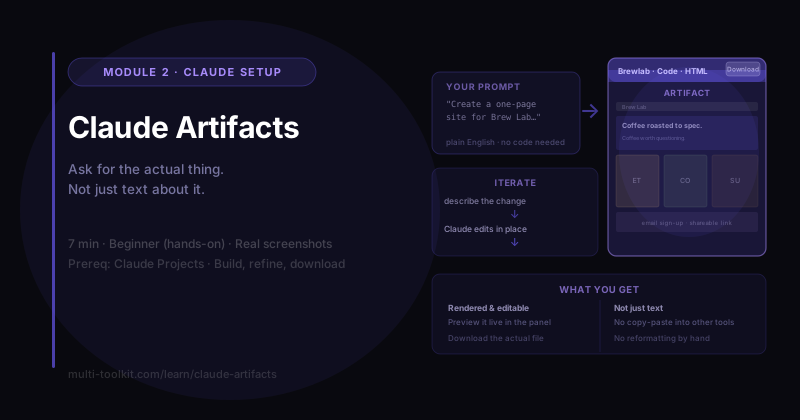
You'll learn: how to use Artifacts to make Claude build things — web pages, documents, tools — that you can edit, download, and share. You'll walk away with: the Artifacts Field Guide — what triggers one, what they're great for, and how to iterate. Level: Beginner, hands-on · Prereq: Claude Projects
⏱️ Screenshots from the Claude Team plan, June 2026. The UI shifts over time — the workflow is what matters. (Reviewed ~every 60 days.)
1. The Problem
Most people use AI like a vending machine: ask, get text, copy it somewhere else, fix the formatting. That's fine for a sentence — but painful when you want an actual thing: a web page, a formatted document, a working tool.
Artifacts fix that. Instead of dumping text in the chat, Claude builds the real deliverable in its own panel — something you can preview, refine by chatting, download, and share. Let's build one: a Brew Lab website, inside the Brew Lab Project we made.
2. Step 1 — Ask for Something Buildable
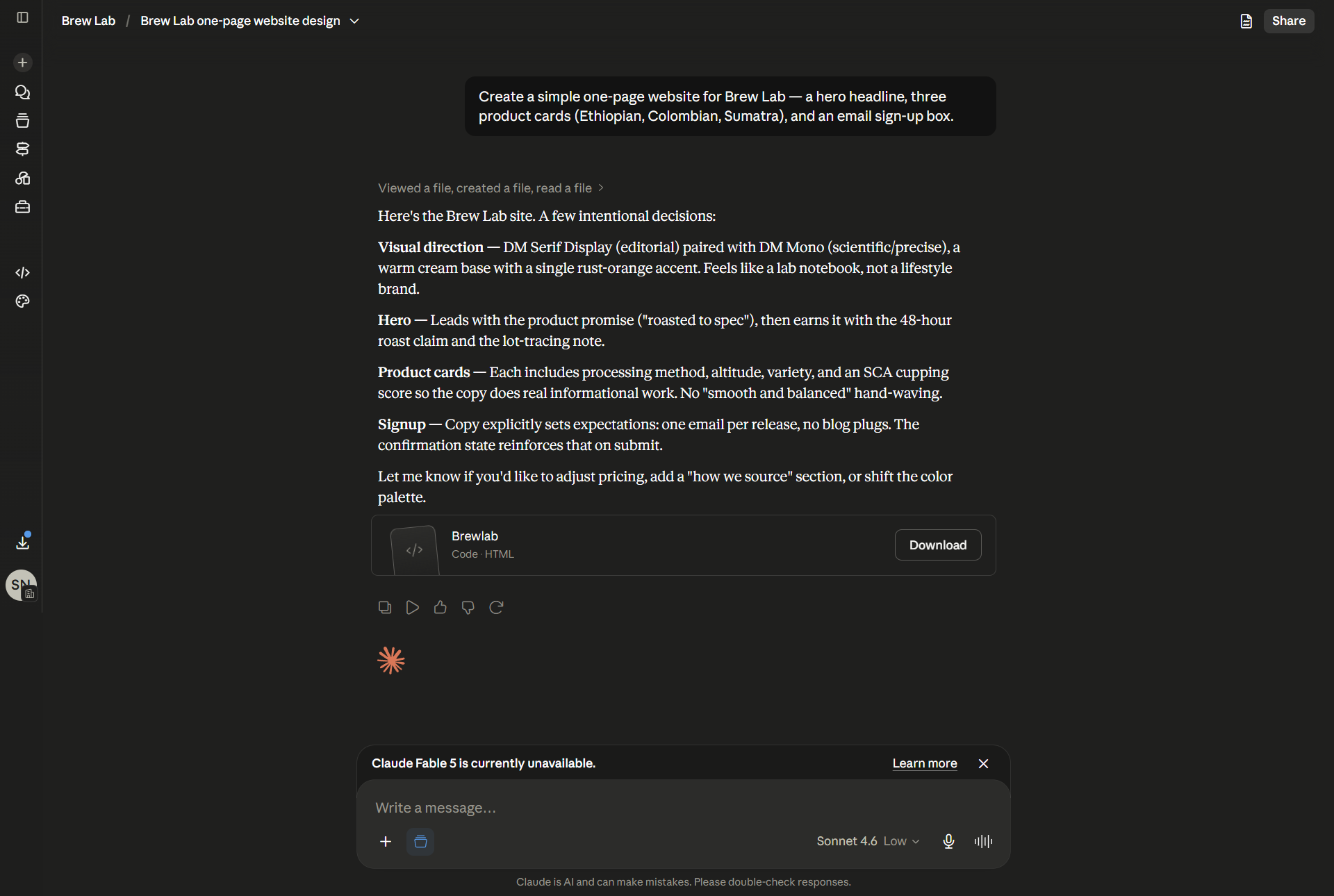
I sent one plain-English request:
"Create a simple one-page website for Brew Lab — a hero headline, three product cards (Ethiopian, Colombian, Sumatra), and an email sign-up box."
Claude didn't just describe a website — it built one. It created an Artifact (shown as a "Brewlab · Code · HTML" card with a Download button) and, beside it, explained its design decisions: the visual direction, the hero, the product cards, the sign-up copy.
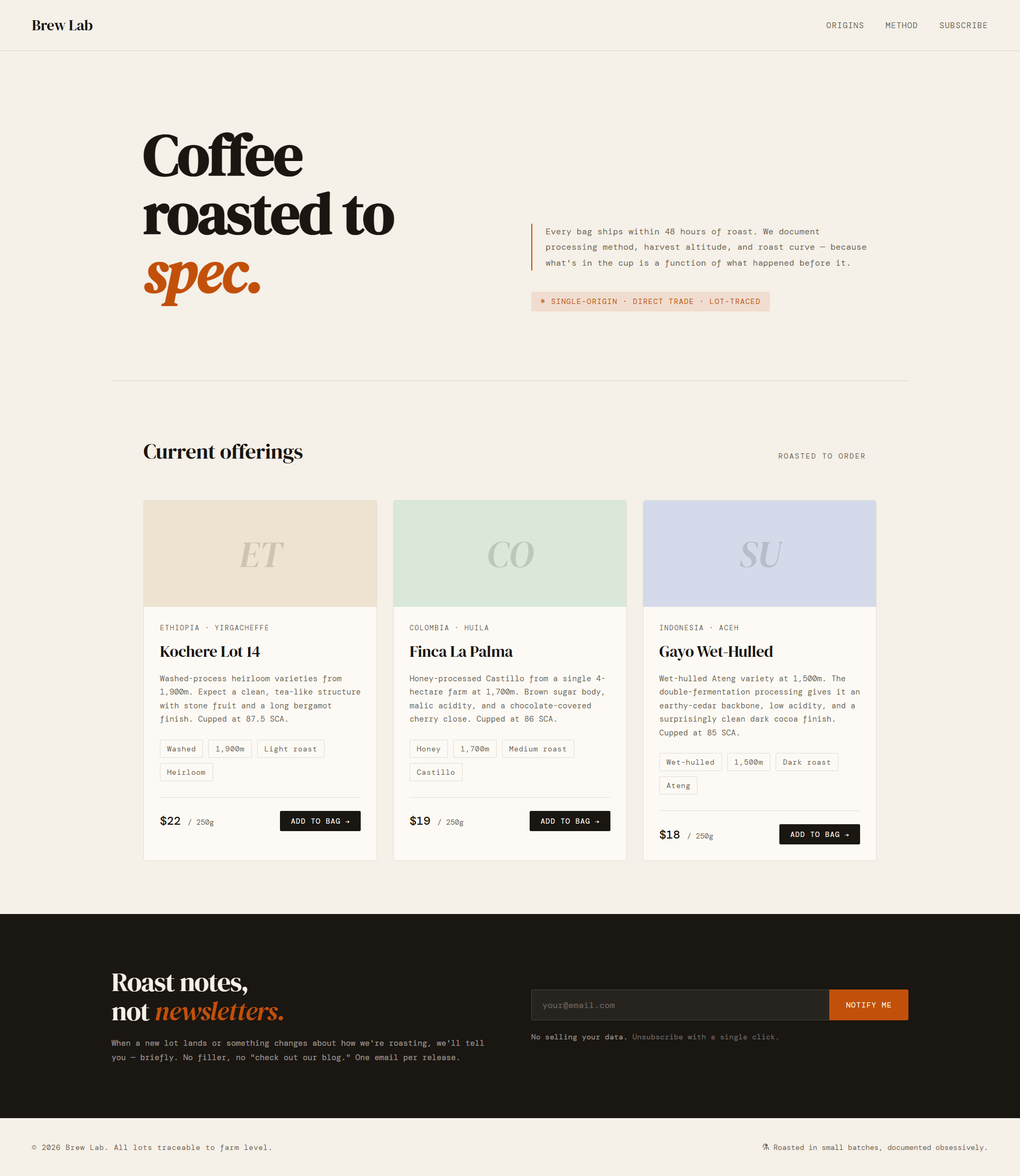
Open the Artifact and it's a real, rendered web page — not code you have to imagine:
🔑 An Artifact is the actual deliverable — a page, doc, or tool Claude builds in a panel, not just text in the chat.
3. Step 2 — Refine It by Just Talking
Here's the part that makes Artifacts powerful: you improve them conversationally. I asked:
"Use a warm brown color theme and add our tagline: 'Coffee worth questioning.'"
Claude edited the existing site in place — it noted "Reading current brewlab.html to make targeted edits," then reported exactly what it changed: a warm-brown palette (with the specific hex colors), graduated card tones, and the tagline added under the hero.
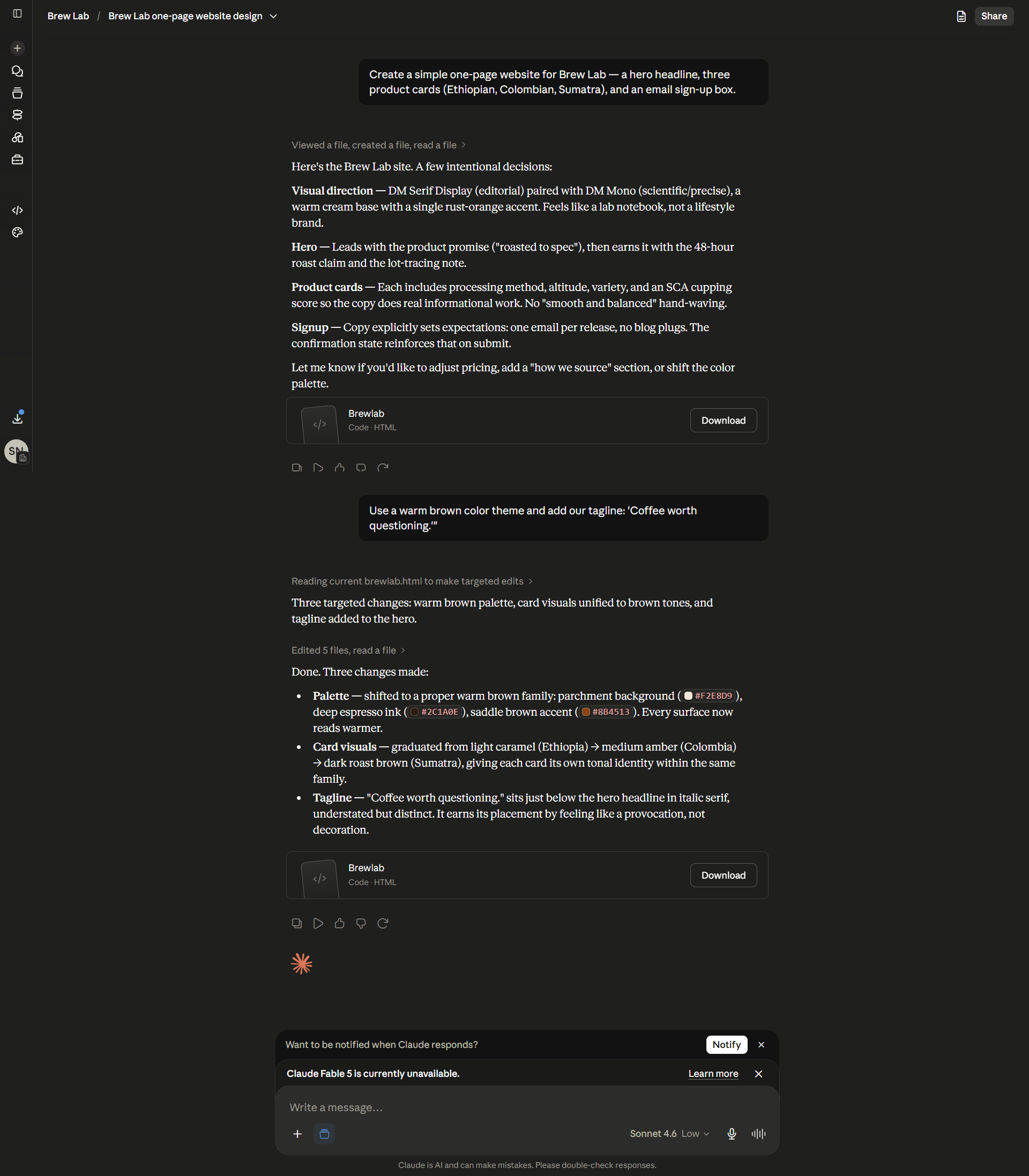
The result — a new version of the same Artifact, on-brand and warmer:
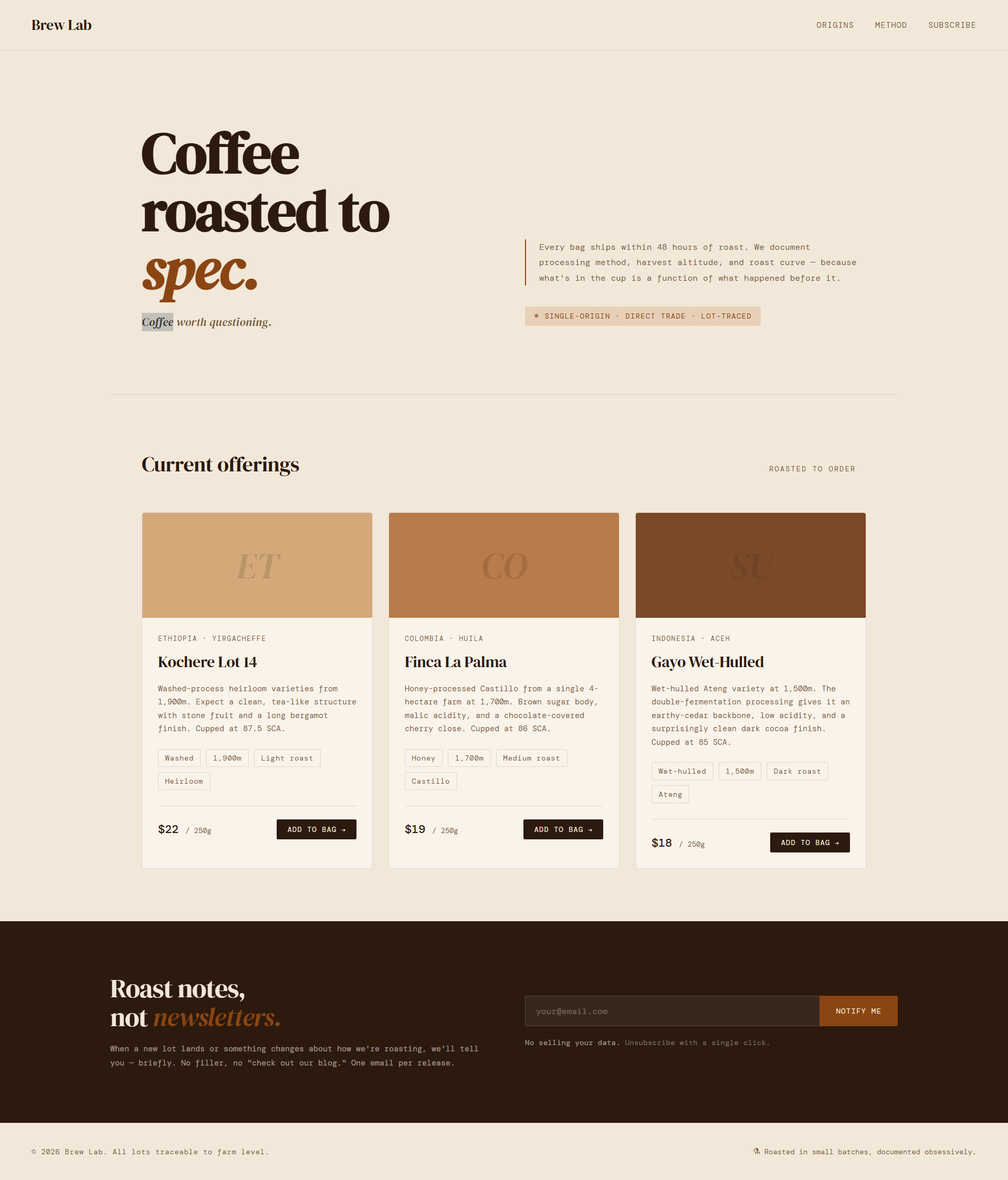
Notice it didn't start over — it made surgical edits and kept the rest. That's the loop: build → look → describe a change → repeat, until it's right.
🔑 Iterate by describing changes. Claude edits the existing Artifact (keeping versions) instead of regenerating from scratch.
4. Step 3 — Download or Share
Two ways to get your Artifact out of Claude:
- Download (on the Artifact card) — here, the actual
.htmlfile you can host or hand to a developer. - Share (top-right) — a link so someone else can view it.
So a five-minute chat produced a downloadable, shareable website — no separate design tool.
5. ⚠️ Watch the Details It Invents
Because we asked for product cards but didn't give exact product data, Claude filled the gaps — it invented lot names ("Kochere Lot 14"), SCA cupping scores, and altitudes. They look authoritative and they're great placeholders, but they aren't real until you make them real.
This is the same gap-filling from Context Prompting and Hallucinations: an Artifact is only as accurate as the facts you give it. Provide the real details (or add them to your Project), and verify anything it generated before you publish.
6. What Artifacts Are Great For
| Build this | Example |
|---|---|
| Web pages | Landing pages, one-pagers, simple sites |
| Documents | Formatted reports, proposals, guides |
| Code | Scripts, snippets, small components |
| Data views | Tables, charts, dashboards |
| Small tools | Calculators, quizzes, interactive widgets |
Rule of thumb: if you'd normally open another app to make it, ask for an Artifact first.
7. Common Mistakes
| Mistake | Fix |
|---|---|
| Copy-pasting AI text into other tools | Ask for an Artifact and edit it in place |
| Re-describing the whole thing to make one change | Just say what to change — Claude edits surgically |
| Trusting invented details (names, numbers) | Give real data; verify what it generated |
| Starting a new chat for each tweak | Keep iterating in the same chat to preserve versions |
| Forgetting it's downloadable/shareable | Use Download (file) or Share (link) when it's ready |
8. Your Takeaway
Artifacts turn Claude from "text generator" into "thing builder." Ask for the actual deliverable, refine it by chatting, then download or share it. Just remember: it's only as accurate as the facts you give it.
📥 Download the Artifacts Field Guide (free) — what triggers an Artifact, what they're great for, and the iterate-and-ship loop. (Email opt-in.)
9. Your Challenge
Do this now: ask Claude to build something you'd normally make elsewhere — a simple landing page, a formatted one-page doc, or a small calculator. Then change it twice by just describing what you want different. Download the result.
You did it right if: you ended up with a usable file you didn't have to reformat — and you caught at least one detail Claude invented that you'd need to correct.
Keep going: ← Claude Projects · More power features → Extended Thinking · Web Search & Files · Then: better prompts → better Artifacts