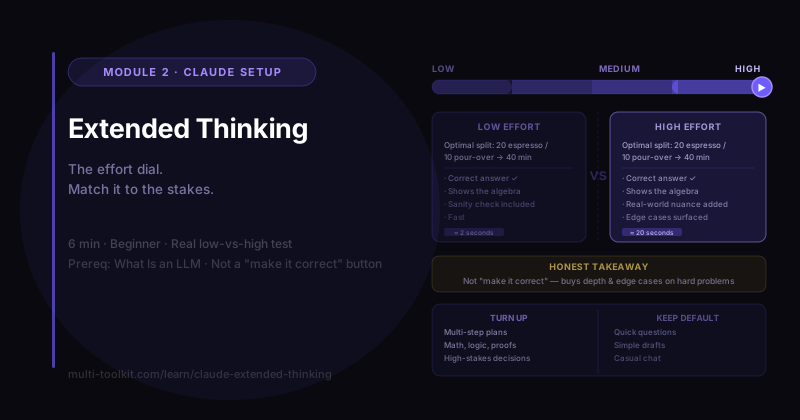
You'll learn: what Extended Thinking (higher reasoning effort) does, when it's worth turning on, and when it's overkill. You'll walk away with: a one-page guide for choosing the right setting. Level: Beginner · Prereq: What Is an LLM
⏱️ Tested on the Claude Team plan, Sonnet 4.6, June 2026. Controls and labels shift over time. (Reviewed ~every 60 days.)
1. The Problem
By default, AI answers fast. For most things, that's exactly what you want. But for a genuinely hard problem — a plan with lots of moving parts, a tricky calculation, a decision with real trade-offs — a snap answer can be shallow or miss something.
Claude has a dial for this: reasoning effort (often called Extended Thinking). Turn it up and Claude deliberates more before answering. The skill isn't "always max it out" — it's knowing when the extra thinking earns its keep.
2. Where the Control Is
In the composer, next to the model name, there's an effort selector — typically Low / Medium / High (some versions show a dedicated "Extended thinking" toggle). Set it before you send your message.

- Low / default → fast, great for everyday tasks.
- High / Extended Thinking → slower, more deliberate, for hard problems.
3. The Honest Test: Low vs High on the Same Problem
I gave Claude a problem with a small trap — a coffee event with two stations at different speeds, where blindly honoring guest preferences is not optimal:
Espresso makes 1 drink/2 min, pour-over 1 drink/4 min. 30 guests (18 espresso, 12 pour-over), but guests are flexible. Fastest time to serve everyone, and the split?
(The smart answer: rebalance to 20 espresso / 10 pour-over so both stations finish together at 40 minutes — beating the 18/12 split's 48.)
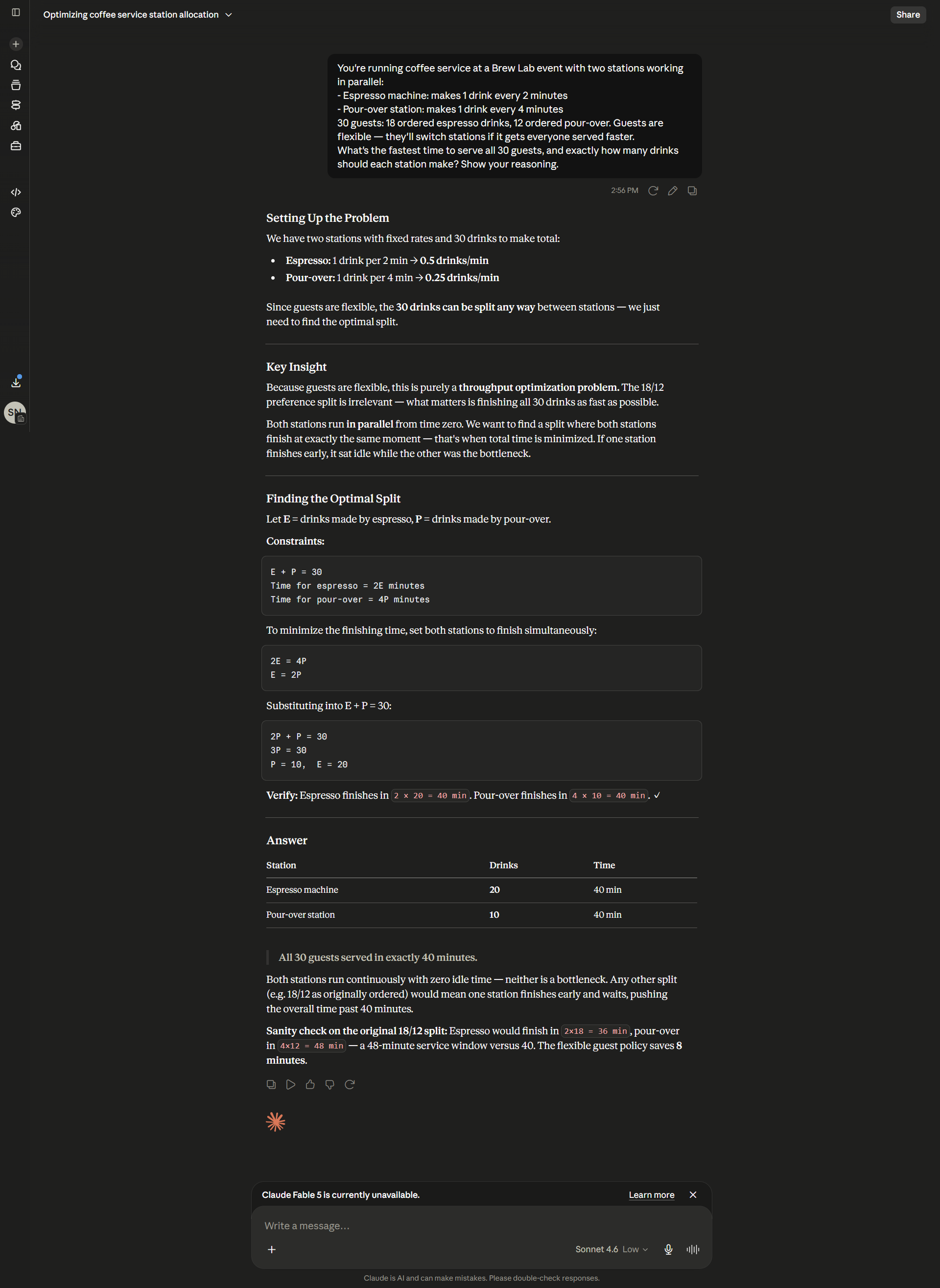
On Low effort, Claude nailed it — found the optimal 20/10 split, showed the algebra, added a verify step, and a sanity check against the 18/12 case:
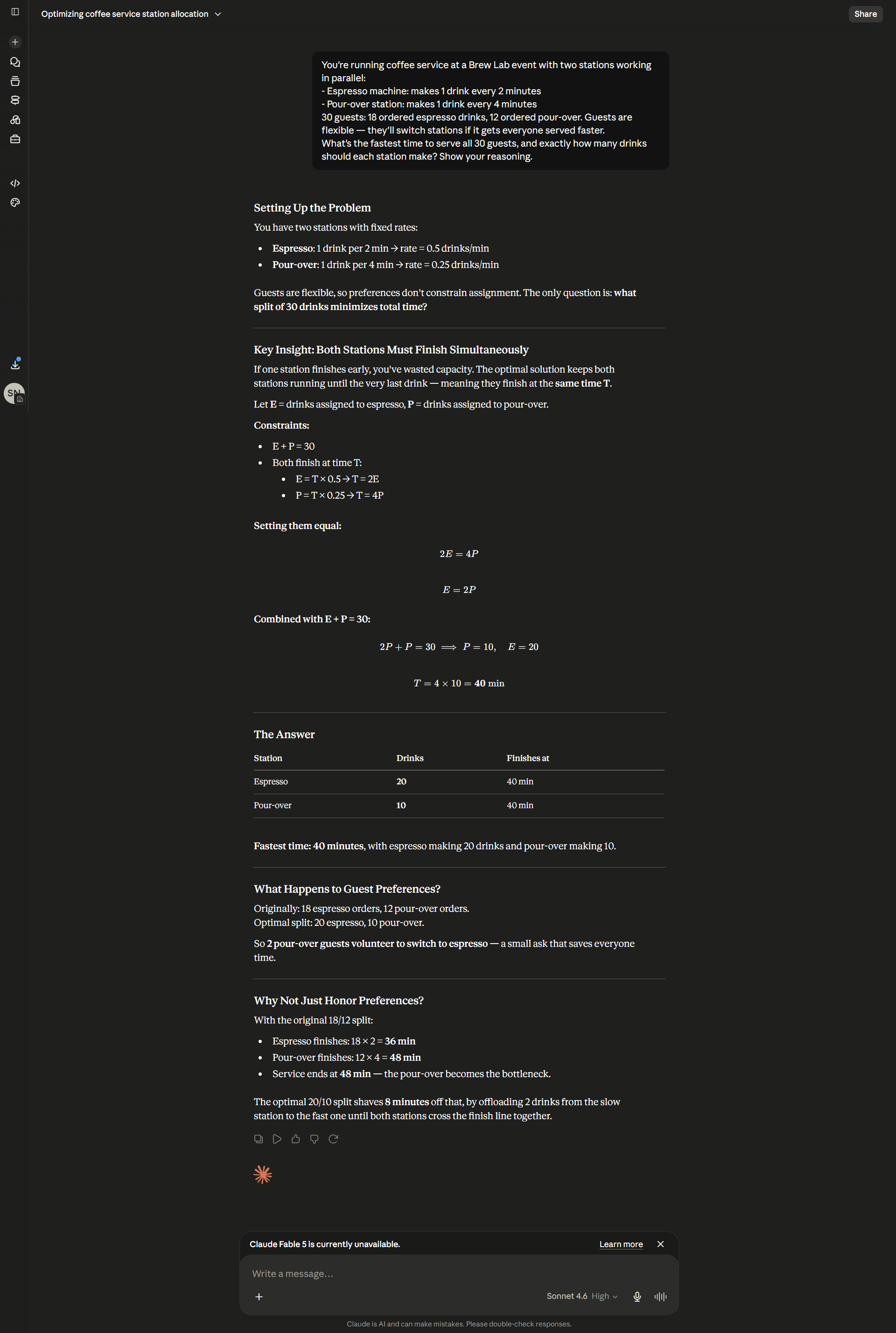
On High effort, it got the same correct answer — but went deeper, adding a whole section reconciling the real-world angle ("2 pour-over guests volunteer to switch to espresso — a small ask that saves everyone time") and a fuller "why not just honor preferences" comparison:
4. What This Actually Tells Us
Here's the honest takeaway most "AI tips" won't give you:
Extended Thinking is not a magic "make it correct" button. On this moderately tricky problem, a strong model got the right answer even at Low effort. The higher setting bought more depth, rigor, and real-world nuance — not a different answer.
So the value of extended thinking shows up where being thorough actually changes the outcome: genuinely hard, multi-step, or ambiguous problems where a fast answer would cut a corner. On easy and moderate tasks, the default is usually just as right — and faster.
🔑 Higher effort buys depth and edge-case catching on hard problems. It rarely changes a correct answer on easy ones.
5. When to Turn It Up (and When Not To)
| Turn it UP for… | Keep it default/low for… |
|---|---|
| Multi-step planning with many constraints | Quick questions and lookups |
| Math, logic, or proofs | Simple drafts and rewrites |
| Code architecture / debugging tricky issues | Casual chat |
| Ambiguous decisions with real trade-offs | Factual Q&A you'll verify anyway |
| High-stakes work you can't afford to get wrong | Anything where speed matters more than rigor |
The trade-off: higher effort is slower and uses more of your usage/tokens. Match the dial to the stakes — don't pay for deep thinking you don't need.
6. Common Mistakes
| Mistake | Fix |
|---|---|
| Maxing effort on everything | Use high only when thoroughness changes the outcome |
| Expecting it to fix a wrong/under-specified prompt | Better input beats more thinking — see prompt engineering |
| Using low effort on a genuinely hard, high-stakes task | Dial it up when getting it right matters |
| Assuming "more thinking = always better" | On simple tasks it's just slower |
7. Your Takeaway
Extended Thinking is a dial, not a default. It buys depth and rigor on hard, multi-step, high-stakes problems — where it's worth the extra time. For everyday tasks, the fast default is usually just as good. The skill is matching the setting to the stakes.
📥 Download "When to Use Extended Thinking" (free 1-pager) — the up-vs-default cheat sheet. (Email opt-in.)
8. Your Challenge
Do this now: take a genuinely hard task you have (a plan, a tricky decision, a calculation). Run it once at default and once at high effort. Compare not just the answer, but the depth — did the higher setting catch something the first missed?
You did it right if: you can name one type of task where you'll turn thinking up from now on — and one where you won't bother.
Keep going: ← Claude Projects · Siblings: Claude Artifacts · Web Search & Files · Then: pair deeper thinking with better prompts →