
The problem this course solves: the gap between "I have access to AI" and "I get dependable, professional results from AI on demand."
Most people use AI like a search box. They type a vague request, get a generic answer, and conclude "AI isn't that good." The model is capable — it just needs the right instructions and context. The Practical AI Playbook teaches you exactly how to give them.
A written, continuously-updated program built around real tasks and real, unedited AI outputs — so you see exactly what works and why. Unlike a static video course that goes stale the week a new model ships, you buy once and it stays current as the tools evolve.

What you'll be able to do
- Upgrade any vague prompt into an expert prompt using a repeatable 5-block method
- Apply role, context, few-shot examples, and output formatting deliberately
- Spot and prevent AI mistakes — and verify what the AI generates before you rely on it
- Build end-to-end workflows for research, writing, coding, and marketing
- Connect AI to your tools with MCP and automate multi-step tasks with agents
- Ship working automations (n8n/Make) that save hours every week
- Turn business processes into AI SOPs your team can follow
Who it's for
| Audience | What you'll get |
|---|---|
| Beginners | A confident start — what AI is, how to talk to it, first useful results |
| Intermediate learners | A structured method to go from "okay" prompts to expert, reliable output |
| Professionals | Real workflows for writing, research, coding, marketing — plus automation |
| Students | Faster learning, research, and writing with techniques you actually understand |
| Career changers | A portfolio of AI workflows that demonstrate in-demand, practical skills |
| Founders & small teams | AI business systems and SOPs you can deploy without hiring |
Prerequisites: none for foundations. A computer, internet connection, and a free account on Claude, ChatGPT, or Gemini. No coding or technical background required to start.
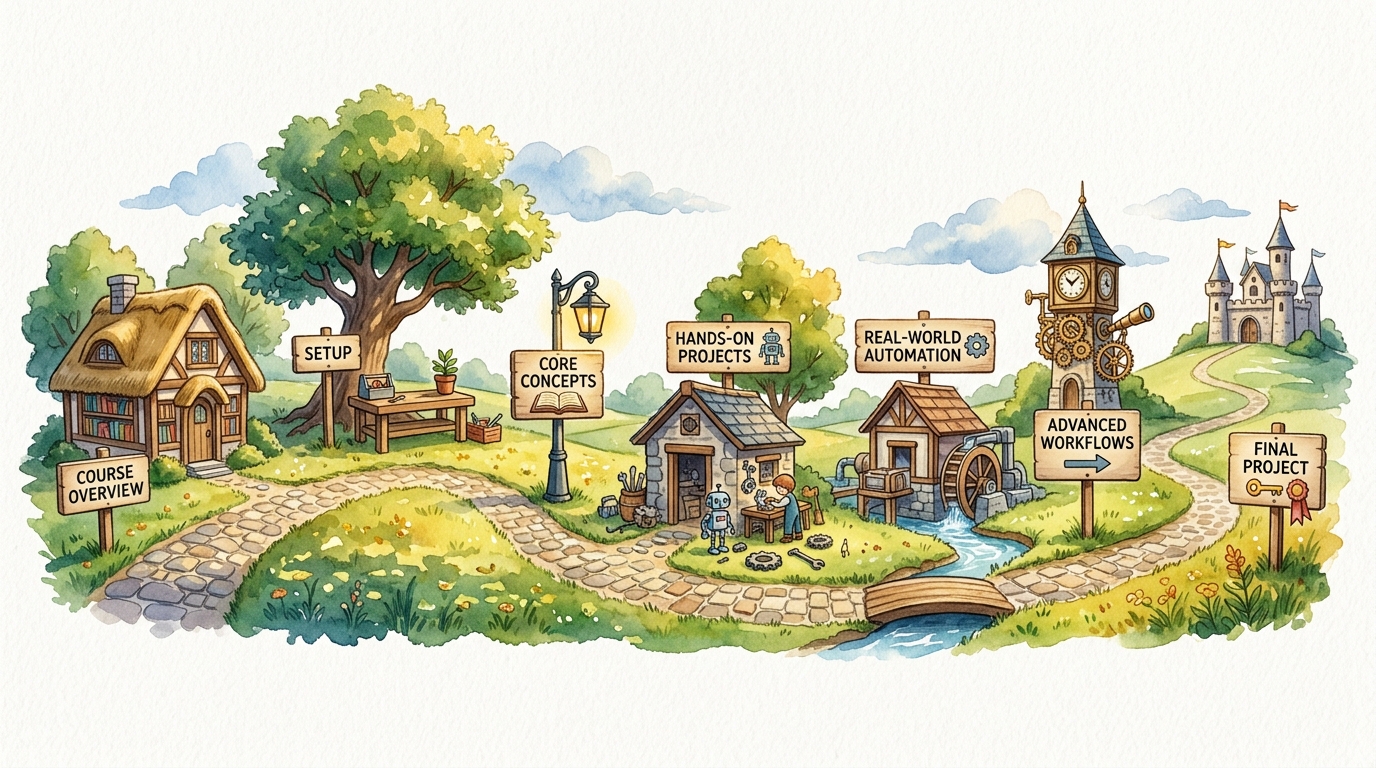
The 7 modules
| Module | Title | Tier | Study time |
|---|---|---|---|
| 1 | AI Foundations | Free / Starter | 2–3 hrs |
| 2 | Claude Setup & Power Features | Starter | 2–3 hrs |
| 3 | Prompt Engineering (pillar + lessons) | Free / Starter | 4–6 hrs |
| 4 | Real Workflows | Starter | 4–5 hrs |
| 5 | Advanced Claude (MCP, Code, API, Agents) | Pro | 5–7 hrs |
| 6 | Automation Systems | Pro | 5–7 hrs |
| 7 | AI for Business | Pro | 3–4 hrs |
Total — Starter: ~12–17 hours · With Pro: ~25–35 hours. Self-paced. A lesson takes 10–15 minutes to read; applying it takes as long as the task.
Module 1 — AI Foundations
Understand what AI/LLMs actually are and why context determines quality. Topics: what is an LLM · context windows · hallucinations · memory & Projects. Assignment: document one task where AI helped and one where it failed — and why.
Module 2 — Claude Setup & Power Features
Configure your workspace for repeatable, high-quality work. Topics: Projects (reusable context) · Artifacts · Extended Thinking · web search & files. Project: a personal "AI workspace" you reuse daily.
Module 3 — Prompt Engineering *(the heart of the course)*
Turn any weak prompt into an expert one, on purpose. Topics and lessons:
- Pillar: Turn a weak prompt into an expert prompt — the 5-block method
- Role Prompting — steer the AI's expertise and perspective
- Context Prompting — give the facts so it stops guessing
- Few-Shot Examples — teach by showing (coming soon)
- Output Formatting — force the exact structure (coming soon)
Project: build your personal Prompt Library.
Module 4 — Real Workflows
Chain prompts into complete, repeatable workflows. Topics: research workflow · writing workflow · coding-with-AI workflow · marketing workflow. Project: a documented, reusable workflow for your most common task.
Module 5 — Advanced Claude *(Pro)*
Extend AI beyond chat. Topics: MCP (connect AI to your tools) · Claude Code · the API for non-developers · agents. Project: an agent or MCP-powered automation for a real task.
Module 6 — Automation Systems *(Pro)*
Build systems that run with minimal input. Topics: weekly AI-update pipeline (n8n/Make) · content repurposing (1 → 5) · a personal "second brain." Project: an automation that saves you a recurring weekly task.
Module 7 — AI for Business *(Pro)*
Apply AI at the level of processes, not just tasks. Topics: AI SOPs for teams · support/sales assist · build-vs-buy decisions. Project: an AI-enabled SOP a new hire could follow.
What you'll walk away with
Every project is portfolio-ready — something you can show, reuse, or deploy:
- 🧩 A personal Prompt Library built with the 5-block method
- 🔄 A documented, reusable workflow for your most common task
- ⚡ A working automation (n8n/Make) that saves a recurring weekly task (Pro)
- 📋 An AI SOP a teammate could follow (Pro)
- 📥 Cheat-sheets you keep: Prompt Upgrade, Role Prompting Library, Context Checklist
Pricing tiers
| Tier | Price | What's inside |
|---|---|---|
| Free | $0 | Foundations, the Prompt Engineering pillar, downloadable cheat-sheets |
| Starter | $39 | Full core course (Modules 1–4) + Prompt & Workflow Libraries + templates |
| Pro | $149 | Everything in Starter + advanced workflows, automation, MCP, AI business systems |
| Premium | $499 | Everything in Pro + private community, monthly coaching, implementation help |
Not sure where to start? Start free — every paid tier builds on the last.
What makes this different
| Most AI courses | The Practical AI Playbook | |
|---|---|---|
| Format | Video that goes stale | Written, searchable, updated forever |
| Approach | Buttons and menus | A transferable method that survives model updates |
| Examples | Cherry-picked demos | Real, unedited AI outputs — including the failures |
| Outcome | "I watched a course" | Reusable libraries, workflows, and automations you keep |
Common questions
Do I need coding experience? No. Free and Starter need zero code; even the automation modules use no-code tools with copy-paste setup.
Which AI tool do I need? Any of Claude, ChatGPT, or Gemini. Examples use Claude; the methods transfer directly to any tool.
Will it go out of date? No. "Updated forever" is core. When tools change, affected lessons are revised and dated.
Is there a certificate? Yes — a Certificate of Completion is issued when you finish the required module projects.
Next: Start with Module 3 — Prompt Engineering → Or browse all lessons →