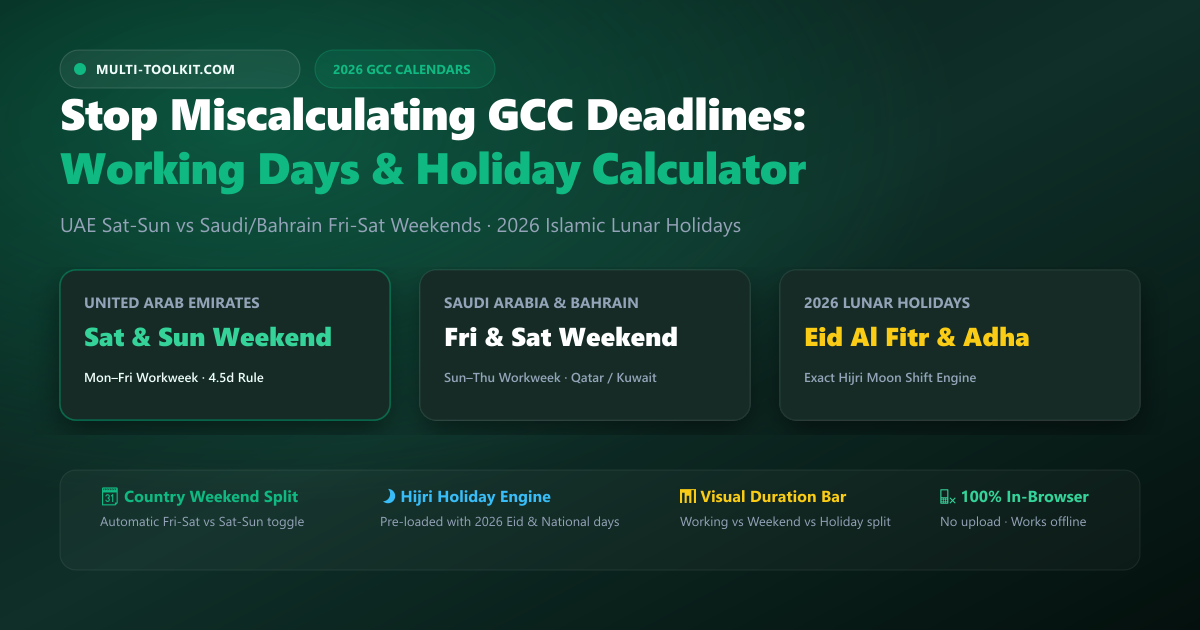
Stop miscalculating GCC project deadlines: count true business days across UAE Sat-Sun vs Saudi/Bahrain Fri-Sat workweeks with verified 2026 Islamic lunar holidays.
Every project manager, HR director, and operations lead working in the Middle East knows the frustration of cross-border coordination: scheduling a 10-business-day delivery milestone between teams in Dubai and Riyadh, only to find the deadline falls short by two full days.
The reason is simple: the Gulf Cooperation Council (GCC) does not operate on a uniform workweek. While the UAE transitioned to a Monday-to-Friday workweek (Saturday-Sunday weekend) in 2022, Saudi Arabia, Bahrain, Qatar, Kuwait, and Oman remain on a Sunday-to-Thursday workweek (Friday-Saturday weekend).
As a result, Dubai and Riyadh share only four full overlapping working days per week (Monday through Thursday). When you add shifting Islamic lunar public holidays like Eid Al Fitr and Eid Al Adha—which move by approximately 11 days every Gregorian year—relying on standard Western date tools or default spreadsheet formulas causes costly milestone delays, payroll errors, and miscalculated contractual notice periods.
Multi-Toolkit solves this region-specific problem with its GCC Working Days Calculator—a 100% free, browser-based working days calculator gcc 2026 tool that automatically applies country-specific weekend rules, integrates verified 2026 Islamic lunar calendars, and breaks down working days, weekends, and holidays with zero data uploads.
The 3 critical traps of calculating GCC working days
1. The regional weekend asymmetry (Sat-Sun vs. Fri-Sat)
Most global software hardcodes a Monday-through-Friday workweek. If you calculate 5 business days starting on Sunday:
- In Saudi Arabia and Bahrain, Sunday is a full working day (Day 1).
- In the UAE, Sunday is a weekend rest day (Day 0).
- On Friday, the UAE works a half or full day, while Saudi Arabia is on its statutory weekend.
Treating the GCC as a monolithic workweek causes multi-day deadline misalignments in cross-border projects.
2. Lunar Hijri holiday shifting (~11 days annually)
Unlike fixed Gregorian holidays (such as New Year’s Day on January 1), Islamic public holidays follow the lunar Hijri calendar:
- Eid Al Fitr (conclusion of Ramadan)
- Arafat Day & Eid Al Adha (Feast of the Sacrifice)
- Islamic New Year (1 Muharram)
- Prophet’s Birthday (Mawlid al-Nabi)
Because a lunar year is ~354 days, these holidays advance by roughly 10 to 12 days every Gregorian calendar year. Standard calendar tools that lack a Hijri engine cannot predict future working days accurately.
3. The “No Substitute Holiday” rule in Gulf labor law
In Western jurisdictions like the UK or US, if a public holiday falls on a Saturday or Sunday, employers legally observe a “substitute day off” on the following Monday. In most GCC labor frameworks, if an official public holiday falls on an employee’s statutory weekend, it is typically absorbed without a mandatory compensatory day off (unless explicitly mandated by government decree). Standard Western calculators add non-existent compensatory days.
The solution: country-specific GCC calendars & holiday engine
The Multi-Toolkit Working Days Calculator builds the regulatory and astronomical reality of each Gulf nation into its client-side engine:
Why this working days calculator wins:
- 🗓️ Automatic Weekend Alignment: Instantly selects Saturday-Sunday for the UAE, or Friday-Saturday for Saudi Arabia, Bahrain, Qatar, Kuwait, and Oman.
- 🌙 Verified 2026 Hijri Holiday Engine: Pre-loaded with official 2026 astronomical estimates for Ramadan, Eid Al Fitr, Arafat Day, and Eid Al Adha.
- 📊 Color-Coded Duration Bar: Visual proportion bar immediately separates billable working days from weekend days and paid holidays.
- ⚙️ Custom Exclusion Toggles: Turn public holiday exclusions on or off to match your company’s specific shift schedules or contractual clauses.
- 📴 100% In-Browser & Offline: Runs entirely in local memory—safe for sensitive internal HR and project timelines.
Designed for high-efficiency project & HR operations
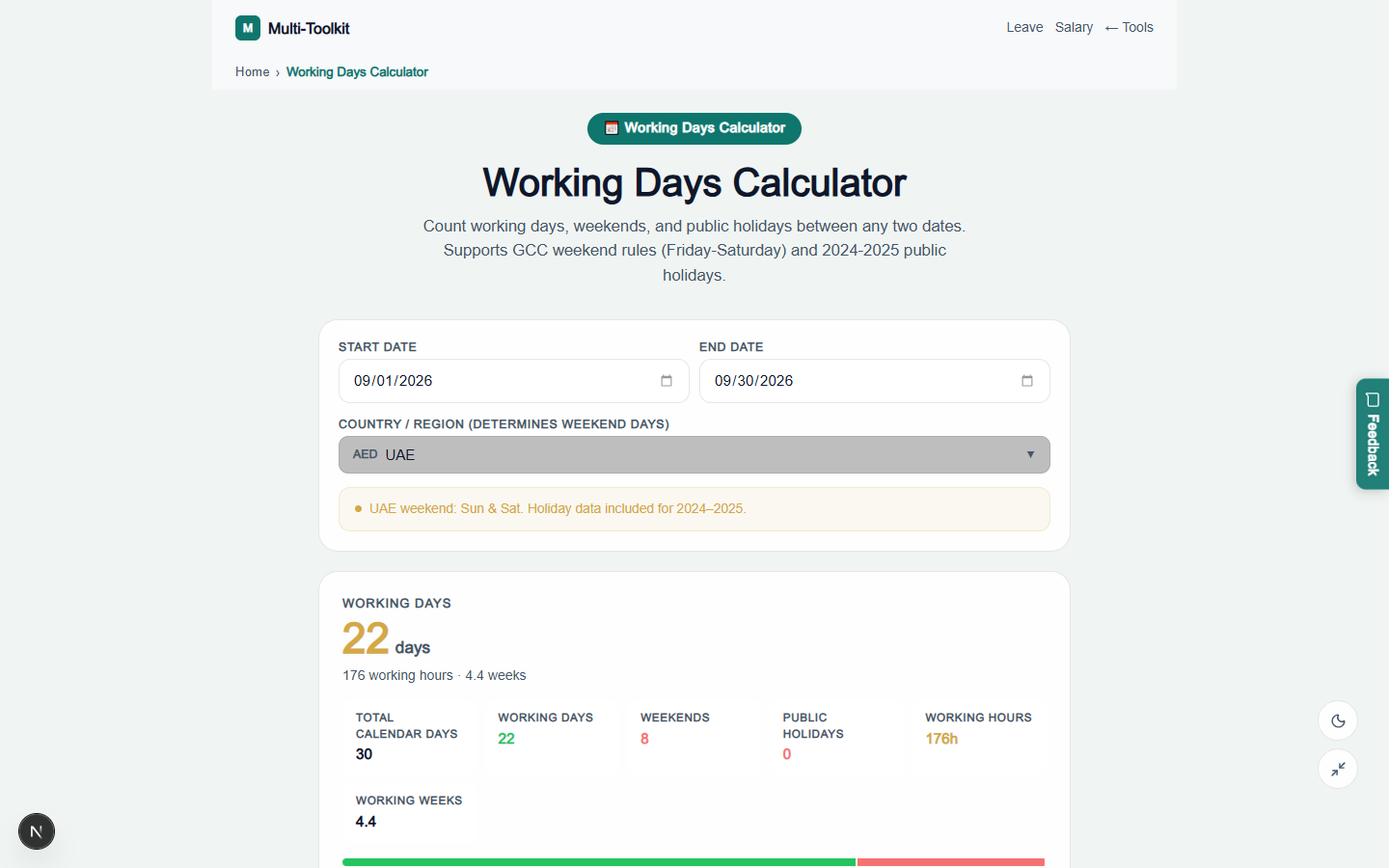
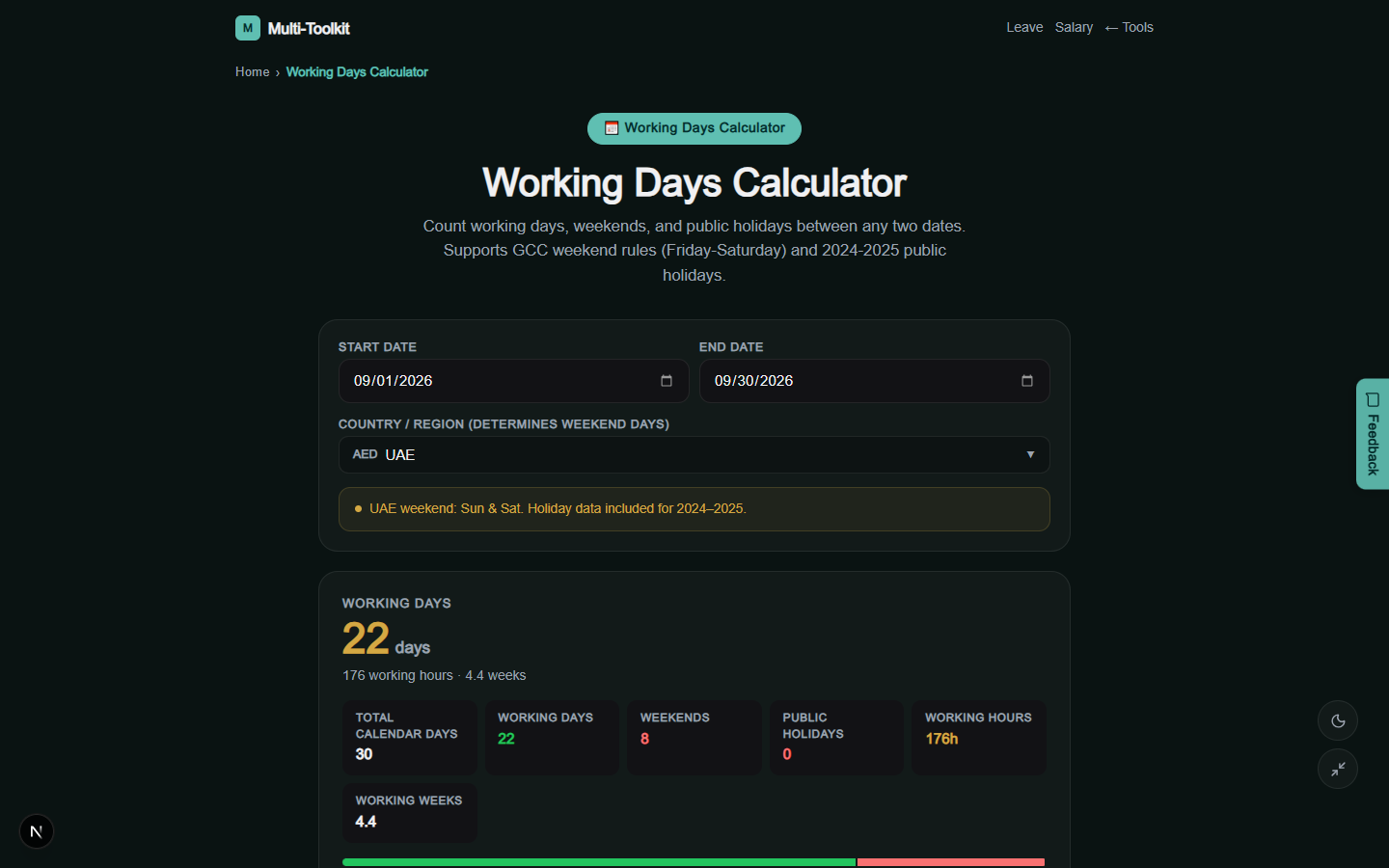
Multi-Toolkit provides a distraction-free interface built for enterprise operations on mobile and desktop, featuring both Nordic Light and Midnight Dark modes.
Light mode view
Dark mode view
How to count GCC working days in 4 steps
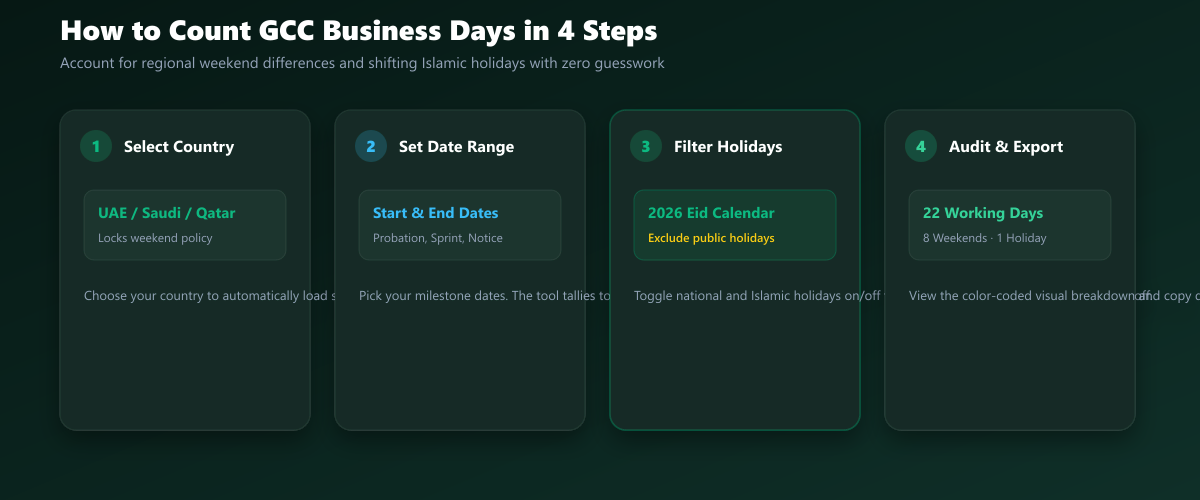
- Select Your Country: Choose your GCC nation (UAE, Saudi Arabia, Bahrain, Qatar, Kuwait, Oman) to lock the correct statutory weekend policy.
- Set the Date Range: Pick your start and end dates (or enter project milestone dates, employee probation start/end, or notice period ranges).
- Toggle Holiday Inclusions: Review the list of falling public holidays and toggle whether to count or exclude them.
- Audit and Export: Inspect the breakdown of Working Days, Weekend Days, and Public Holidays, and copy the totals directly into your spreadsheet or Gantt chart.
Who this tool is for
- Project Managers & Tech Leads: Plan cross-border sprint cycles and delivery milestones between teams in Dubai, Riyadh, and offshore hubs.
- HR & Payroll Specialists: Calculate exact billable working days, probation completion dates, and annual leave accruals.
- Legal & Contract Teams: Accurately calculate commercial contractual notice periods (e.g., “30 business days”) and dispute resolution deadlines.
- Expat Employees: Plan annual vacation days around Eid Al Fitr and National Day long weekends to maximize consecutive time off.
Comparison: Multi-Toolkit vs. Excel NETWORKDAYS vs. Western Tools
| Feature | Multi-Toolkit Working Days | Default Excel NETWORKDAYS | Generic Western Date Tools |
|---|---|---|---|
| GCC Weekend Support | Native UAE (Sat-Sun) & KSA/BHD (Fri-Sat) | Mon–Fri only (requires complex INTL formula) | Mon–Fri only |
| 2026 Islamic Lunar Holidays | Pre-loaded verified 2026 Hijri calendar | Requires manual holiday date table | Missing or fixed Gregorian only |
| Visual Duration Bar | Color-coded work vs rest breakdown | No | No |
| No-Substitute Holiday Rule | Accurate GCC labor law absorption | Assumes Western bank holiday rules | Adds wrong rollover days |
| Data Privacy | 100% Client-side in-memory | Local | Remote tracking scripts |
| Offline Functionality | Yes (Full PWA support) | Yes | No |
Frequently asked questions
What days are the official weekend in the UAE vs. Saudi Arabia?
The UAE observes an official weekend of Saturday and Sunday (with federal government entities working Monday through Thursday and a half-day Friday). Saudi Arabia, Bahrain, Qatar, Kuwait, and Oman observe an official weekend of Friday and Saturday, with a Sunday-through-Thursday workweek.
How do I calculate working days between two dates in the GCC?
To calculate working days: start with the total number of calendar days between the start and end dates, subtract the statutory weekend days for the selected country, and then subtract any official public holidays that fall on a normal working day. Multi-Toolkit performs this entire calculation automatically on keystroke.
Why do Islamic public holidays change dates every Gregorian year?
Islamic holidays are determined by the Hijri lunar calendar, which is based on the 12 lunar cycles (~354 days per year). Because the lunar year is approximately 10 to 12 days shorter than the 365-day solar Gregorian calendar, Islamic holidays like Eid Al Fitr and Eid Al Adha move backward by ~11 days each Gregorian year.
Do public holidays that fall on a GCC weekend get compensated with a substitute day off?
In general, GCC labor frameworks do not have a mandatory substitute day off policy when a public holiday falls on a statutory weekend day (unlike the UK or US). Unless a specific government decree announces an additional compensatory day off for public sector workers, the holiday is typically absorbed by the weekend.
How does Excel’s default NETWORKDAYS formula handle the GCC?
Excel’s default =NETWORKDAYS(start, end) function hardcodes a Saturday-Sunday weekend. To use a Friday-Saturday weekend (Saudi Arabia, Bahrain, Qatar), you must use the =NETWORKDAYS.INTL(start, end, 7, holidays) formula, where 7 specifies a Friday-Saturday weekend, and manually provide a range of holiday dates. Multi-Toolkit handles this automatically with zero formula setup.
Can I use the working days calculator offline?
Yes. Multi-Toolkit is built as a Progressive Web App (PWA). Once loaded in your web browser, all date algorithms, country weekend models, and 2026 public holiday tables are cached locally, allowing full functionality without an internet connection.
Calculate business days and public holidays across all 6 GCC nations — 100% free:
Open GCC Working Days Calculator →Related GCC Operations & HR Tools: Salary Calculator · Leave Calculator · End of Service Gratuity · Visa Duration Calculator · GCC VAT Calculator