Translation tools are convenient right up until you remember what you are pasting into them: a private message, a draft contract, medical notes, or anything else you would rather not hand to a third-party server. Here is how to translate text privately, and when on-device AI translation is the right tool for the job.
What the AI Translator does
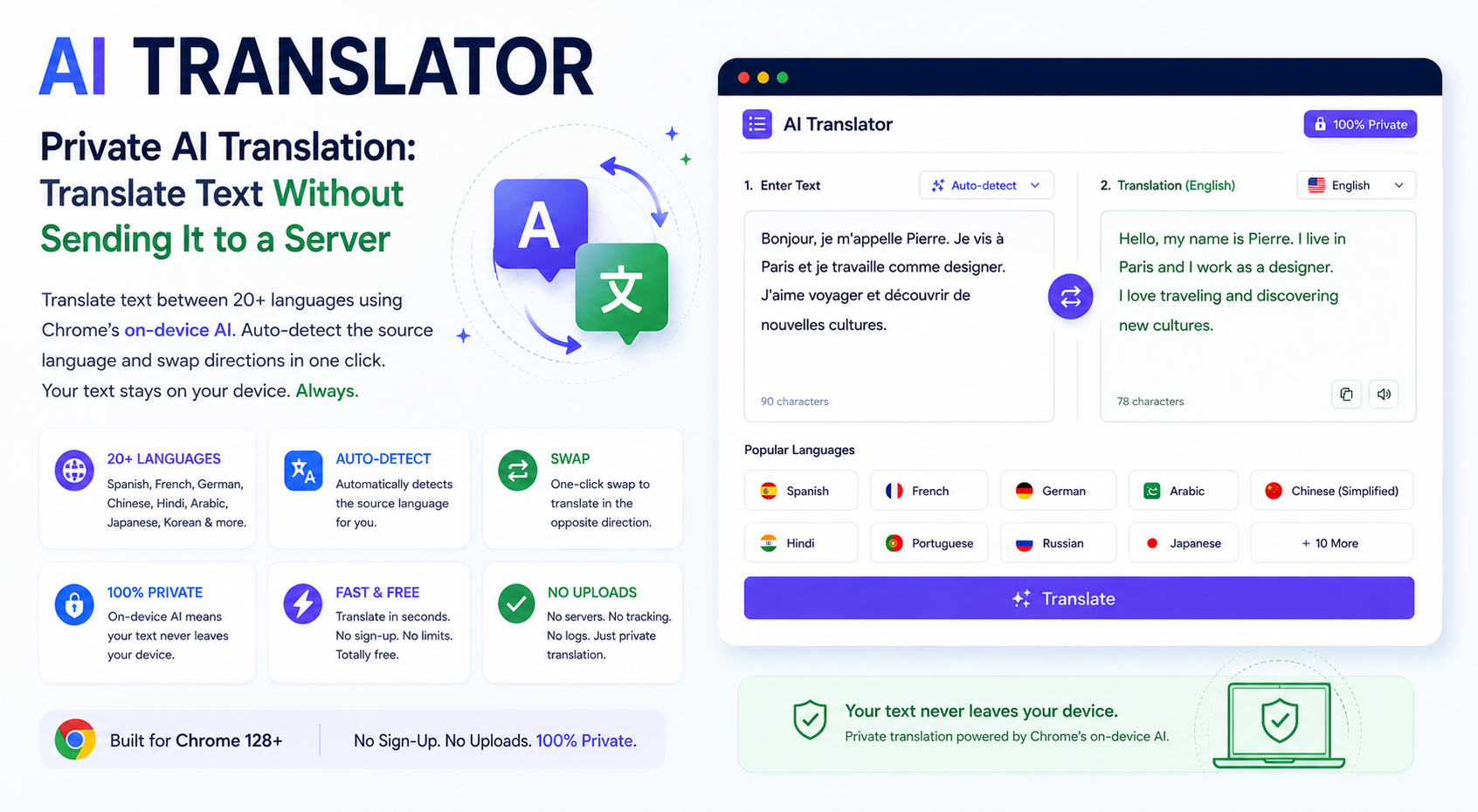
Paste text in any language, pick a target language from a list of 20+ options — including Spanish, French, German, Arabic, Chinese (Simplified), Hindi, Portuguese, Russian, Japanese, Korean, Italian, Dutch, Turkish, Polish, Vietnamese, Indonesian, Thai, Urdu, and Bengali — and get a translation back in seconds. The tool can also detect the source language automatically and includes a one-click swap to reverse the translation direction.
Why "private" is not a marketing word here
Most online translators are, structurally, a form you fill out and submit to a server. Your text leaves your device, gets processed by someone else's infrastructure, and a translation comes back. That is fine for public, low-stakes text — but it is a real concern for anything personal, confidential, or proprietary.
Chrome 128 and newer ships with built-in, on-device AI — a language model that runs locally on your machine rather than in the cloud. The AI Translator hands your text directly to that local model. There is no upload step for the translation itself: the text is read, translated, and displayed, all inside your own browser session.
This matters in very concrete situations: translating a lease before you sign it, a message from a family member, internal notes at work, or anything you would not want sitting in a third-party server's logs. On-device processing means that risk simply does not apply to the translation step.
How to translate text privately (step by step)
- Open the AI Translator in Chrome 128 or newer.
- Paste the text you want translated.
- Choose the target language from the dropdown — or leave source detection on to identify the input language automatically.
- Click Translate. The result appears in a few seconds, generated on-device.
- Use the swap button to flip the translation direction and translate the reply back, if needed.
- Copy the translated text with one click.
Practical use cases
- Expats and travelers translating official documents, emails, or messages without uploading personal details anywhere.
- Students reading source material in another language for research.
- Bloggers and marketers quickly checking how a headline or caption reads in another language before localizing content properly.
- Anyone messaging across languages who wants a quick, private back-and-forth translation.
- Small businesses reading customer messages or reviews in a language they do not speak, without routing customer data through a third-party translation API.
That last case is worth dwelling on: customer messages and reviews often contain names, contact details, or order information. Running them through a cloud translation API means that data is now processed by another company's servers under their own retention policy — an on-device translator sidesteps that entirely.
What on-device translation is good at — and where it has limits
For everyday text — messages, emails, articles, short documents — on-device translation is fast and accurate enough to rely on. It is not a substitute for certified/legal translation (immigration paperwork, court documents) where a human, credentialed translator is required by law. Use it for understanding and drafting, not for anything that needs an official stamp.
How on-device translation compares to phrasebook apps and cloud translators
Older-generation translation tools fell into two camps: phrasebook apps with a fixed set of canned phrases (fast, but inflexible), and cloud-based neural translators that handle open-ended text well but require a server round-trip for every request. On-device AI translation gets the flexibility of the second approach — it can handle arbitrary sentences, idioms, and context — without the network dependency or the privacy tradeoff of sending text to a remote service. The practical downside is that on-device models are usually smaller than the largest cloud models, so extremely nuanced literary translation may still favor a professional human translator.
For the vast majority of everyday translation needs — understanding a message, drafting a reply, getting the gist of a foreign-language page — the on-device model is more than sufficient, and the privacy benefit is not a minor one.
Tips
- Translate in smaller chunks for long documents — shorter passages tend to preserve nuance and tone better than one giant block.
- Use the swap button to sanity-check a translation by translating it back and comparing to the original meaning.
- Let auto-detect work for you when you are not sure what language the source text is in.
- Keep sentences complete. Fragments and half-sentences translate less reliably than full, grammatically complete input.
Frequently asked questions
How many languages are supported? Over 20, including Spanish, French, German, Arabic, Chinese (Simplified), Hindi, Portuguese, Russian, Japanese, Korean, Italian, Dutch, Turkish, Polish, Vietnamese, Indonesian, Thai, Urdu, and Bengali.
Does it store my text anywhere? No — text is processed on-device and is not persisted or sent to a server for the translation step.
Can I use it offline? Once Chrome's on-device model is ready, translation can work without an active internet connection.
The AI Translator requires Chrome 128+ with built-in AI enabled (the tool will guide you through enabling the relevant flag if it is not on yet). No account, no signup, and no per-translation fee.
Translate privately, free →Related tools: AI Text Summarizer · Word Counter · Case Converter