Intl engines—supporting 600+ IANA timezones, date-specific dynamic DST calculations, live world clocks, and an interactive 24-hour visual meeting availability heatmap with customizable working hours.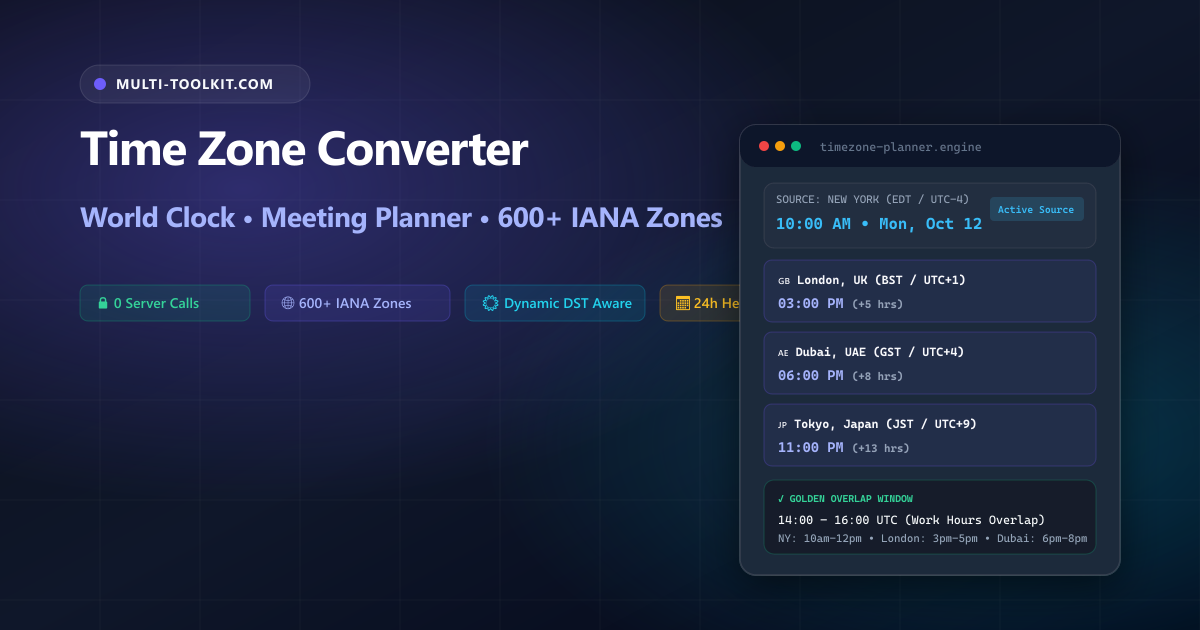
Stop guessing Daylight Saving shifts and fractional timezones: convert times across 600+ IANA regions and discover golden team meeting windows with a 24-hour availability heatmap 100% inside your browser.
In modern remote-first companies, distributed software engineering teams, global customer support desks, and 24/7 DevOps operations, coordinating time across international borders is a daily necessity. A sprint planning call or critical incident post-mortem may require syncing engineers across San Francisco, London, Dubai, Bengaluru, and Tokyo.
However, relying on manual mental math or static time difference assumptions frequently leads to missed calls and operational delays. Searching Google for a time zone converter or meeting time planner often brings up outdated tools cluttered with advertising trackers, services that fail to account for differing Daylight Saving start dates between North America and Europe, or apps that do not support fractional 30-minute and 45-minute offsets.
The Multi-Toolkit Time Zone Converter & Meeting Planner provides an instant, zero-dependency, private solution designed for high-velocity distributed teams.
The timezone trap: why manual scheduling fails
1. Asymmetric Daylight Saving Time (DST) transitions
Countries do not shift to summer time simultaneously. The United States and Canada typically transition to Daylight Saving Time on the second Sunday of March, whereas the European Union transitions on the last Sunday of March. During this 2-to-3 week gap, the time difference between New York and London contracts from 5 hours to 4 hours. Teams that rely on fixed hourly offset rules routinely miscalculate meeting start times during these transition windows.
2. Hemispheric seasonal inversion
In the Southern Hemisphere (such as Australia and New Zealand), daylight saving operates in reverse compared to North America and Europe. When New York advances its clocks 1 hour forward in spring, Sydney turns its clocks 1 hour backward in autumn, resulting in a sudden 2-hour net shift in their relative working window.
3. Fractional 30-minute & 45-minute offsets
Over 1.5 billion people live in jurisdictions that do not use whole-hour UTC offsets. India Standard Time (IST) is UTC+5:30, Nepal Time (NPT) is UTC+5:45, Iran Standard Time (IRST) is UTC+3:30, and Central Australia is UTC+9:30. Generic tools that round to whole hours cause immediate calendar errors for colleagues in these regions.
4. Corporate calendar & employee privacy risks
Pasting sensitive executive interview schedules, client demo itineraries, or confidential team locations into third-party cloud clock apps exposes proprietary operational timelines to telemetry scrapers and advertising data brokers.
In-browser architecture: how Multi-Toolkit calculates timezones locally
Multi-Toolkit performs all timezone conversions, DST offset evaluations, and 24-hour meeting availability intersections directly in client-side JavaScript with zero server calls.
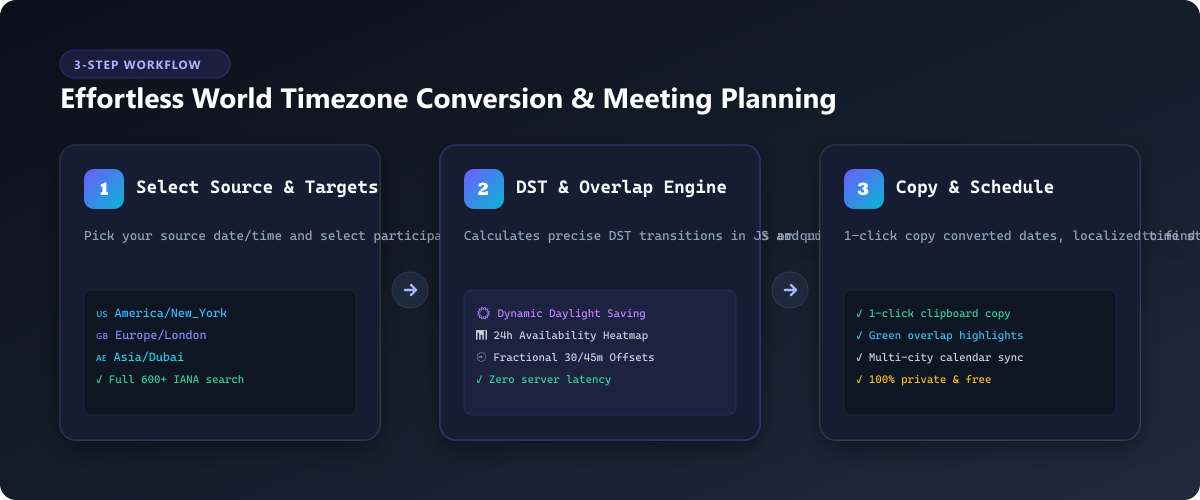
1. 600+ IANA Database
Leverages native browser Intl.supportedValuesOf('timeZone') to support all standard IANA region identifiers without external bundle bloat.
2. Dynamic DST Math
Calculates exact wall-clock times for any specific past, present, or future date, automatically applying the active regional DST offset.
3. 24h Overlap Heatmap
Runs interval intersection algorithms across 24 hours against customizable work-hour boundaries to highlight green golden overlap slots.
Core features & capabilities
| Feature | Multi-Toolkit Timezone Studio | Generic Online Clocks | Calendar Apps |
|---|---|---|---|
| Privacy & Telemetry | 100% In-Browser (0 Server Requests) | Server Logs / Ad Tracking | Cloud Synced (Account Req.) |
| IANA Database Coverage | 600+ Official Regions | 50–100 Major Cities | Account Profile Dependent |
| Daylight Saving Accuracy | Date-Specific Dynamic Evaluation | Often Static / Current Date Only | Accurate |
| Meeting Overlap Heatmap | 24-Hour Color-Coded Visual Grid | Unsupported | Requires Inviting Attendees |
| Fractional Offsets | Native :30 and :45 Precision | Frequently Rounds to Hour | Supported |
| Configurable Work Hours | Instant Slider (e.g. 09:00–18:00) | Unsupported | Fixed in Settings |
Step-by-step interactive guide
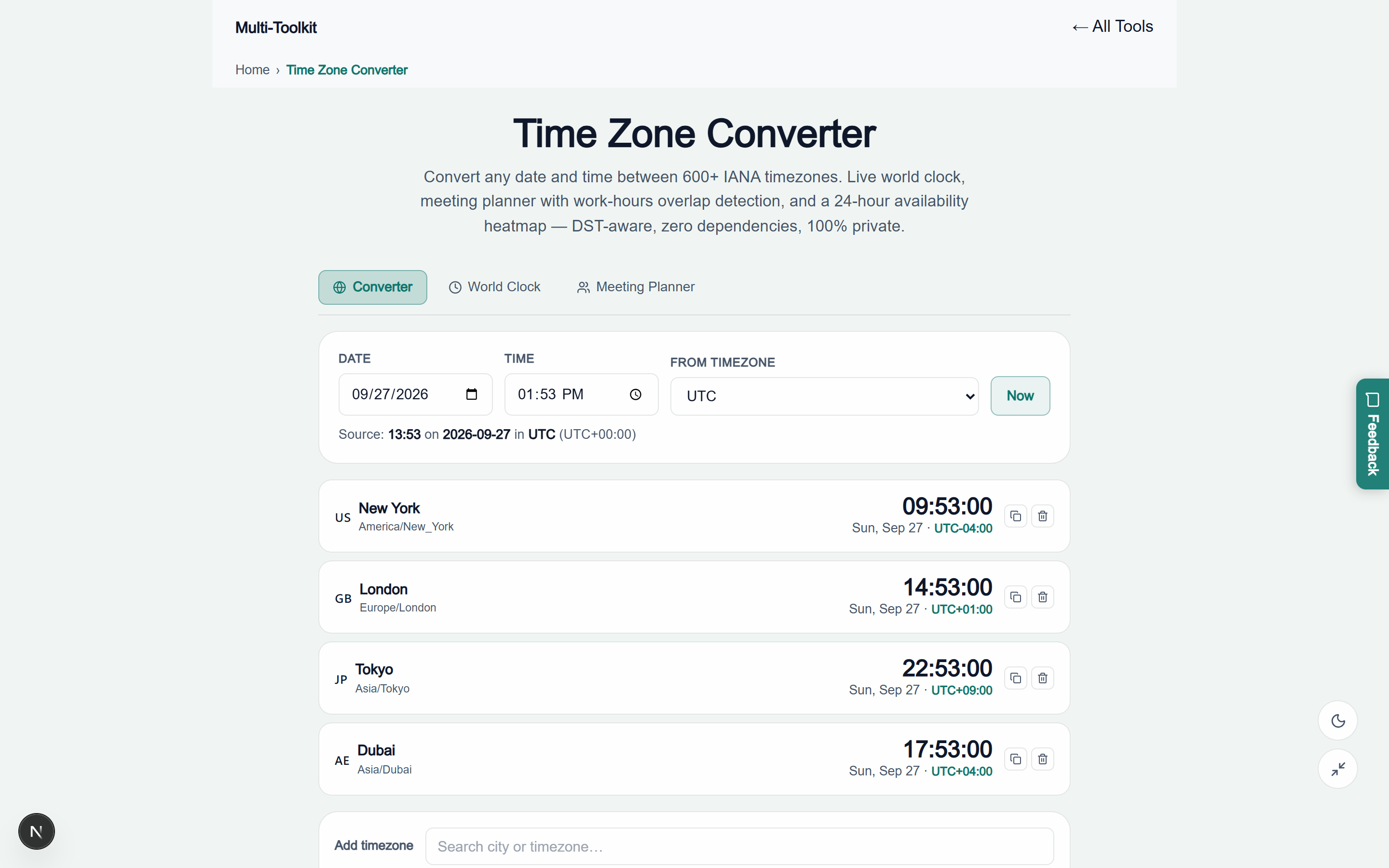
- Select Source Date, Time & Location: Open the Time Zone Converter. Enter your target date and time, or click “Now” to synchronize with the current minute. Choose your home base from the source dropdown.
- Add Participating Global Cities: Add target team locations using the interactive search bar or quick-select preset buttons (such as London, New York, Dubai, Tokyo, Sydney). The cards instantly render localized times, day indicators, and relative differences (+X / -Y hours).
- Inspect the Meeting Planner Heatmap: Switch to the Meeting Planner tab and adjust your team’s core working hours. Scan the 24-hour visual matrix to identify green slots where all participants fall within business hours.
- Copy Formatted Times for Invites: Click the copy icon on any city card to grab the localized date/time string, ready to paste directly into Slack, Microsoft Teams, or email invitations.
Visual interface showcase: light & dark modes
Light Mode Interface
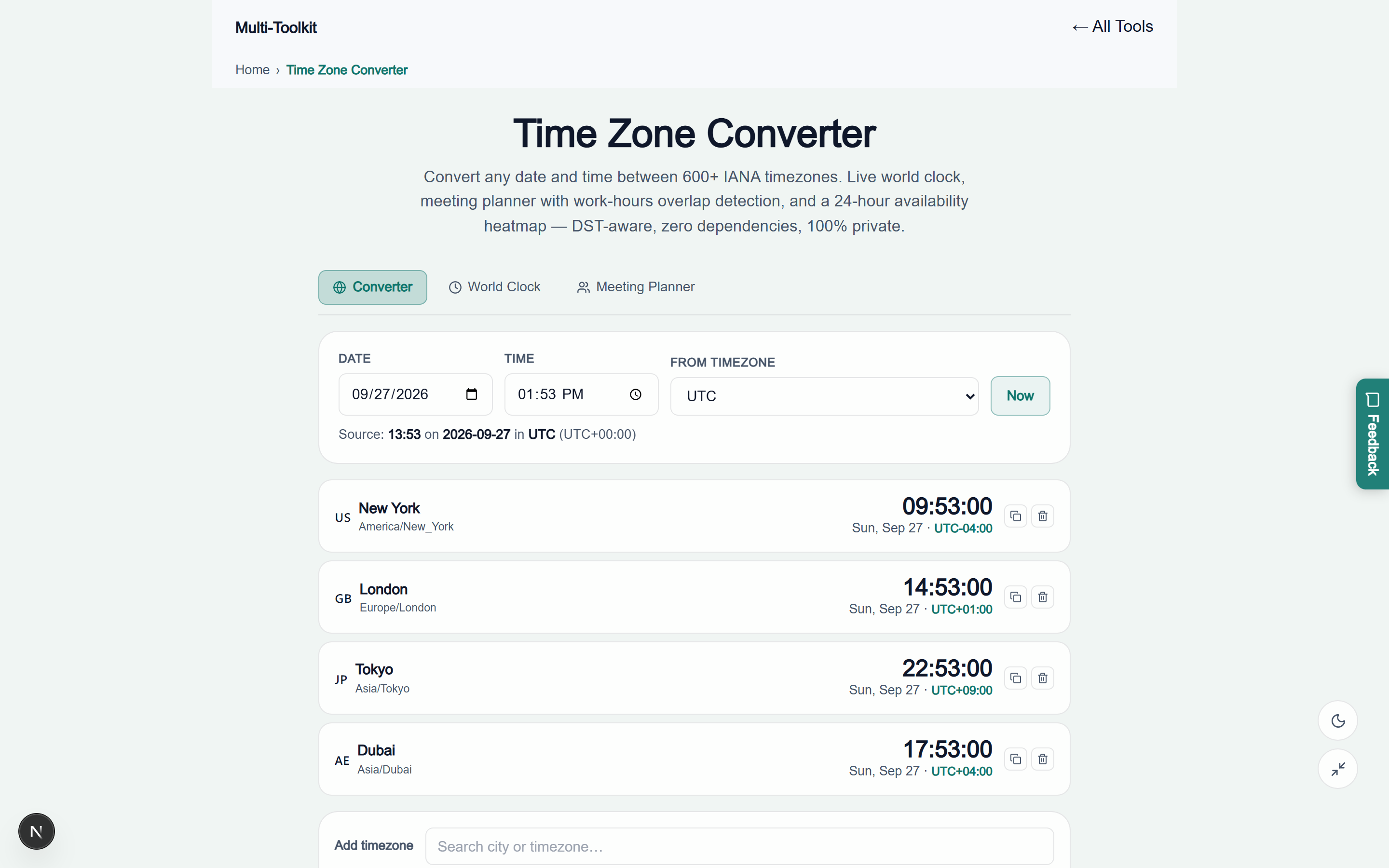
Dark Mode Interface
Common developer & scheduling pitfalls
Pitfall 1: Storing local wall-clock times in database records
-- ❌ BROKEN: Storing naive timestamp without timezone
CREATE TABLE scheduled_calls (
  id SERIAL PRIMARY KEY,
  call_time TIMESTAMP -- Lacks timezone; assumes server local clock!
);

-- ✅ CORRECT: Store as TIMESTAMP WITH TIME ZONE or UTC epoch
CREATE TABLE scheduled_calls (
  id SERIAL PRIMARY KEY,
  call_time TIMESTAMP WITH TIME ZONE NOT NULL,
  origin_iana_tz VARCHAR(64) NOT NULL -- e.g. 'America/New_York'
);
Pitfall 2: Hardcoding fixed UTC offsets in application configs
// ❌ BROKEN: Fixed offset breaks during Daylight Saving shifts
{
  "office_location": "London",
  "utc_offset": "+00:00" // London becomes UTC+01:00 during BST!
}

// ✅ CORRECT: Store the official IANA identifier
{
  "office_location": "London",
  "iana_timezone": "Europe/London"
}
Pitfall 3: Confusing UTC with GMT in software code
While UTC and GMT share the same clock time at zero degrees longitude, UTC is a high-precision atomic time standard used in software protocols, whereas GMT is a historical civil timezone used in the UK during winter. Systems should always anchor internal clocks to UTC.
Major global business hubs: quick reference
| Business Hub | IANA Identifier | Standard Offset | Daylight Saving? | DST Offset |
|---|---|---|---|---|
| San Francisco / Silicon Valley | America/Los_Angeles | UTC-8 (PST) | Yes (Mar–Nov) | UTC-7 (PDT) |
| New York / Wall Street | America/New_York | UTC-5 (EST) | Yes (Mar–Nov) | UTC-4 (EDT) |
| London / Tech City | Europe/London | UTC+0 (GMT) | Yes (Mar–Oct) | UTC+1 (BST) |
| Paris / Frankfurt / Berlin | Europe/Paris | UTC+1 (CET) | Yes (Mar–Oct) | UTC+2 (CEST) |
| Dubai / Abu Dhabi / GCC | Asia/Dubai | UTC+4 (GST) | No (Permanent) | UTC+4 |
| Bengaluru / Mumbai / Delhi | Asia/Kolkata | UTC+5:30 (IST) | No (Permanent) | UTC+5:30 |
| Singapore / Hong Kong | Asia/Singapore | UTC+8 (SGT) | No (Permanent) | UTC+8 |
| Tokyo / Seoul | Asia/Tokyo | UTC+9 (JST) | No (Permanent) | UTC+9 |
| Sydney / Melbourne | Australia/Sydney | UTC+10 (AEST) | Yes (Oct–Apr) | UTC+11 (AEDT) |
Security & privacy architecture
Executive planning, corporate roadmaps, and client sync schedules require strict data privacy:
- Zero Account or OAuth Requirements: You never need to connect your Google Calendar or Microsoft Outlook account.
- Zero Network Transmission: All city queries, time translations, and overlap intersections execute exclusively in your browser's volatile RAM.
- Offline Progressive Web App (PWA): Fully cached service workers allow you to plan meetings during international flights or offline offsites.
Frequently asked questions
What is the difference between a UTC offset and an IANA timezone?
A UTC offset (e.g. UTC+5:30 or UTC-4) is a fixed numerical difference from UTC at a single point in time. An IANA timezone (e.g. America/New_York or Europe/London) is a geographical region that encapsulates all past, present, and future Daylight Saving Time rules for that jurisdiction.
Does this converter automatically adjust for Daylight Saving Time (DST)?
Yes. Multi-Toolkit uses the browser's native Intl.DateTimeFormat API linked to the official IANA database, dynamically computing the exact active offset for the specific date and time you select.
How does the 24-hour meeting availability heatmap work?
The Meeting Planner evaluates all selected participant timezones against your chosen working hours window (e.g. 09:00 to 18:00). Green slots indicate full team availability, yellow indicates partial overlap, and grey represents non-working hours.
Why do some timezones have fractional 30 or 45 minute offsets?
Several countries (such as India at UTC+5:30, Nepal at UTC+5:45, Iran at UTC+3:30, and South Australia at UTC+9:30) established fractional offsets to align civil clock time more closely with actual local solar noon.
Can I convert Unix epoch timestamps to dates here?
For raw Unix epoch integers (seconds or milliseconds), use our dedicated Unix Timestamp Converter tool, which includes code generators and batch log translation.
Are my meeting times, attendee locations, or schedules sent to any server?
No. All timezone translations, world clock updates, and meeting overlap intersections are computed 100% locally inside your browser memory. No data is ever transmitted across the network.
Explore related developer & productivity tools
Complement your scheduling workflows with these free utilities on Multi-Toolkit:
- Unix Timestamp Converter — Convert epoch seconds and milliseconds to dates across 10 timezones.
- Working Days Calculator — Calculate business days, weekends, and holidays across UAE, Saudi Arabia, Bahrain, US, and UK.
- Age & Date Calculator — Compute exact chronological age, time intervals, and milestone countdowns.
- Annual Leave Calculator — Calculate UAE & Saudi statutory annual leave accruals and encashments.
- Salary & Net Pay Calculator — Model GCC gross-to-net salary breakdowns and allowances.
Convert timezones, check live world clocks, and find the perfect team meeting window—100% in your browser with complete privacy:
Open Free Timezone Converter →