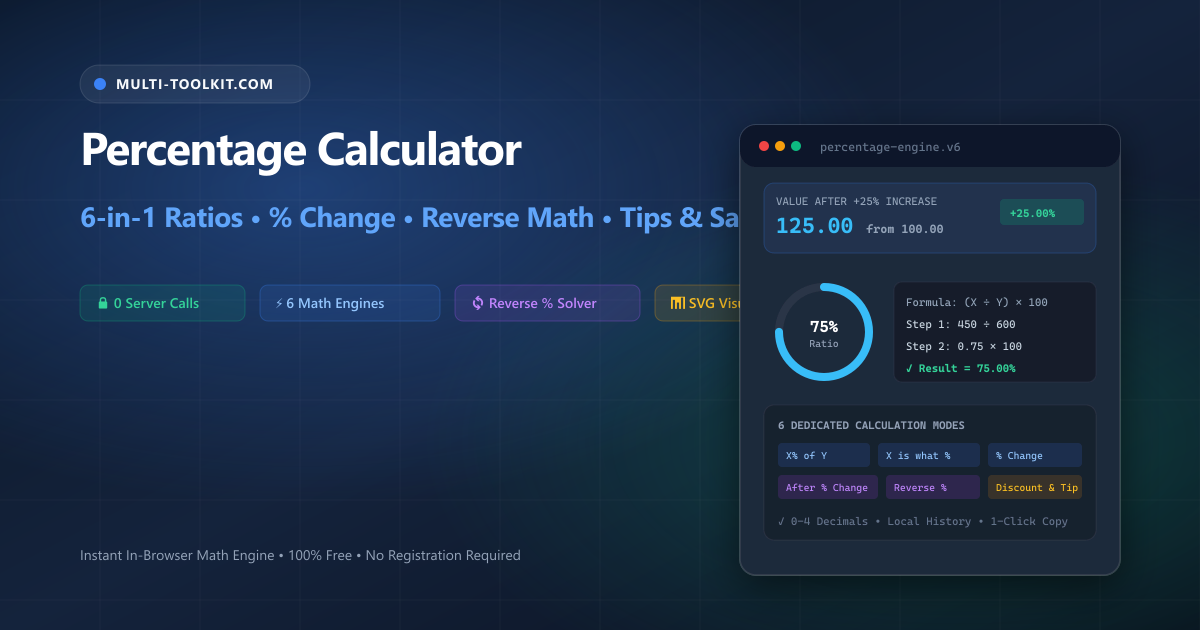
Master percentage calculations without mental strain: solve ratios, growth rates, reverse markups, retail discounts, and restaurant tabs with step-by-step algebraic proofs 100% inside your browser.
Percentages represent the universal standard for comparative measurement across finance, business analytics, education, and retail shopping. Whether you are computing a 15% merit raise, auditing a retail clearance markdown, measuring quarter-over-quarter customer growth, or extracting pre-tax costs from an invoice, percentage arithmetic dictates the bottom line.
Despite being standard curriculum in early schooling, percentage calculations remain one of the most persistent sources of costly financial mistakes:
- The Asymmetry Fallacy: If an investment portfolio suffers a 50% drawdown ($100 → $50), a subsequent 50% rally does not return the portfolio to par—it reaches only $75, leaving the investor with a 25% net loss. Recovering from a 50% loss requires an exact +100% gain.
- The Markup vs Margin Confusion: Adding a 50% markup to a wholesale cost of $100 yields a retail price of $150. However, the retailer’s gross profit margin is only 33.33% ($50 ÷ $150), not 50%.
- The Reverse Percentage Blindspot: When an invoice totals $120 including a 20% sales tax, deducting 20% of $120 yields $96—which is completely wrong. The true pre-tax amount is $100.00 ($120 ÷ 1.20), creating an arithmetic discrepancy of $4.00.
The Multi-Toolkit Percentage Calculator eliminates mental arithmetic guesswork by providing a dedicated 6-in-1 calculation studio with complete algebraic transparency.
The six essential percentage archetypes
Every everyday percentage scenario maps to one of six core mathematical models:
1. Standard percentage (What is X% of Y?)
Calculates a fractional portion of any base value. Used constantly for computing sales tax provisions, broker commission splits, and down payments (e.g. 15% of $1,200 = $180.00).
2. Part-to-whole ratio (X is what percent of Y?)
Converts raw fractions and score tallies into normalized percentages. Essential for exam grading, milestone completion, and budget allocations (e.g. 450 tasks completed out of 600 total = 75.00%).
3. Percentage increase & decrease (% Change)
Measures the relative shift between two chronological benchmarks. Used for tracking stock movements, commodity price inflation, and year-over-year revenue expansion (e.g. 80 → 100 = +25.00% increase).
4. Value after percentage change
Directly computes the final balance after applying an upward markup or downward reduction (e.g. $500 increased by 20% = $600.00).
5. Reverse percentage (Find starting value)
Works backward from a post-adjustment total to determine the initial base amount before tax, commission, or promotional markdown was applied (e.g. $80 after 20% discount = $100.00 original base).
6. Retail discount, gratuity & group bill splitting
Computes exact clearance savings, tip contributions, and divides restaurant checks evenly among any number of diners with transparent per-person breakdowns.
In-browser architecture: instant reactive math with zero latency
Multi-Toolkit executes all percentage calculations directly in your browser with zero network calls, delivering instant sub-millisecond updates on every keystroke.
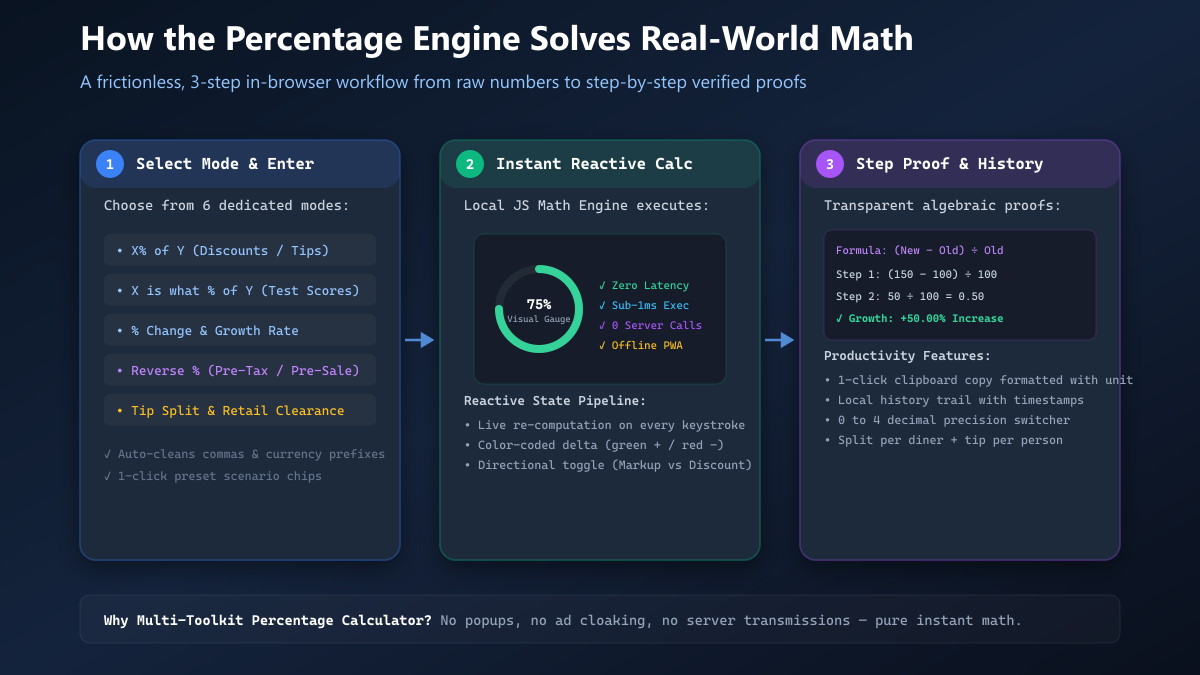
1. Select Mode & Enter
Choose from 6 dedicated modes. The parser auto-cleans commas, currency symbols, and spaces.
2. Instant Reactive Engine
Computes primary values, color-coded deltas (green/red), and animates the SVG circular gauge.
3. Proofs & History
Displays step-by-step formulas, logs calculations with timestamps, and enables 1-click clipboard copy.
Core features & capabilities
| Feature | Multi-Toolkit Percentage Engine | Standard Mobile Calculators | Ad-Heavy Web Calculators |
|---|---|---|---|
| Dedicated Calculation Modes | 6 Unified Modes in 1 Interface | Basic Multiplication Only | Fragmented Across Separate URLs |
| Reverse % Solver | Built-in 1-Click Reverse Engine | Manual Reciprocal Math Required | Often Absent or Incorrect |
| Visual Ratio Gauge | Animated SVG Circular Meter | None | None |
| Step-by-Step Proofs | Complete Algebraic Substitution | None | Generic Text Descriptions |
| Precision Switcher | 0 to 4 Decimal Places Toggle | Fixed Floating Point | Fixed 2 Decimals |
| Calculation History | Persistent Local Log with Timestamps | Volatile Screen Tape Only | None |
| Privacy & Security | 100% In-Browser (0 Telemetry) | Local OS App | Third-Party Ad Trackers |
Step-by-step interactive guide
- Choose Your Mode: Open the Percentage Calculator. Click on the calculation tab that matches your problem (e.g. X% of Y for commissions, % Change for growth, or Reverse % for pre-sale base values).
- Input Your Numbers: Type your values into the fields. The tool accepts decimals, integers, and automatically handles directional switches (Markup vs Discount).
- Examine Visual Gauge & Step Proofs: Review the large numerical output, color-coded delta tag, circular progress visualization, and step-by-step formula breakdown.
- Adjust Precision & Copy: Select your preferred decimal precision (0, 1, 2, 3, or 4 decimals) and click “Copy” to copy the formatted result to your clipboard.
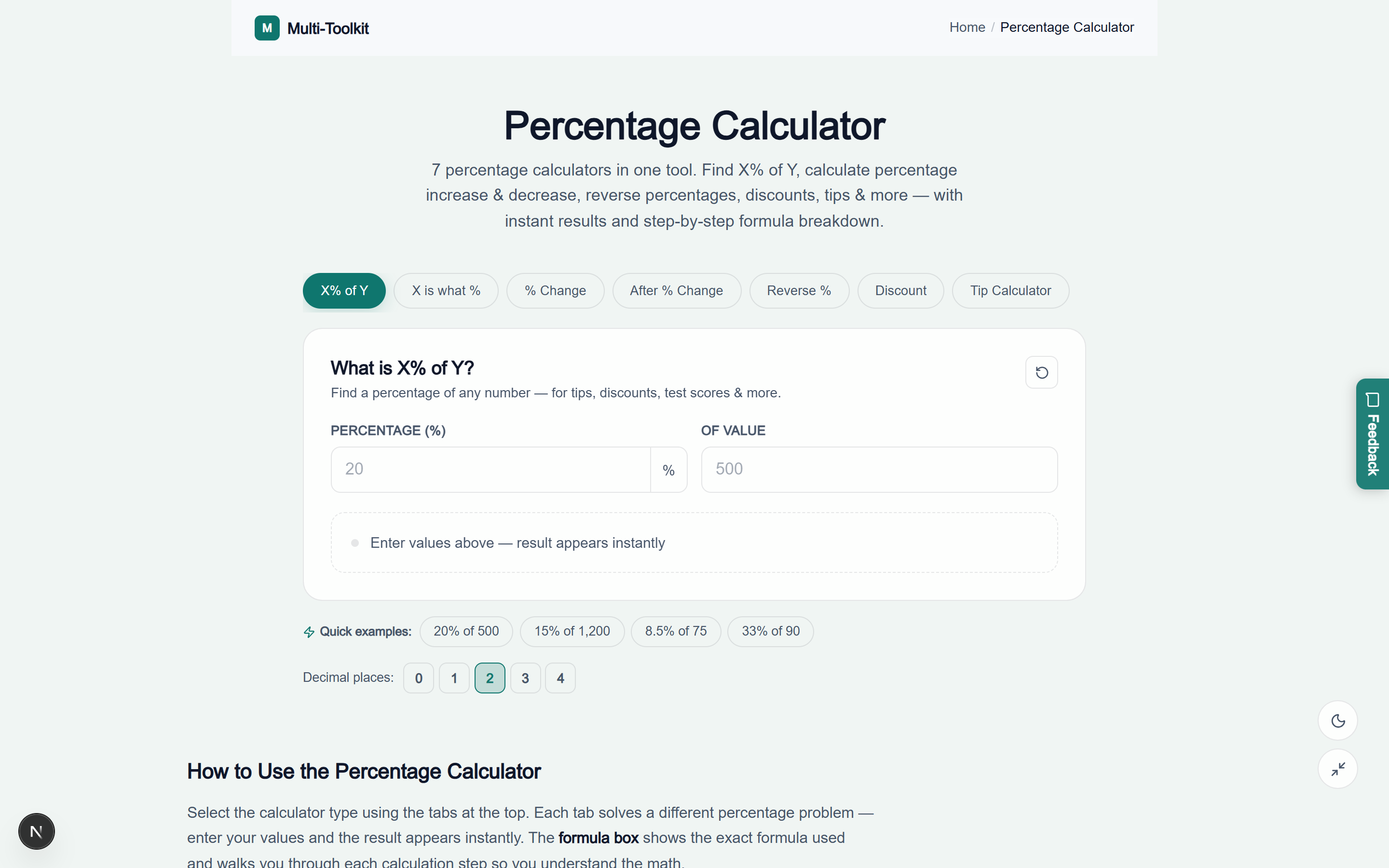
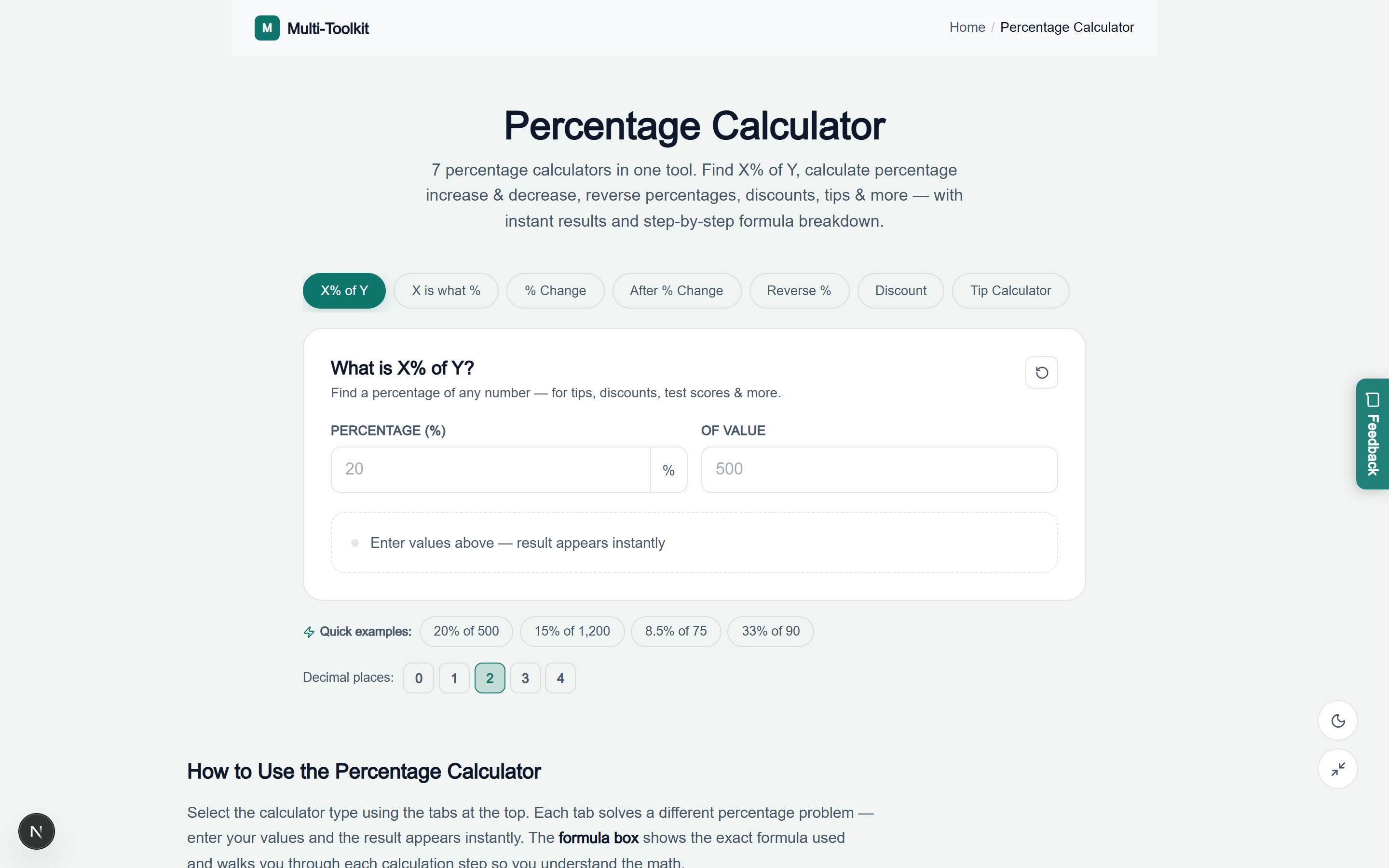
Visual interface showcase: light & dark modes
Light Mode Interface
Dark Mode Interface
Technical deep dive: mathematical proofs & formulas
1. Percentage of a Value Formula
Result = (Percentage / 100) * BaseValue
Example: 15% of $1,200 = (15 / 100) * 1200 = 0.15 * 1200 = $180.00
2. Part-to-Whole Percentage Formula
Percentage = (Part / Total) * 100
Example: 450 out of 600 = (450 / 600) * 100 = 0.75 * 100 = 75.00%
3. Percentage Change Formula
Percentage Change = ((NewValue - OldValue) / |OldValue|) * 100
Example: Price moves from $80 to $100
Delta = ((100 - 80) / 80) * 100 = (20 / 80) * 100 = +25.00% increase
4. Value After Percentage Change Formula
New Value = OriginalValue * (1 ± (Percentage / 100))
Example: $500 with 20% increase = 500 * (1 + 0.20) = 500 * 1.20 = $600.00
5. Reverse Percentage Formula
Original Value = FinalValue / (1 ± (Percentage / 100))
Example: $80 after 20% discount = 80 / (1 - 0.20) = 80 / 0.80 = $100.00
(Note: 80 * 1.20 = $96.00 is mathematically incorrect)
6. Restaurant Gratuity & Group Split Formula
Tip Amount = Bill * (TipPercentage / 100)
Total Bill = Bill + Tip Amount
Share Per Person = Total Bill / NumberOfDiners
Five costly percentage pitfalls & how to avoid them
Pitfall 1: Confusing percentage points with percentage change
If mortgage rates rise from 4% to 5%, the rate increased by 1 percentage point, but the relative cost increase is 25% (((5 − 4) ÷ 4) × 100). Conflating points with relative percentage change produces massive budgeting miscalculations.
Pitfall 2: Stacking multiple discounts linearly (20% + 20% ≠ 40%)
Applying a 20% store discount followed by an extra 20% loyalty voucher on a $100 purchase does not yield 40% off ($60). The second discount applies to the remaining $80 balance: $100 × 0.80 × 0.80 = $64.00 (an effective total savings of 36%, not 40%).
Pitfall 3: Subtracting sales tax percentage directly from gross totals
Never multiply a post-tax gross total by the tax rate to extract tax. Always use the Reverse % formula (Gross ÷ (1 + Tax Rate)) to isolate the true pre-tax taxable base.
Pitfall 4: Neglecting the base asymmetry in financial gains vs losses
A 100% gain doubles $1,000 to $2,000. A subsequent 50% loss cuts $2,000 back down to $1,000. Losses always hurt more than equal percentage gains because the loss operates against an enlarged capital base.
Pitfall 5: Confusing gross profit margin with markup percentage
Markup is profit divided by cost ((Price − Cost) ÷ Cost), while margin is profit divided by selling price ((Price − Cost) ÷ Price). A 100% markup on a $50 cost results in a $100 retail price—which is a 50% profit margin.
Instant percentage reference matrix
| Percentage | Decimal | Fraction | Mental Shortcut | Example on $200 |
|---|---|---|---|---|
| 5% | 0.05 | 1/20 | Find 10% and divide by 2 | $10.00 |
| 10% | 0.10 | 1/10 | Shift decimal point left 1 spot | $20.00 |
| 15% | 0.15 | 3/20 | Find 10% + half of 10% | $30.00 |
| 20% | 0.20 | 1/5 | Divide by 5 (or 10% × 2) | $40.00 |
| 25% | 0.25 | 1/4 | Divide by 4 (half of half) | $50.00 |
| 33.33% | 0.3333 | 1/3 | Divide by 3 | $66.67 |
| 50% | 0.50 | 1/2 | Divide by 2 | $100.00 |
| 75% | 0.75 | 3/4 | Divide by 4 and multiply by 3 | $150.00 |
Security & privacy architecture
Your financial and mathematical calculations should remain completely private:
- No Account or Registration Required: Instant access with zero email paywalls or tracking.
- 100% In-Browser Execution: All numerical operations, precision rounding, and state transitions execute strictly in local browser memory.
- Progressive Web App (PWA): Fully cached service workers allow you to run instant percentage math offline anywhere.
Frequently asked questions
How do I calculate what percentage one number is of another?
Divide the part (X) by the total whole (Y) and multiply the result by 100: (X ÷ Y) × 100. For example, 45 out of 60 is (45 ÷ 60) × 100 = 75.00%.
What is the formula for percentage increase or decrease?
Subtract the old value from the new value, divide by the absolute value of the old value, and multiply by 100: ((New Value − Old Value) ÷ |Old Value|) × 100. A positive result indicates growth; a negative result indicates a decrease.
How do I find the original price before a discount was applied?
Divide the discounted sale price by (1 − Discount% ÷ 100). For example, if a shirt costs $80 after a 20% discount, the original price was 80 ÷ (1 − 0.20) = 80 ÷ 0.80 = $100.00.
Why doesn’t a 20% discount followed by a 20% markup return to the starting price?
Because the two percentages operate on different base amounts. A 20% drop on $100 reduces it to $80. A subsequent 20% increase on $80 adds $16, resulting in $96, not $100.
What is the difference between markup and profit margin?
Markup is the percentage added to cost to determine selling price (Price − Cost) ÷ Cost. Profit margin is the percentage of the selling price that is profit (Price − Cost) ÷ Price. A 50% markup equals a 33.3% gross margin.
How do I split a restaurant bill with tip among multiple people?
Calculate the tip (Bill × Tip% ÷ 100), add it to the bill to get the total, and divide the total by the number of diners: (Bill + Tip) ÷ Number of Diners.
Explore related financial & mathematical tools
Complement your calculations with these free utilities on Multi-Toolkit:
- Discount Calculator — Calculate stacked discounts, clearance markdowns, and tax inclusive rates.
- Compound Interest Calculator — Project long-term investment growth and retirement milestones.
- EMI & Loan Calculator — Compute monthly loan installments and amortization schedules.
- Salary Calculator — Model gross-to-net take-home pay and tax deductions.
- VAT & Sales Tax Calculator — Add or reverse-extract Value Added Tax across global jurisdictions.
Calculate ratios, growth rates, discounts, markups, and reverse math—100% in your browser with complete privacy:
Open Free Percentage Calculator →