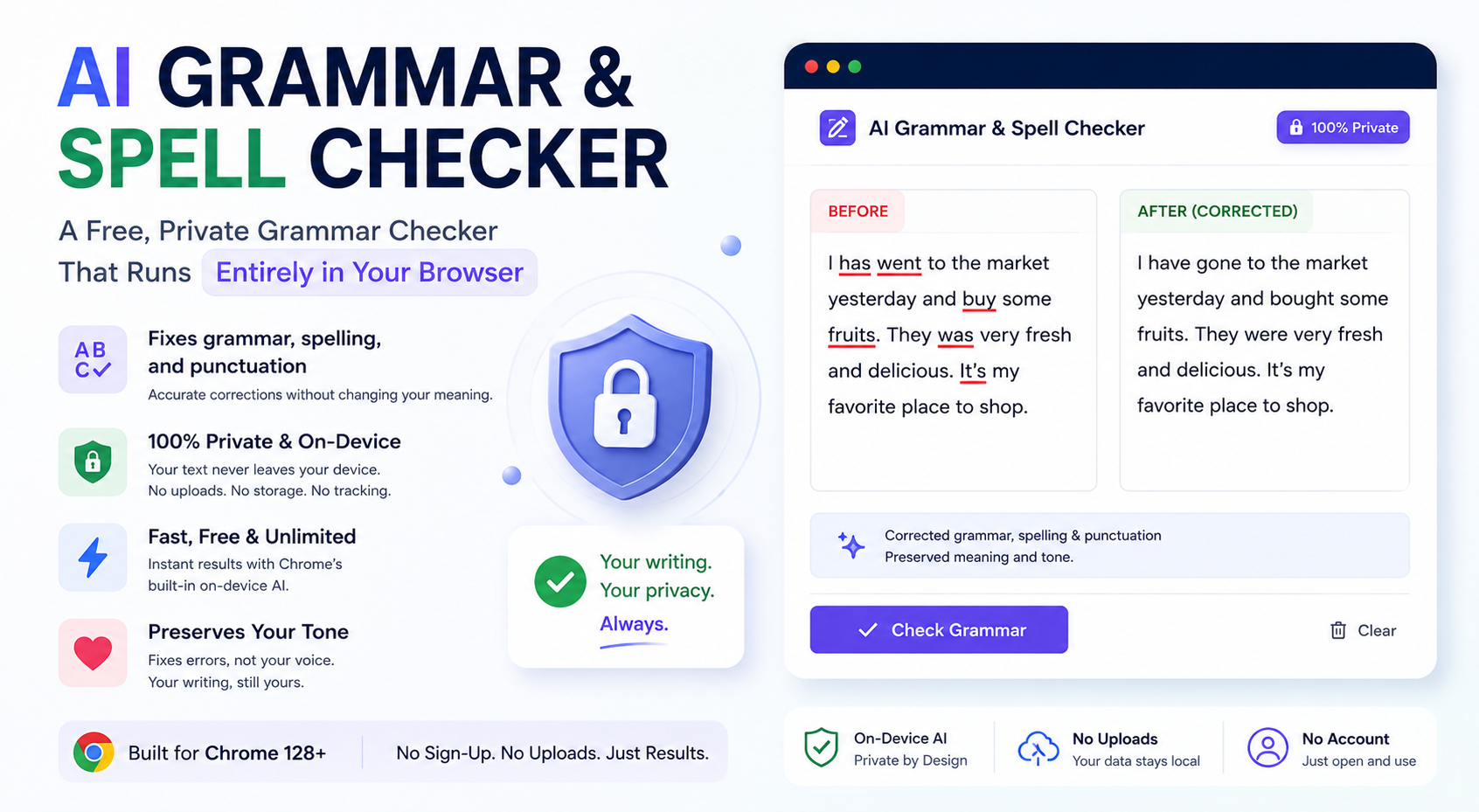
A grammar checker reads everything you write — drafts, private messages, work documents, sometimes things you have not published yet. That makes where the checking actually happens a genuinely important question, not just a technical detail. Here is how a fully on-device grammar checker works, and how to use one.
What the AI Grammar & Spell Checker does
Paste in a sentence, paragraph, or longer passage, and the tool corrects grammar, spelling, and punctuation errors while explicitly preserving the author's meaning and tone — it is instructed not to rewrite your voice or introduce new ideas, only to fix what is actually wrong. The output is the corrected text, ready to copy, with no added commentary or markdown.
Why "runs in your browser" is the important part
Popular grammar checkers typically work as a cloud service: your text is sent to a server, checked against a hosted model or ruleset, and corrections come back — often with the text retained for "improving the product." For students, professionals under NDA, or anyone writing something sensitive, that is a real tradeoff most people never think about.
Chrome's built-in AI (available from Chrome 128 onward) runs the correction model locally, on your device. When you use this tool, your text is handed to that local model directly — there is no upload step, no server log of what you wrote, and no account required. The correction happens in the same browser tab you are typing in.
As with the other AI tools here, an optional Cloudflare Worker AI fallback exists for browsers without on-device AI support yet — but the default, automatic path for Chrome 128+ users is fully local.
How to check grammar for free (step by step)
- Open the AI Grammar & Spell Checker in Chrome 128 or newer.
- Paste or type the text you want checked.
- Click Check. The tool reads your text and returns the corrected version, preserving your original tone.
- Copy the corrected text, or clear it and check something new.
Because the tool preserves tone rather than "improving" your writing style, it is well suited to catching real errors without flattening your voice into generic corporate phrasing — a common complaint with more aggressive AI rewriting tools.
Practical use cases
- Students proofreading essays and assignments before submission.
- Bloggers and marketers catching typos in drafts before publishing.
- Non-native English speakers double-checking grammar and punctuation without losing their own phrasing.
- Professionals proofreading internal or client-facing documents that should not leave the company's device.
Grammar checker vs. Grammarly-style tools
Cloud grammar assistants often bundle style suggestions, tone rewrites, and browser-wide autocorrect that intercepts everything you type across the web. This tool is intentionally narrower: paste text, get it corrected, nothing more. That narrower scope is exactly what keeps it fast, free, and fully local — there is no background extension monitoring every text field you click into.
What "preserving tone" actually means in practice
A common frustration with aggressive AI writing tools is that a quick grammar pass turns into an unrequested rewrite — casual phrasing gets formalized, personal quirks get smoothed away, and the result reads like it was written by someone else. This checker is deliberately constrained to fix what is objectively wrong — a misspelled word, a missing comma, a subject-verb agreement error, an incorrect apostrophe — while leaving your word choices, sentence structure, and personality intact. If you write in short, punchy sentences, the correction should still read in short, punchy sentences.
That constraint matters most for anything with a distinct voice: a personal blog post, a casual message to a friend, or a piece of creative writing. A generic "improve my writing" tool will often flatten that voice into a more neutral, corporate register — this one is built to avoid doing that.
When to use a grammar checker vs. a full rewrite
Grammar checking and rewriting solve different problems. If your sentences are grammatically fine but you want them to sound more formal, more concise, or more persuasive, that is a rewriting task, not a proofreading one — the AI Email & Letter Writer is a better fit for drafting from scratch in a specific tone. If your text is already substantially what you want to say and you just need the mechanical errors caught, that is exactly what this grammar checker is built for.
Tips
- Check in passages, not single words. The model has more context to work with — and produces more accurate corrections — on full sentences or paragraphs.
- Re-run after big edits. If you substantially rewrite a paragraph, run it through again rather than trusting an earlier check.
- Use it alongside a read-aloud pass. Grammar checkers catch mechanical errors; reading your own text aloud still catches awkward phrasing they might miss.
- Compare before and after. Skim the diff mentally — if a correction changed meaning rather than just mechanics, keep your original wording.
Frequently asked questions
Does it check style, not just grammar? It focuses on grammar, spelling, and punctuation rather than style suggestions — it will not tell you a sentence is "too passive," only fix what is factually incorrect.
Is my text stored anywhere? No — it is processed on-device and not retained after the check completes.
Check grammar free →Related tools: AI Email Writer · Word Counter · AI Text Summarizer