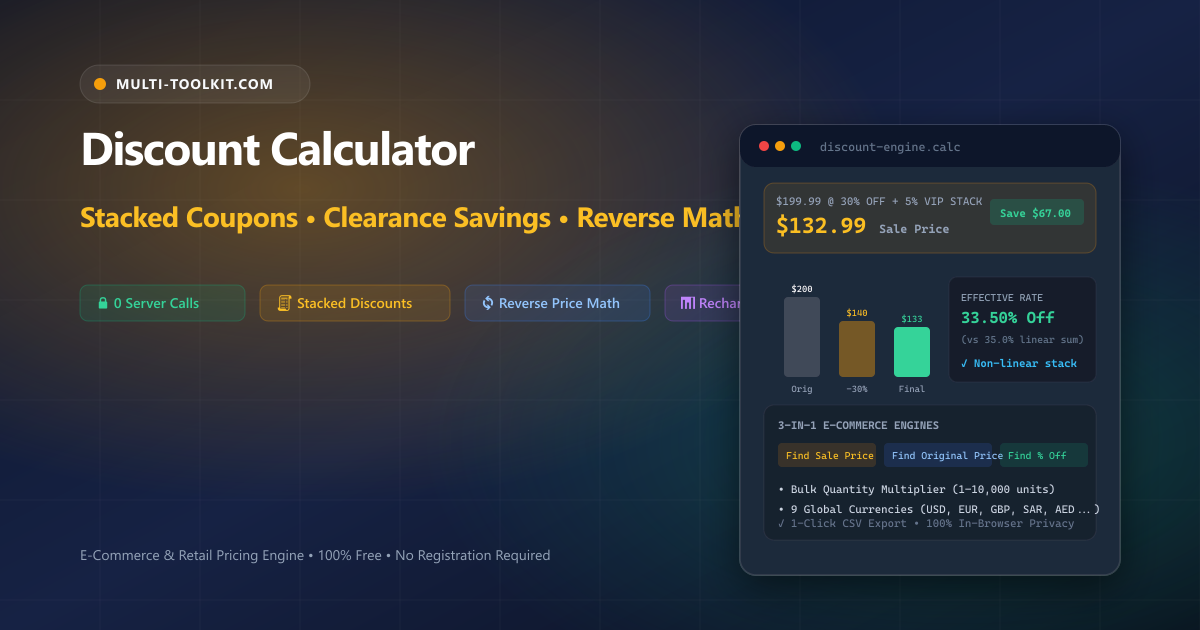
Stop losing margins to pricing mistakes or falling for double discount myths: calculate stacked coupons, wholesale volume savings, and reverse pre-sale list prices 100% inside your browser.
Whether you are a consumer hunting for genuine Black Friday bargains, an e-commerce brand owner managing promotional campaigns on Shopify or Amazon, or a retail procurement officer negotiating bulk inventory orders, accurate discount mathematics is essential to financial success.
Yet retail discounting is fraught with widespread arithmetic fallacies and cognitive biases:
- The “Double Discount” Addition Myth: Seeing a promotion for “30% off clearance plus an extra 20% off at checkout” leads most shoppers to believe they are receiving 50% off. In reality, sequential discounts compound multiplicatively against the reduced balance: a $100 item drops first to $70, and 20% off $70 is $14, resulting in a final checkout price of $56.00—an effective savings of 44.0%, not 50%.
- The Reverse Original Price Trap: When an e-commerce listing shows a discounted price of $80 with a “20% off” badge, adding 20% back to $80 gives $96.00. This is arithmetically wrong. The true unadjusted starting price was $100.00 ($80 ÷ (1 − 0.20)), creating a $4.00 audit error.
- The Bulk Cart Blindspot: Evaluating discounts on single units often masks hundreds of dollars in cumulative savings across wholesale orders of 10, 50, or 500 units.
The Multi-Toolkit Discount Calculator provides full retail pricing clarity with zero ad cloaking and 100% client-side execution.
The three dedicated retail pricing engines
Every retail and commercial discounting scenario maps to one of three core calculation modes:
1. Find sale price & stacked double discounts
Input an original price and a primary discount percentage, plus an optional stacked secondary promo code. The calculator computes the final price per unit, exact dollar savings, stacked compounded rate, and bulk total across your chosen quantity.
2. Find original price (Reverse discount solver)
Input the discounted price you paid and the discount percentage applied. The engine reverse-engineers the original unadjusted sticker price (MSRP) and shows the exact algebraic division steps.
3. Find discount percentage
Input the original starting price and the promotional sale price to discover the exact percentage markdown and total dollar savings.
In-browser architecture: instant local pricing with zero latency
Multi-Toolkit computes all unit discounts, stacked compounding rates, bulk cart multipliers, and CSV export tables directly in client-side JavaScript with zero network calls.
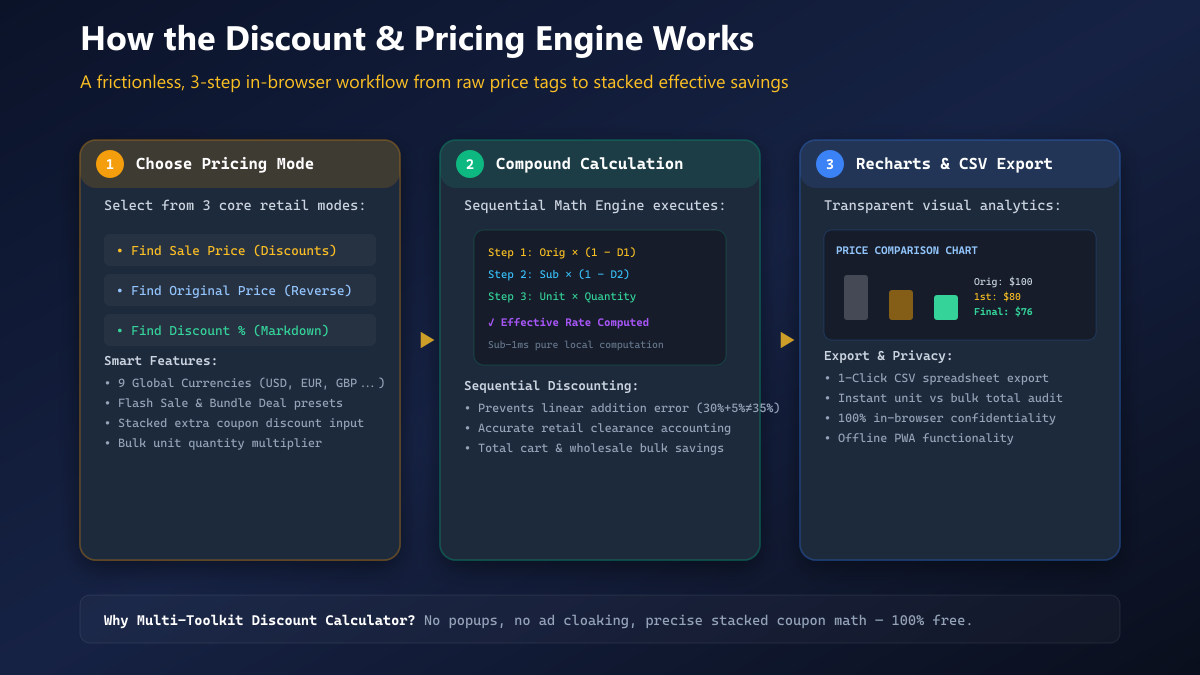
1. Choose Mode & Currency
Select from 3 retail modes, pick your currency (USD, EUR, GBP, SAR, AED, INR...), and enter values or load presets.
2. Sequential Compounding
Applies primary and stacked discounts multiplicatively, multiplies across bulk quantities, and renders Recharts graphs.
3. Visuals & CSV Export
Displays per-unit and bulk totals, price comparison bar chart, and provides 1-click CSV spreadsheet download.
Core features & capabilities
| Feature | Multi-Toolkit Discount Studio | Standard Phone Calculator | Generic Web Calculators |
|---|---|---|---|
| Pricing Engines | 3 Dedicated Modes in 1 Screen | Basic Multiplication Only | Siloed Across Multiple Pages |
| Stacked (Double) Discounts | Compounded Sequential Rate | Requires Manual Multi-Step Math | Often Uses Erroneous Linear Sums |
| Bulk Quantity Multiplier | 1 to 10,000+ Units with Cart Totals | Single Item Only | Unsupported |
| Interactive Visualization | Recharts Price Comparison Bar Chart | None | None |
| Global Currencies | 9 Currencies (USD, EUR, GBP, SAR, AED...) | OS Locale | Fixed USD ($) Only |
| Spreadsheet Export | 1-Click CSV Download | None | Unsupported |
| Privacy & Security | 100% In-Browser (0 Telemetry) | Local OS App | Third-Party Ad Trackers |
Step-by-step interactive guide
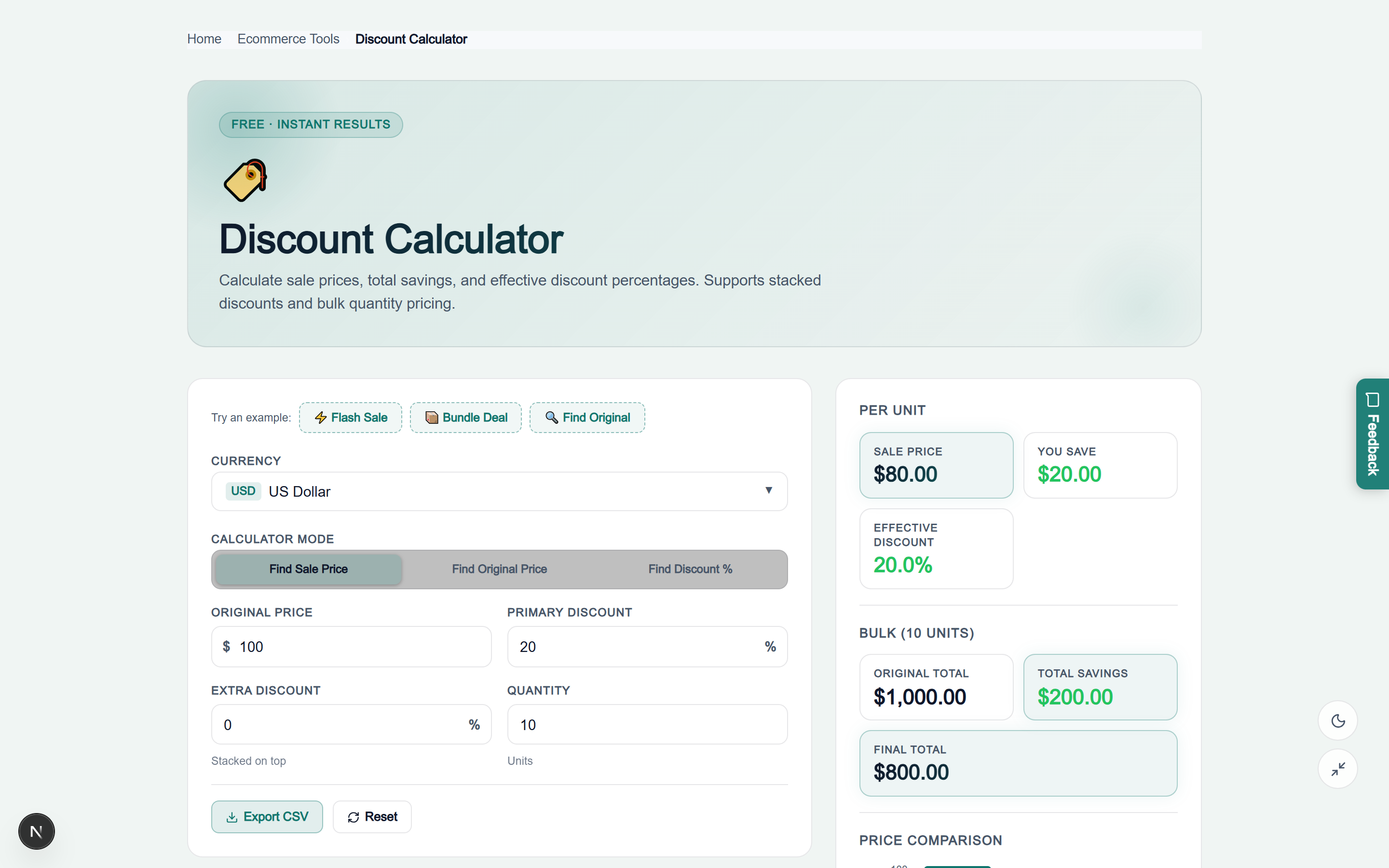
- Select Your Mode & Currency: Open the Discount Calculator. Choose between Find Sale Price, Find Original Price, or Find Discount %, and select your currency.
- Input Price & Discount Rates: Type in the original price and discount percentage. If you have an extra promo code (such as a 5% VIP coupon), enter it into the Extra Discount field. Adjust the Quantity field for bulk orders.
- Review Visual Chart & Bulk Totals: Inspect your per-unit sale price, savings amount, effective compounded discount rate, bulk total invoice, and the interactive Recharts bar chart.
- Export CSV Spreadsheet: Click “Export CSV” to instantly download a structured spreadsheet containing all line items for accounting and expense tracking.
Visual interface showcase: light & dark modes
Light Mode Interface
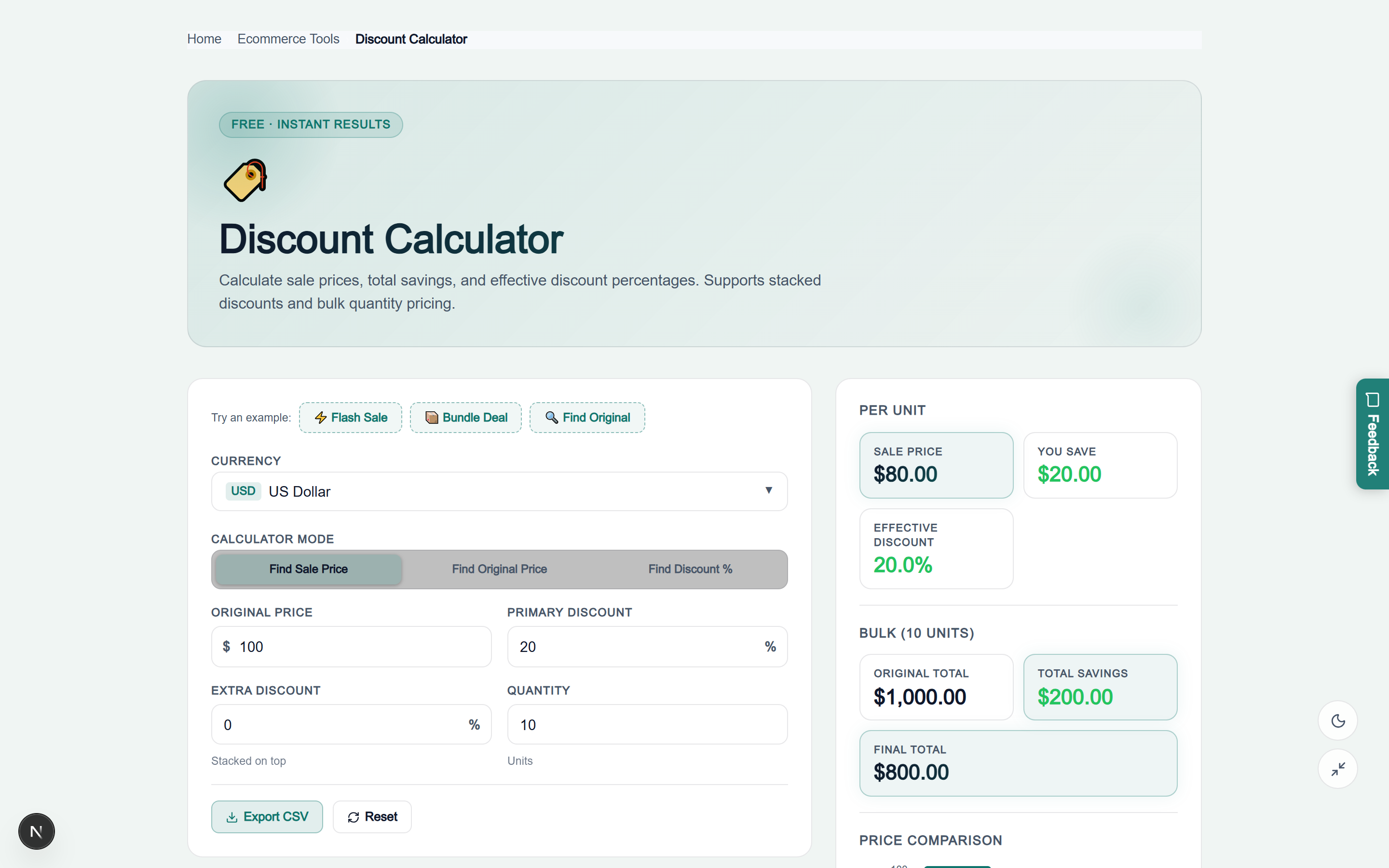
Dark Mode Interface
Technical deep dive: mathematical proofs & formulas
1. Single Discount Formula
Savings = OriginalPrice * (DiscountPercentage / 100)
SalePrice = OriginalPrice - Savings = OriginalPrice * (1 - DiscountPercentage / 100)
Example: $199.99 with 30% discount = 199.99 * 0.70 = $139.99 (Save $60.00)
2. Stacked (Double) Compounded Discount Formula
PriceAfterFirst = OriginalPrice * (1 - D1 / 100)
FinalPrice = PriceAfterFirst * (1 - D2 / 100) = OriginalPrice * (1 - D1/100) * (1 - D2/100)
EffectiveRate = (1 - (1 - D1/100) * (1 - D2/100)) * 100

Example: $100 item with 30% off + extra 10% coupon:
FinalPrice = 100 * 0.70 * 0.90 = $63.00
EffectiveRate = (1 - 0.63) * 100 = 37.00% (Not 40%)
3. Reverse Original Price Formula
OriginalPrice = SalePrice / (1 - (DiscountPercentage / 100))
Example: Paid $80 after 20% discount = 80 / (1 - 0.20) = 80 / 0.80 = $100.00
(Note: 80 * 1.20 = $96.00 is mathematically false)
4. Discount Percentage Extraction Formula
DiscountPercentage = ((OriginalPrice - SalePrice) / OriginalPrice) * 100
Example: $120 marked down to $90 = ((120 - 90) / 120) * 100 = (30 / 120) * 100 = 25.00%
Five costly retail discount pitfalls & how to avoid them
Pitfall 1: Assuming stacked discounts add linearly
Never add discount percentages together (e.g. 40% + 10% ≠ 50%). Secondary discounts apply exclusively to the already-reduced subtotal, resulting in an effective rate of 46%.
Pitfall 2: Confusing dollar discount with gross profit margin loss
For merchants, offering a 20% discount on an item with a 30% gross profit margin reduces net cash profit by 66.7%, not 20%. Always evaluate cash margins before launching sales.
Pitfall 3: Multiplying sale price by discount to find original MSRP
Multiplying a sale price by (1 + Discount Rate) generates a false starting value. Always divide by (1 − Discount Rate).
Pitfall 4: Neglecting cart-wide minimum spend thresholds
Stacking discount codes can accidentally lower cart totals below free shipping thresholds (e.g. $100 minimum), causing shipping fees to erase promo code savings.
Pitfall 5: Failing to audit volume discount tiers
When selling wholesale, combining tiered volume cuts with payment term discounts can push net margins negative. Always audit line items using the CSV export.
Stacked discount effective rate reference matrix
| Primary Discount | + 5% Stacked | + 10% Stacked | + 15% Stacked | + 20% Stacked | + 25% Stacked |
|---|---|---|---|---|---|
| 10% Off | 14.50% | 19.00% | 23.50% | 28.00% | 32.50% |
| 20% Off | 24.00% | 28.00% | 32.00% | 36.00% | 40.00% |
| 30% Off | 33.50% | 37.00% | 40.50% | 44.00% | 47.50% |
| 40% Off | 43.00% | 46.00% | 49.00% | 52.00% | 55.00% |
| 50% Off | 52.50% | 55.00% | 57.50% | 60.00% | 62.50% |
Security & privacy architecture
Your pricing queries, product costs, and cart calculations should remain completely private:
- No Account or Registration Required: Immediate access without email captures or registration walls.
- 100% In-Browser Calculations: All price conversions, sequential compounding, and CSV exports occur entirely in local browser RAM.
- Progressive Web App (PWA): Fully cached service workers allow you to calculate clearance markdowns inside retail stores without an internet connection.
Frequently asked questions
How do stacked or double discounts work?
Stacked discounts apply sequentially rather than additively. The first discount is deducted from the original price, and the second discount is applied to the discounted subtotal. For example, 30% off plus an extra 10% coupon on $100 yields $63.00 (a 37.0% effective discount, not 40%).
How do I calculate the original price before a discount was applied?
Divide the discounted sale price by (1 − Discount% ÷ 100). For example, if you paid $80 after a 20% discount, the original price was 80 ÷ (1 − 0.20) = 80 ÷ 0.80 = $100.00.
How do I calculate the discount percentage between two prices?
Subtract the sale price from the original price, divide by the original price, and multiply by 100: ((Original Price − Sale Price) ÷ Original Price) × 100.
Can I calculate bulk quantity discounts and total cart savings?
Yes. The calculator includes a Quantity field that multiplies unit prices and unit savings across any batch size (1 to 10,000+ units), showing original total, total savings, and final invoice balance.
Can I export my discount calculations to Excel?
Yes. Click the “Export CSV” button to download a complete spreadsheet containing original prices, discount rates, savings per unit, bulk totals, and effective percentage rates.
Are my financial figures and pricing queries private?
Yes. All calculations, graphs, and CSV generation execute 100% locally in your browser memory with zero network requests or server logging.
Explore related retail & financial tools
Complement your pricing calculations with these free utilities on Multi-Toolkit:
- Percentage Calculator — Calculate ratios, percentage change, and restaurant dining tip splits.
- Compound Interest Calculator — Project long-term investment growth and retirement milestones.
- EMI & Loan Calculator — Compute monthly loan installments and amortization schedules.
- Salary Calculator — Model gross-to-net take-home pay and tax deductions.
- VAT & Sales Tax Calculator — Add or reverse-extract Value Added Tax across global jurisdictions.
Calculate sale prices, stacked coupons, and bulk wholesale savings—100% in your browser with complete privacy:
Open Free Discount Calculator →