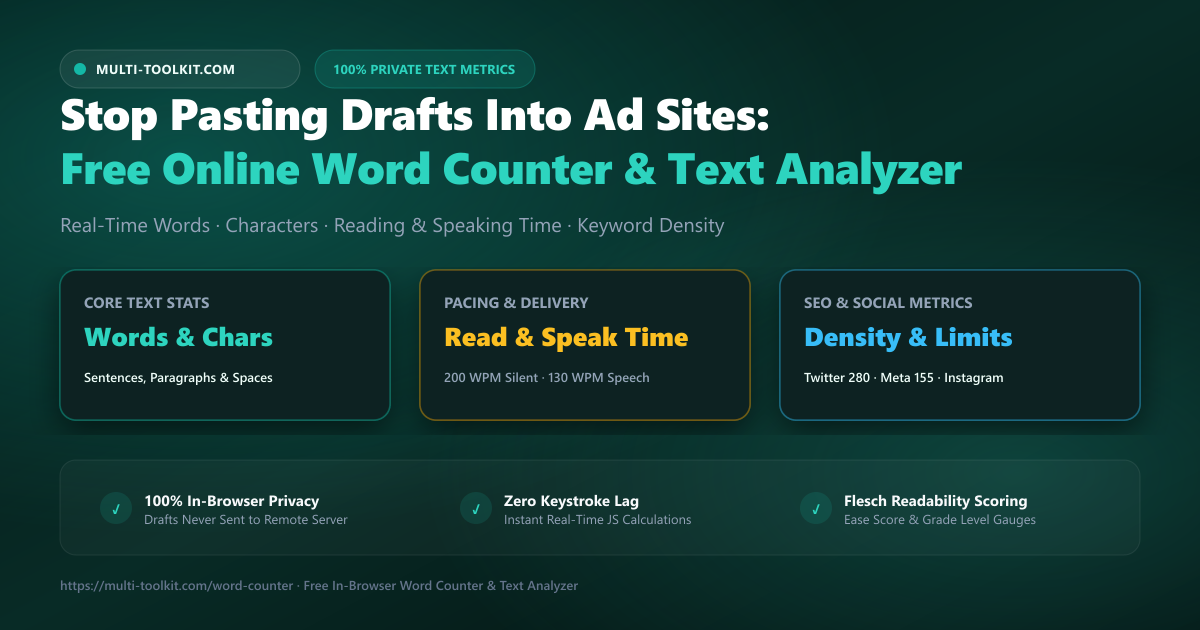
Stop pasting drafts into ad-laden counting sites: count words, characters, reading and speaking pace, keyword density, and social limits with 100% in-browser privacy.
Whether you are an author polishing a 5,000-word chapter, an SEO copywriter optimizing a meta description, or a keynote speaker timing a 15-minute presentation, text statistics are fundamental to your writing workflow. Every digital platform imposes strict character boundaries, reading rhythms, and keyword density thresholds.
Yet for over a decade, checking simple text metrics has meant pasting confidential manuscripts, unreleased product pitches, and sensitive client copy into ad-bloated online word counters. These traditional websites surround the writing box with intrusive banner advertisements, video popups, and aggressive analytics trackers that harvest your keystrokes and introduce noticeable typing latency.
To restore speed and privacy to your writing workflow, the Multi-Toolkit Word Counter delivers a clean, ad-free free online word counter and character count tool that calculates comprehensive text metrics locally on your device. Everything from syllable-based readability to spoken speech delivery estimates updates synchronously with every keystroke.
The 3 critical traps of ad-heavy word count websites
1. Data harvesting and draft exposure on ad networks
When you paste an unreleased blog draft, legal brief, or executive speech into a standard ad-supported counting site, third-party advertising scripts, heatmaps, and analytics trackers can log input field contents. Submitting confidential intellectual property into unvetted browser forms risks exposing proprietary drafts to external data collectors.
2. Keystroke latency and distracting visual clutter
Legacy counters load dozens of background advertising iframes and tracking scripts. As your text grows beyond a few hundred words, these background processes bog down the browser’s main JavaScript thread, causing sluggish cursor movement, delayed character rendering, and disruptive layout shifts.
3. Shallow metrics without pacing or readability context
Raw word counts only tell a fraction of the story. Standard counters rarely provide silent reading duration (calibrated to the 200 WPM standard) or speech delivery pacing (standard 130 WPM for talks and podcasts). Without automated stopword filtering or keyword frequency bars, writers cannot identify unintentional repetition or keyword stuffing.
The solution: a 100% in-browser text metrics engine
Multi-Toolkit replaces ad-laden web counters with an ultra-fast, client-side text analytics engine. Built entirely in JavaScript, all tokenization, regular expression parsing, and statistical computations execute directly within your browser’s local memory.
Why Multi-Toolkit’s word counter wins:
- 100% Local Privacy: Drafts, articles, and pitches never touch a remote server.
- Zero Keystroke Lag: Immediate parsing on every single character change.
- Dual Pacing Metrics: Instant reading time (200 WPM) and speech delivery time (130 WPM).
- Keyword Frequency Analyzer: Smart stopword removal with relative frequency bars.
- Real-Time Social Gauges: Visual progress meters for Twitter/X (280), Instagram bio (150), and Meta Descriptions (155).
- Offline PWA Support: Works anywhere, even with zero internet connectivity.
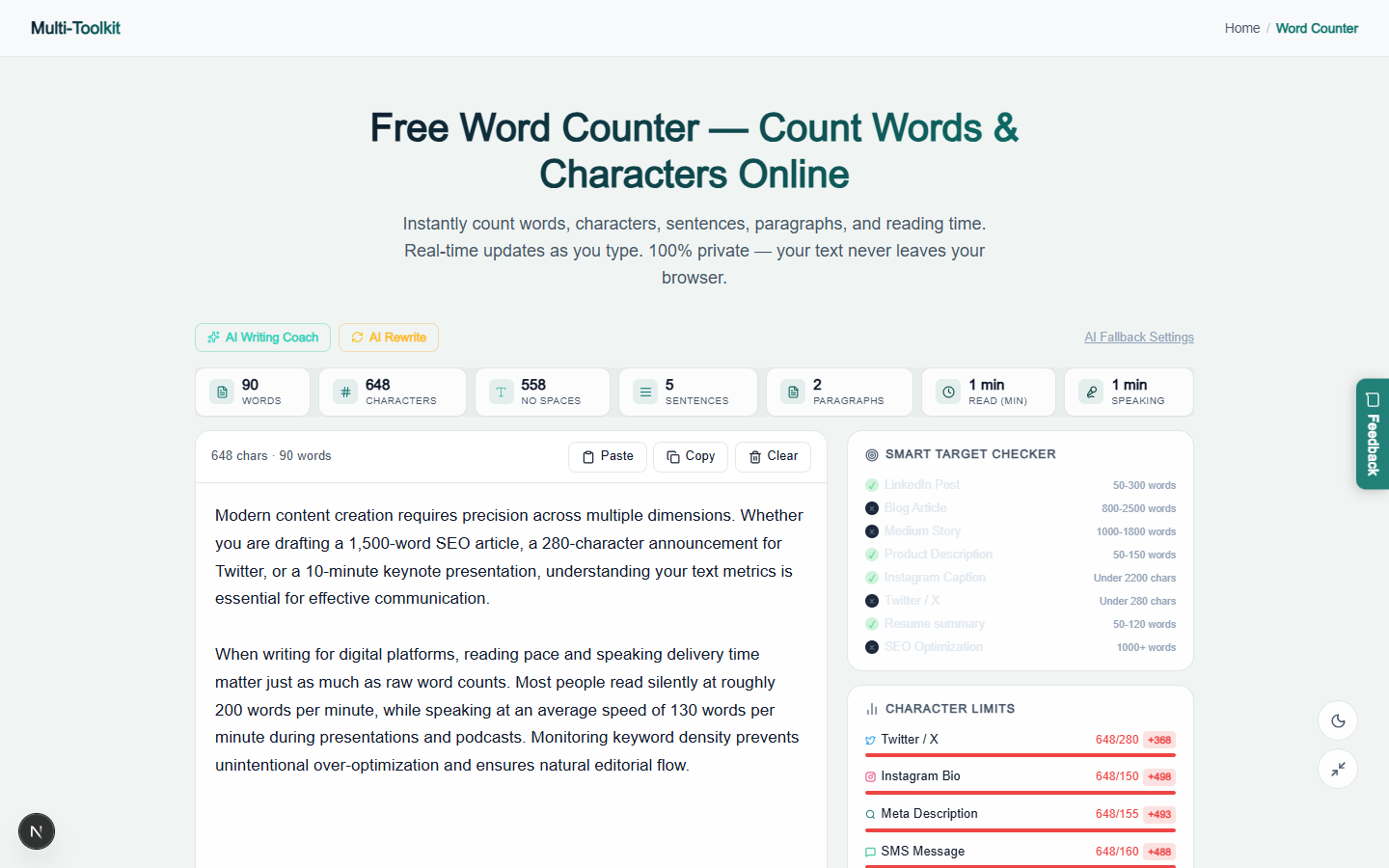
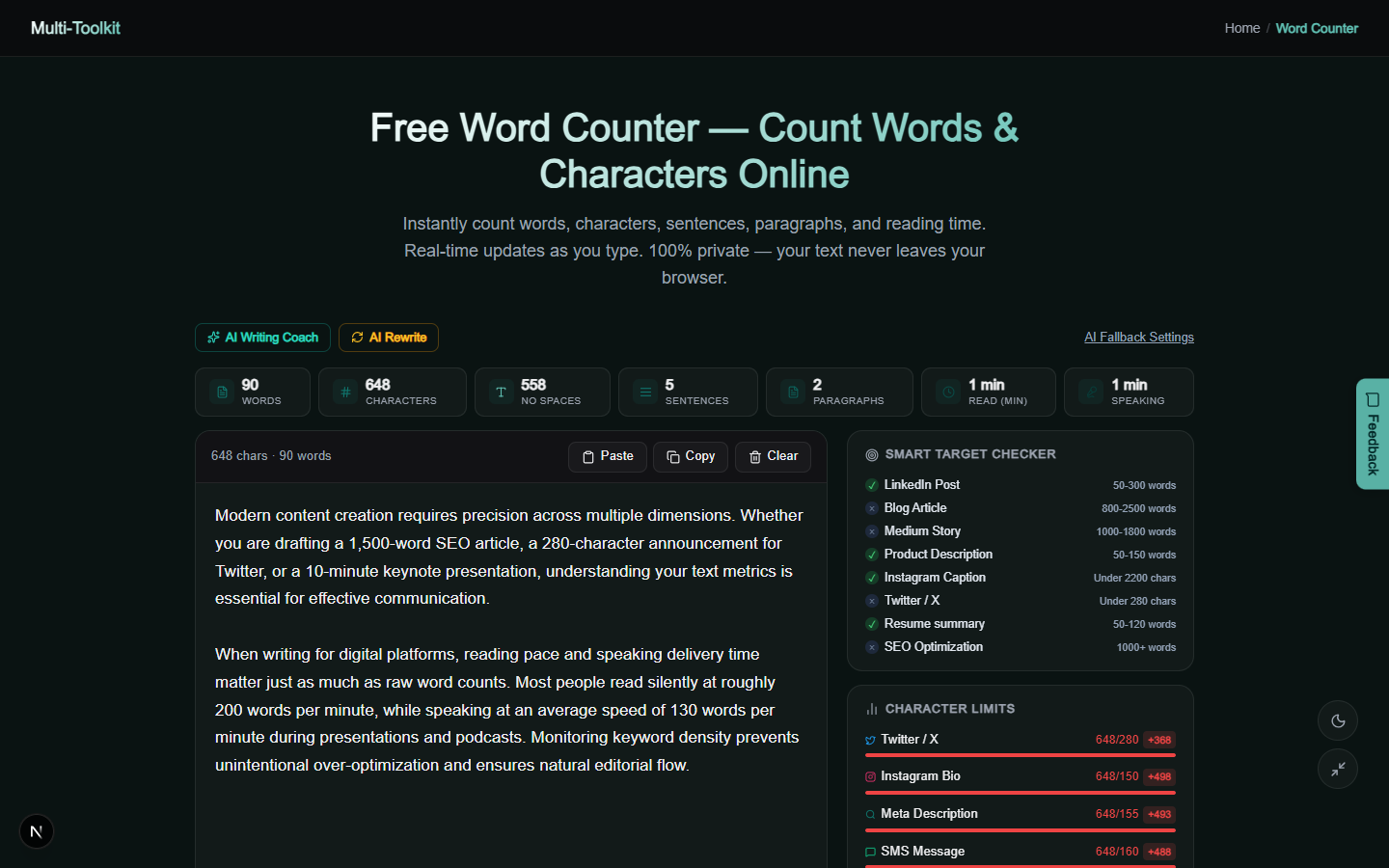
Real tool interface: Light & dark modes
Write, inspect, and refine your content across desktop, tablet, and mobile devices in light and dark modes:
How to analyze text in 4 simple steps
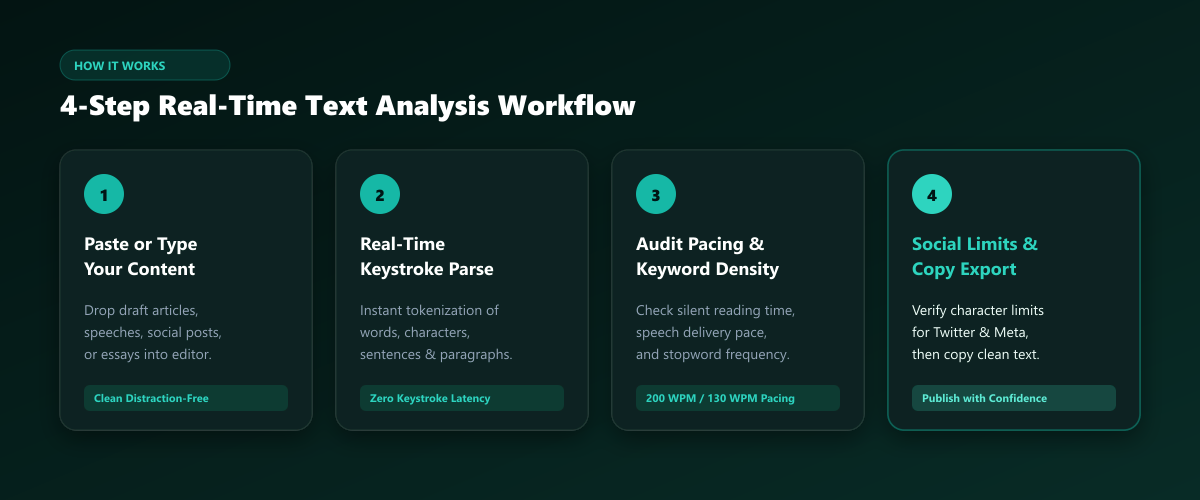
- Paste or Type Your Text: Open the Word Counter and paste your manuscript, speech notes, social caption, or essay into the distraction-free text area.
- Review Core Text Statistics: Instantly view real-time counts for words, total characters, characters without spaces, sentences, and paragraphs.
- Audit Delivery Pacing & Keyword Density: Check silent reading duration, speech delivery time, and inspect top recurring words to maintain natural flow.
- Verify Social Limits & Copy Clean Output: Check live progress meters for Twitter, Instagram, or SEO meta tags, and copy your optimized text in one click.
Practical use cases for writers & creators
- SEO Content Writers & Bloggers: Ensure long-form articles hit target lengths (1,200–2,000 words), verify search meta descriptions remain under 155 characters, and prevent keyword stuffing.
- Keynote Speakers & Podcasters: Accurately time presentations and podcast scripts using the 130 WPM spoken pace calculation (e.g., a 1,300-word script equals a 10-minute speech).
- Social Media Managers: Draft multi-platform updates formatted within exact character caps for Twitter/X (280), Instagram bios (150), and SMS campaigns (160).
- Students & Academics: Track strict essay word limits and paragraph structure without risking academic plagiarism through cloud scrapers.
- Job Seekers & Executives: Polish resumes and executive cover letters for optimal reading ease and succinct impact.
Feature comparison: Multi-Toolkit vs. Alternatives
| Feature / Capability | Multi-Toolkit Word Counter | Legacy Online Counters | Desktop Word Processors |
|---|---|---|---|
| Privacy & Security | 100% In-Browser (Zero Logs) | Third-party ad trackers | Local / Cloud sync |
| Banner Ads & Popups | Zero Ads Forever | Heavy ad banners & videos | None |
| Silent Reading Time | Yes (200 WPM Standard) | Basic / Missing | Rare / Plugin needed |
| Speech Delivery Time | Yes (130 WPM Standard) | Rare | None |
| Keyword Density Bar Chart | Built-in with Stopword Filter | Plain text list | None |
| Live Social Media Gauges | Twitter, Meta, Instagram, SMS | None | None |
| Offline Capable | Yes (Full PWA Cache) | No | Yes |
Frequently asked questions
How does the word counter calculate reading time and speaking time?
Silent reading time is calculated based on the widely accepted standard of 200 words per minute (WPM) for average adult readers. Spoken delivery time is calculated at 130 words per minute, which is the ideal cadence for keynotes, podcast presentations, and public speeches.
Is my pasted text or manuscript stored on any server?
No. Multi-Toolkit operates 100% client-side inside your browser’s local memory. Your text, drafts, confidential memos, and intellectual property are never uploaded, logged, or processed on any remote server.
What is an ideal keyword density for SEO copywriting?
In modern SEO, an optimal keyword density for your primary target phrase is typically between 1% and 2.5%. Higher densities can trigger search engine over-optimization penalties. Multi-Toolkit automatically filters out common English stopwords (such as “the”, “and”, “with”) so you can evaluate true topic keyword frequency.
How is the Flesch Reading Ease score calculated?
The Flesch Reading Ease score uses sentence length (words per sentence) and word length (syllables per word) to produce a score from 0 to 100. Higher scores (60–70) indicate plain English accessible to a standard 8th-grade reading level, while scores below 30 indicate complex academic prose.
What are the character limits for major digital platforms?
Twitter / X: 280 characters per standard tweet.
SEO Meta Description: 155–160 characters before search engine snippet truncation.
Instagram Bio: 150 characters maximum.
Standard SMS: 160 characters per single message segment.
Does the word counter count numbers and hyphenated words?
Hyphenated words (e.g., “client-side”) are counted as a single word by default. Numbers separated by spaces (e.g., “2026” or “100”) are treated as individual word tokens.
Analyze your writing with live reading time, keyword density, and social limits — 100% free:
Open Free Word Counter →Related Writing & Content Tools: Universal Text Compare · Meta Tag Generator · Lorem Ipsum Generator · Case Converter