encodeURIComponent, encodeURI, decodeURIComponent, and decodeURI, inspect decomposed query parameter tables, handle multi-byte UTF-8 emojis, and verify roundtrips with instant mode swapping.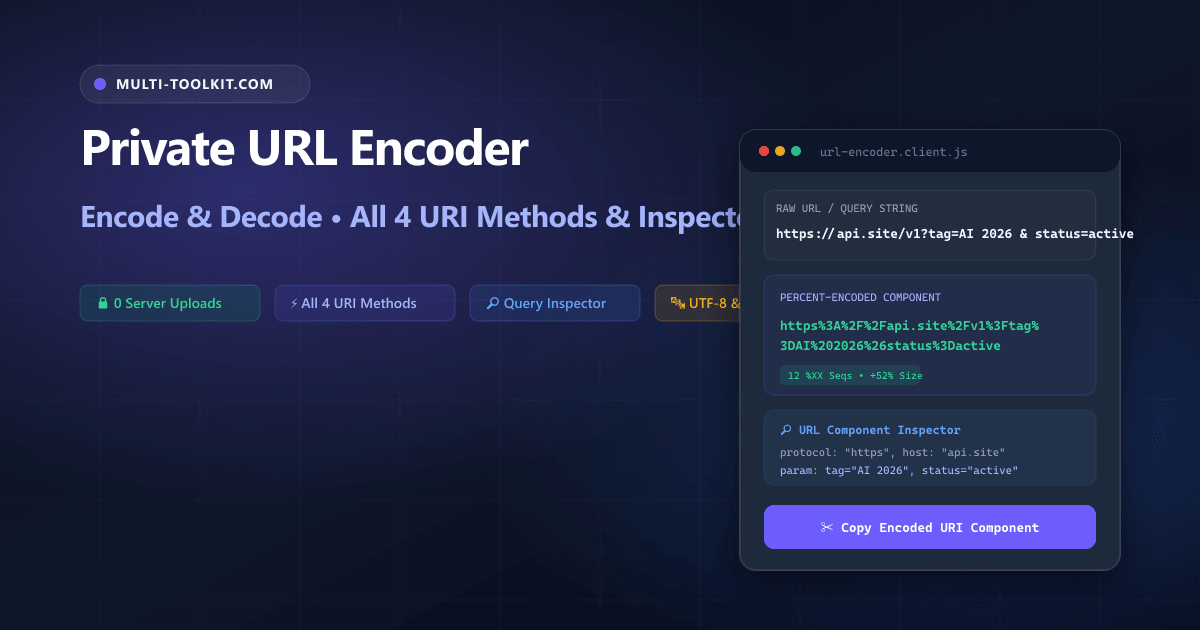
Stop uploading OAuth redirects and query strings to cloud decoders: encode and decode URLs with all 4 JS URI methods, query parameter tables, and zero server uploads 100% inside your browser.
In modern web development, URLs are dynamic transport channels carrying OAuth authorization codes, session state tokens, complex JSON payloads, analytics tracking tags, and API routing parameters.
However, searching Google for a url encoder decoder online frequently leads to outdated ad-heavy converters that transmit raw production URLs across the public internet, lack support for separating parameter values from complete URLs, or fail on multi-byte UTF-8 international characters and emojis.
To eliminate these security liabilities and encoding bugs, the Multi-Toolkit URL Studio provides an instant, 100% private encodeURIComponent online and url decode online utility. Built on standard browser Web APIs, all percent-encoding, parameter parsing, and structural URL decompositions execute directly in your local device memory with zero server uploads.
The URL encoding cloud trap: why pasting URLs online is a security risk
1. Live OAuth2 authorization code and token leakage
Pasting production callback URLs containing authorization codes (code=...), state validation nonces (state=...), or private API keys into third-party web tools exposes sensitive session credentials to remote server access logs and telemetry scrapers.
2. Double-encoding corruption
Generic web converters often fail to distinguish between entire URLs and individual query parameter values. Calling full URI encoding on an already-encoded query string produces double-encoded corruptions like %2520 that break backend API routers.
3. Lack of structural query parameter decomposition
Legacy tools return a single monolithic block of text without breaking down the host, route, protocol, and individual key-value query parameters into a readable format.
In-browser architecture: how Multi-Toolkit encodes & decodes URLs locally
Multi-Toolkit moves the entire URI parsing, RFC 3986 percent-encoding, and query table decomposition directly into client-side JavaScript.
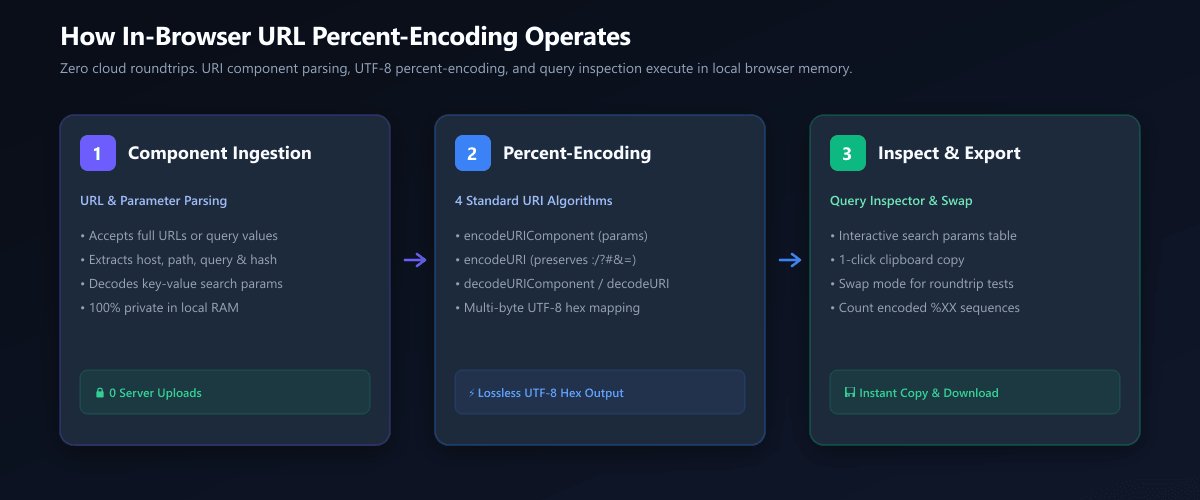
1. Component Ingestion
Input URLs are parsed by the native URL constructor, decomposing host, path, and key-value query parameters in browser RAM.
2. Percent-Encoding
Applies standard RFC 3986 hex byte encoding across all 4 JS URI algorithms (encodeURIComponent, encodeURI, etc.).
3. Inspect & Export
Visual parameter table, live %XX sequence metrics, instant roundtrip mode swap, and one-click clipboard copy.
Core capabilities: the 4 URI methods and query inspector
Multi-Toolkit provides dedicated controls tailored for every web development and API integration workflow:
| Method | Encoding Scope & Behavior | Recommended Use Case |
|---|---|---|
| encodeURIComponent | Encodes all reserved characters (: / ? # & = + @) | Individual query parameter values, search terms, redirect URIs |
| decodeURIComponent | Decodes all %XX percent sequences back to text | Reading encoded query parameters and decoding OAuth callbacks |
| encodeURI | Encodes full URL but preserves : / ? # & = @ | Complete URL strings with spaces or international characters |
| decodeURI | Decodes a full percent-encoded URL back to readable text | Human-readable inspection of full encoded URLs |
| Query Parameter Table | Auto-decomposes key/value search params | Debugging complex tracking URLs (UTM tags, deep links) |
| Swap Mode | Flips input/output and toggles encode ↔ decode | Instant two-click roundtrip verification |
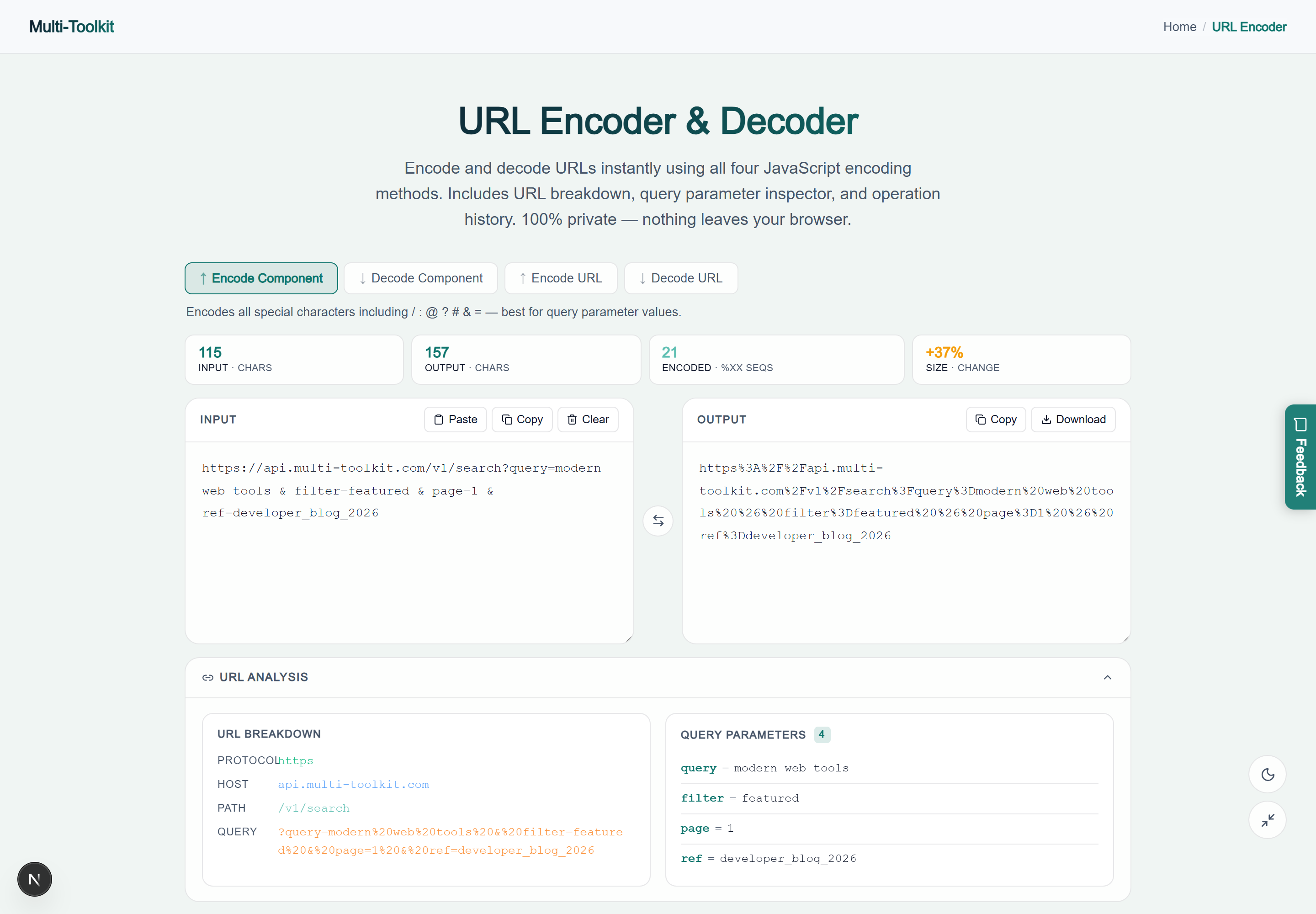
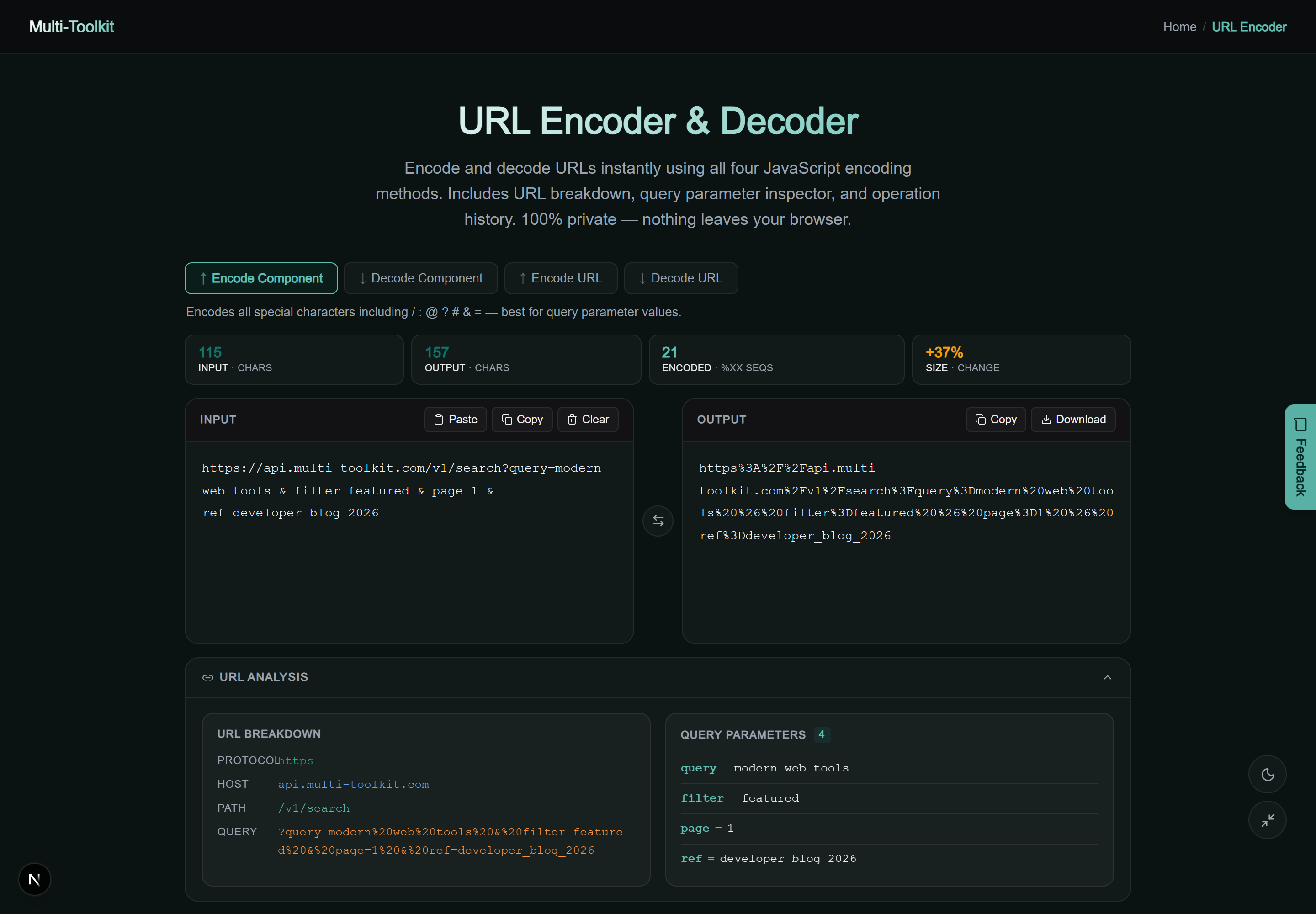
Dual-mode interface preview
Multi-Toolkit provides a responsive interface with an interactive query parameter table, real-time percent-sequence metrics, and quick clipboard actions across both light and dark themes:
Technical math: RFC 3986 percent-encoding & UTF-8 hex mapping
Under RFC 3986, non-ASCII characters and reserved symbols are converted to their UTF-8 byte stream and formatted as %XX hex sequences:
Percent-Encoding Examples:
Space → %20 | & → %26 | = → %3D | Rocket 🚀 → %F0%9F%9A%80
For multi-byte Unicode characters (such as 4-byte emojis), each individual byte is percent-encoded, expanding a single emoji into a 12-character string.
Step-by-step: how to encode and decode URLs
- Open Tool & Select Method: Open the URL Studio and select Encode Component (for query parameters) or Encode URL (for complete addresses).
- Paste Input: Paste your URL, redirect string, or parameter into the editor.
- Inspect Decomposed Query: Review the automatically generated table of query parameters and decomposed URL components.
- Copy or Swap: Click Copy Output or click Swap to verify the roundtrip decode.
Comparative feature matrix: Multi-Toolkit vs. Alternatives
| Feature | Multi-Toolkit | URL-Encode-Decode.com | URLDecoder.org | DevUtils |
|---|---|---|---|---|
| Pricing | 100% Free Forever | Free (Ad supported) | Free (Ad supported) | Paid ($29) |
| Client-Side Privacy | 0 Bytes Uploaded | Cloud Uploaded | Cloud Uploaded | Desktop Local |
| All 4 URI Methods | Full Suite Included | Partial | Partial | Full Suite |
| Decomposed Query Table | Interactive Key-Value | No | No | Supported |
| Mode Swap & Flip | 1-Click Roundtrip | No | No | Supported |
Common pitfalls & troubleshooting
- The Double-Encoding Bug: Calling
encodeURIComponent()on an already-encoded string converts%20into%2520. Always verify if an input is already encoded before applying a second transformation. - Spaces:
%20vs+: Standard RFC 3986 percent-encoding uses%20for spaces in web URLs. HTML form submissions historically used+. Multi-Toolkit uses modern RFC 3986%20for universal API compatibility. - Unencoded Ampersands in Parameter Values: If a query parameter value contains an unencoded
&, web servers will interpret it as the boundary for the next query parameter rather than data. Always useencodeURIComponentfor parameter values.
Frequently asked questions
What is the difference between encodeURI and encodeURIComponent?
encodeURIComponent encodes all special and reserved characters (including /, ?, #, &, =, and @), making it essential for query parameter values. encodeURI preserves those structural characters so a full URL remains valid and navigable.
Why do I get an encoding error when decoding a URL?
This occurs when the input contains an invalid or incomplete percent sequence—such as %gg (non-hex digits) or a lone % at the end of a string. Correct the incomplete hex sequence and re-run.
How do I decode a full query string with multiple parameters?
Paste the entire URL into Multi-Toolkit. The URL Analysis panel automatically parses and displays every query parameter as a clean key-value pair in a readable table.
Can I encode Unicode characters and emojis?
Yes. Multi-Toolkit converts all non-ASCII characters and emojis into multi-byte UTF-8 representations and percent-encodes each byte as uppercase %XX sequences.
What does the Swap button do?
The Swap button copies the current output back into the input field and automatically flips the mode (switching encode to decode, or vice versa), enabling instant two-click roundtrip verification.
Are my URLs sent to any server?
No. All URI parsing and percent-encoding run 100% locally inside your browser memory. Your data never leaves your device.
Encode, decode, and inspect URLs and query parameters—100% in your browser with complete privacy:
Open Free URL Studio →