Intl and Date engines—providing instant bidirectional conversion, automatic digit format detection, simultaneous 10-world-timezone breakdowns, humanized relative durations (“in 6 months”), multi-line batch conversion, and ready-to-run code snippets for JavaScript, Python, Go, PHP, and SQL.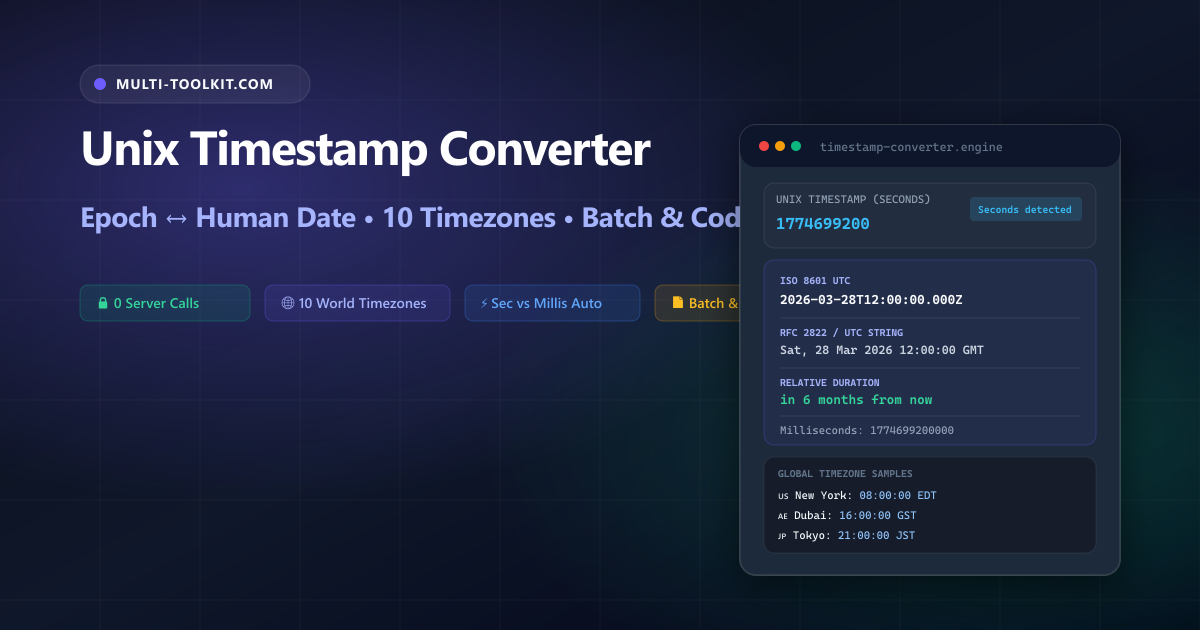
Stop pasting sensitive server traces and token expiration claims into cloud converters: convert Unix epoch timestamps instantly with 10 world timezones, automatic second/millisecond detection, batch mode, and zero server uploads 100% inside your browser.
Every backend server, cloud microservice cluster, distributed database, and telemetry pipeline relies on Unix epoch time as its universal chronological baseline. Defined as the total count of elapsed seconds (or milliseconds) since midnight on January 1, 1970 UTC, Unix timestamps synchronize everything from database primary keys and Redis TTL cache expirations to OAuth2 JWT exp validation claims and distributed OpenTelemetry traces.
Yet despite being one of computing’s oldest standards, epoch time translation remains a constant trap for engineering teams. Searching Google for a unix timestamp converter or epoch converter online often leads to outdated websites cluttered with intrusive ads, tools that require manual radio-button toggles for seconds versus milliseconds, or services that transmit proprietary server logs across public networks.
The Multi-Toolkit Unix Timestamp Converter eliminates these errors with an instant, private, client-side conversion engine designed specifically for modern engineering workflows.
The epoch time trap: why timestamp conversion breaks in production
1. The 10-digit vs 13-digit scale mismatch
Operating systems, POSIX utilities (Linux /bin/date), PHP time(), Python time.time(), and SQL databases (PostgreSQL, MySQL) represent timestamps in seconds (10 digits, e.g. 1774699200). In contrast, JavaScript Date.now(), Java System.currentTimeMillis(), and browser telemetry APIs use milliseconds (13 digits, e.g. 1774699200000).
Passing a 10-digit seconds timestamp into JavaScript’s new Date(1774699200) erroneously evaluates to January 21, 1970 because JavaScript treats the number as milliseconds. Conversely, passing a 13-digit millisecond value into Python’s datetime.fromtimestamp(1774699200000) throws an immediate OverflowError or yields a date beyond the year 58,000.
2. Timezone offset pollution
A Unix timestamp is strictly referenced to Coordinated Universal Time (UTC) and possesses no timezone information. However, when developers convert an epoch timestamp into a string representation for logging or display, standard library functions often attach the host machine’s local timezone offset (such as EDT, CET, or GST). When that formatted string is later parsed by another microservice assuming UTC, silent time drifts of 4 to 14 hours corrupt audit logs and scheduling logic.
3. The Year 2038 signed 32-bit integer rollover
On legacy 32-bit operating systems, embedded IoT hardware, and legacy C libraries that store timestamps as a signed 32-bit integer (int32), the maximum value of 2,147,483,647 will be reached on Tuesday, January 19, 2038 at 03:14:07 UTC. At 03:14:08 UTC, integer overflow will wrap the counter to -2,147,483,648, resetting systems to December 13, 1901. Modern 64-bit systems (int64) and JavaScript (64-bit IEEE 754 floats) avoid this limitation completely.
4. Security & privacy risks with online tools
Debugging live incidents often requires decoding timestamps embedded in authorization headers, JWT tokens, customer billing records, and audit trails. Pasting proprietary telemetry into remote third-party web converters leaks sensitive operational metadata to external servers, violating enterprise data governance and GDPR compliance.
In-browser architecture: how Multi-Toolkit converts timestamps locally
Multi-Toolkit performs all timestamp conversions, timezone projections, relative time calculations, and code formatting directly in your browser’s JavaScript runtime with zero server requests.
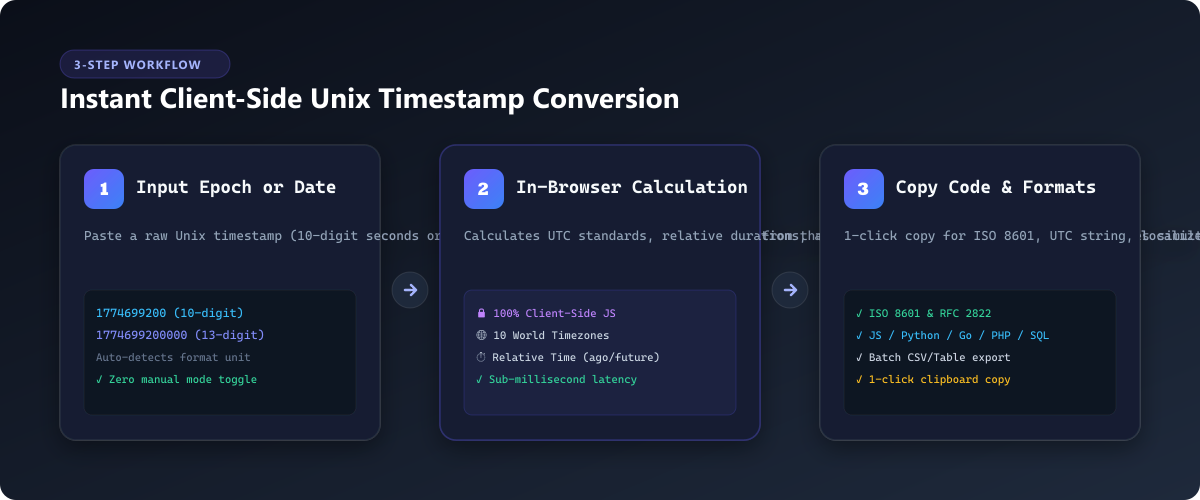
1. Smart Detection
Input integers are evaluated against magnitude thresholds (>1012) to auto-detect seconds vs milliseconds without manual mode toggling.
2. Client-Side Math
Calculates ISO 8601 UTC strings, relative duration offsets (“ago” / “from now”), and projects across 10 global IANA timezones using native Intl.DateTimeFormat.
3. Multi-Language Code
Generates ready-to-run copy-paste boilerplate tailored to your exact input across JavaScript, Python, Go, PHP, and PostgreSQL/MySQL.
Core features & capabilities
| Feature | Multi-Toolkit Studio | Generic Web Converters | Terminal CLI |
|---|---|---|---|
| Privacy & Telemetry | 100% In-Browser (0 Network Calls) | Remote Server Logs / Ads | Local Machine Only |
| Format Auto-Detection | Instant 10-digit (s) vs 13-digit (ms) | Manual Radio Toggle | Requires Manual Division |
| Bidirectional Sync | Simultaneous Live Dual-Input Cards | Single-Way Form Submission | Separate CLI Commands |
| Global Timezones | 10 Major World Hubs Live | 1 or 2 Timezones | Requires Setting TZ Env Var |
| Relative Time | Humanized “in 6 months” / “3 days ago” | Unsupported | Requires Scripting |
| Batch Log Processing | Multi-line Paste with Tabular Grid | Single Timestamp Only | Requires Loop Pipes |
| Code Snippets | JS, Python, Go, PHP, SQL (Postgres/MySQL) | None or Static Text | N/A |
Step-by-step interactive guide
- Input Timestamp or Date: Open the Unix Timestamp Converter. Type or paste any 10-digit seconds timestamp (e.g.
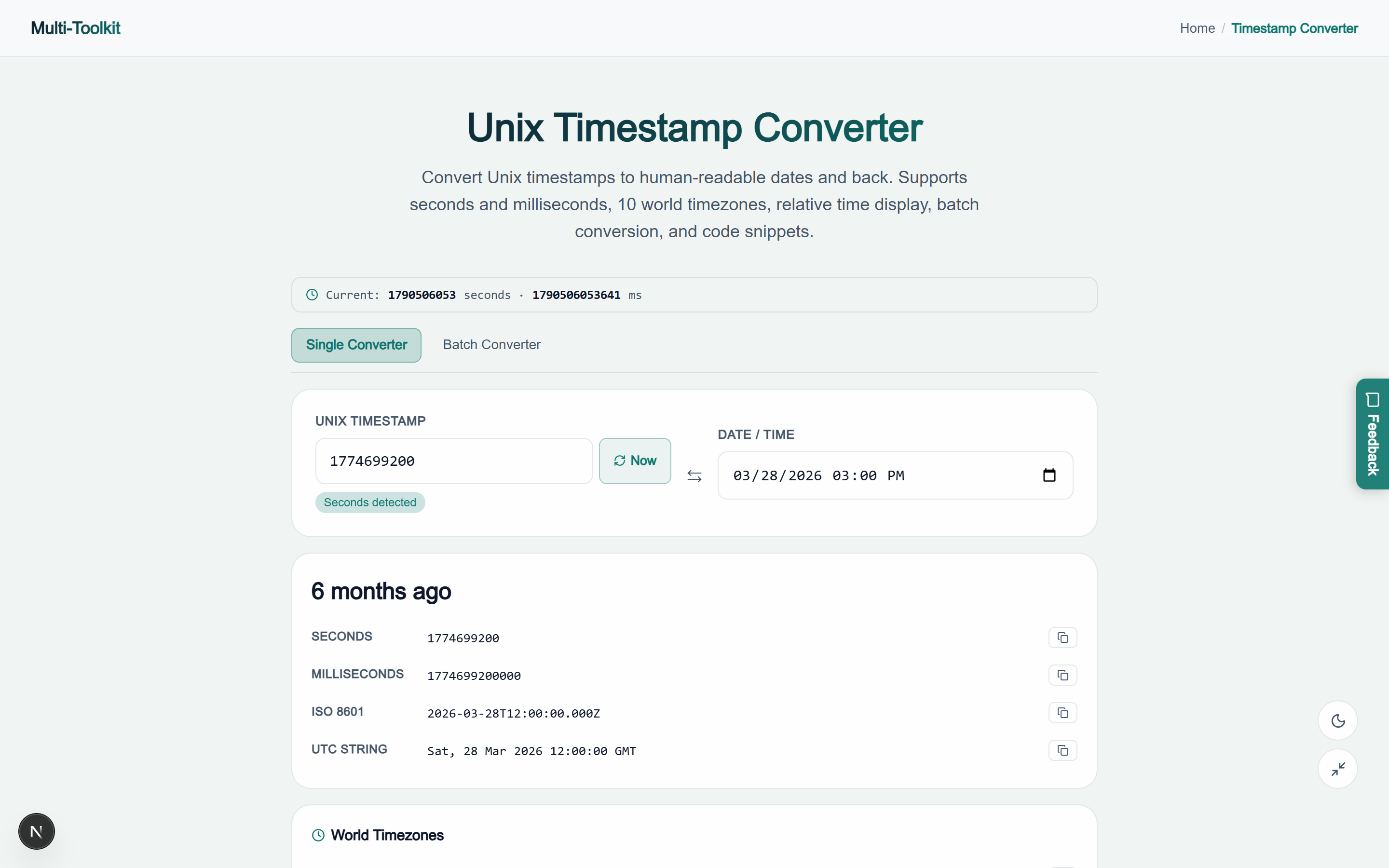
1774699200) or 13-digit millisecond timestamp (e.g.1774699200000). Alternatively, select a date and time from the interactive datetime picker, or click the “Now” button to load the current system timestamp. - Review Real-Time Conversions: The results card instantly presents the parsed seconds, milliseconds, standardized ISO 8601 UTC string (
2026-03-28T12:00:00.000Z), RFC 2822 format, and humanized relative duration. - Inspect Global World Timezones: Check the World Timezones matrix to view corresponding local wall-clock times across New York, Los Angeles, London, Paris, Dubai, Karachi, Tokyo, Shanghai, and Sydney simultaneously.
- Copy Code Snippets or Process Batch Logs: Click the Code Snippets drawer to grab copy-paste code for your preferred programming language, or switch to the Batch Converter tab to translate dozens of log timestamps in bulk.
Visual interface showcase: light & dark modes
Light Mode Interface
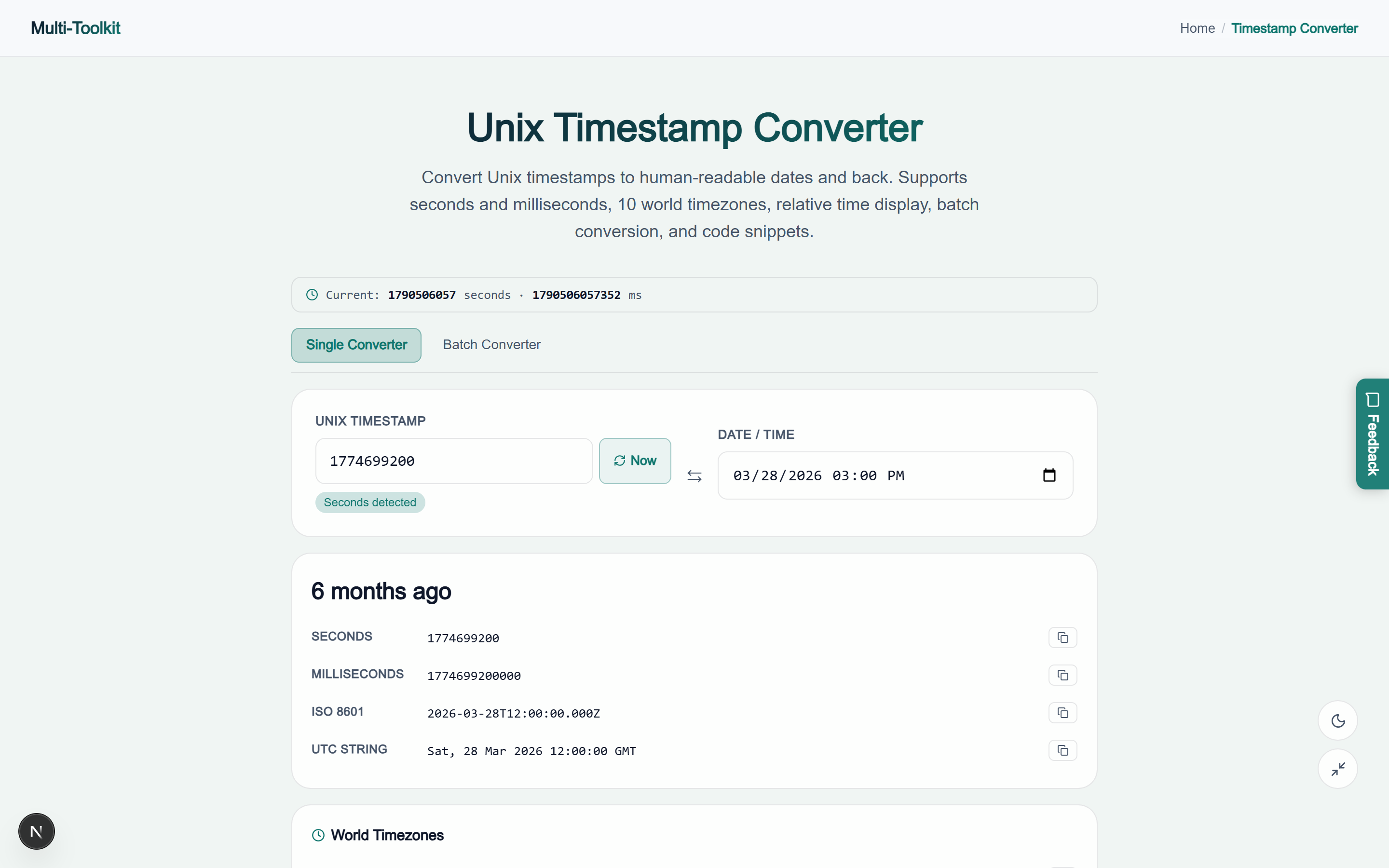
Dark Mode Interface
Common developer pitfalls & how to avoid them
Pitfall 1: Multiplying an already-millisecond timestamp by 1,000
Accidentally multiplying a 13-digit millisecond timestamp by 1,000 pushes the date into the year 58,000+. Always verify the digit length before applying conversion factors:
// ❌ BROKEN: Blindly multiplying by 1000
const rawTs = 1774699200000; // already milliseconds
const badDate = new Date(rawTs * 1000);
console.log(badDate.toISOString()); // => 58189-10-18T08:00:00.000Z

// ✅ CORRECT: Scale conditionally based on magnitude
function parseTimestamp(ts) {
  const num = Number(ts);
  return new Date(num > 1e12 ? num : num * 1000);
}
Pitfall 2: Localhost timezone contamination in Python
In Python, datetime.fromtimestamp() without an explicit timezone parameter attaches the host machine’s local system timezone, leading to date drift when deployed to cloud servers configured with UTC:
from datetime import datetime, timezone

# ❌ BROKEN: Naive datetime tied to local host timezone
naive_dt = datetime.fromtimestamp(1774699200)

# ✅ CORRECT: Explicitly anchor to UTC
utc_dt = datetime.fromtimestamp(1774699200, tz=timezone.utc)
print(utc_dt.isoformat()) # 2026-03-28T12:00:00+00:00
Pitfall 3: Assuming JWT expiration claims are in milliseconds
RFC 7519 explicitly defines the JWT exp (expiration) and iat (issued at) claims as Unix seconds. Comparing Date.now() (milliseconds) directly against payload.exp (seconds) will always evaluate to true, falsely treating all tokens as expired:
// ❌ BROKEN: Comparing milliseconds against seconds
const jwtPayload = { exp: 1774699200 }; // 10 digits
if (Date.now() > jwtPayload.exp) {
  // Date.now() is ~1.77e12, jwtPayload.exp is ~1.77e9
  // Condition ALWAYS evaluates to true!
}

// ✅ CORRECT: Normalize both to seconds
const nowInSeconds = Math.floor(Date.now() / 1000);
if (nowInSeconds > jwtPayload.exp) {
  console.log("Token is truly expired");
}
Multi-language code snippet reference
| Language / Environment | Current Epoch (s) | Timestamp → ISO Date | Date → Timestamp |
|---|---|---|---|
| JavaScript / Node.js | Math.floor(Date.now()/1000) | new Date(ts * 1000).toISOString() | Math.floor(d.getTime()/1000) |
| Python 3 | int(time.time()) | datetime.fromtimestamp(ts, tz=timezone.utc) | int(dt.timestamp()) |
| Go (Golang) | time.Now().Unix() | time.Unix(ts, 0).UTC().Format(time.RFC3339) | t.Unix() |
| PHP 8+ | time() | gmdate('Y-m-d\TH:i:s\Z', $ts) | strtotime($dateStr) |
| PostgreSQL | EXTRACT(EPOCH FROM NOW())::BIGINT | TO_TIMESTAMP(ts) | EXTRACT(EPOCH FROM ts_col) |
| MySQL / MariaDB | UNIX_TIMESTAMP() | FROM_UNIXTIME(ts) | UNIX_TIMESTAMP(date_col) |
Security & privacy architecture
Engineering telemetry frequently carries proprietary metadata that must never be exposed to public web trackers or unsecured APIs. Multi-Toolkit protects your workflow through strict client-side containment:
- Zero Server Ingestion: All mathematical parsing, timezone formatting, and batch iterations run entirely in the browser memory of your client machine.
- Confidential Incident Triage: Securely paste proprietary log lines, database primary keys, and JWT authentication claims without risk of data leakage.
- Offline Capability: Progressive Web App (PWA) caching enables the timestamp converter to function fully offline during remote flights or air-gapped data center maintenance.
Frequently asked questions
What is the difference between seconds and milliseconds timestamps?
Seconds timestamps are 10 digits long (e.g. 1774699200) and represent standard POSIX time used by Linux, Python, Go, and SQL. Milliseconds timestamps are 13 digits long (e.g. 1774699200000) and are standard in JavaScript (Date.now()) and Java. Multi-Toolkit auto-detects your format instantly.
Why did my converted date end up in the year 1970?
This happens when a 10-digit seconds timestamp is passed to a JavaScript Date constructor without multiplying by 1000 (e.g. new Date(1774699200)). JavaScript treats the input as 1,774,699 milliseconds (~30 minutes after epoch on Jan 1, 1970). Always multiply seconds by 1000 before constructing dates in JS.
What is the Year 2038 problem (Y2038)?
On 32-bit computing systems, Unix time is stored as a signed 32-bit integer. It will overflow its maximum value (2,147,483,647) on January 19, 2038 at 03:14:07 UTC, resetting the date to December 13, 1901. Modern 64-bit systems eliminate this issue for 292 billion years.
How do I convert multiple timestamps from server logs at once?
Switch to the Batch Converter tab, paste your list of timestamps (one per line), and the tool will immediately generate a clean tabular breakdown displaying the input, seconds, ISO 8601 UTC date, and relative elapsed time.
Can I share a specific timestamp with my engineering team?
Yes. Append ?ts=<timestamp> to the tool URL (for example: https://multi-toolkit.com/timestamp-converter/?ts=1774699200). When anyone opens the link, the tool automatically pre-fills the input and renders the full 10-timezone breakdown.
Are my timestamps or server log data transmitted across the network?
No. All conversion algorithms, timezone calculations, and code generations run 100% locally inside your web browser using standard client-side JavaScript APIs. Your data never leaves your computer.
Explore related developer tools
Streamline your backend and frontend engineering workflows with these complementary free utilities on Multi-Toolkit:
- Timezone Converter — Schedule global meetings across multiple timezones with intuitive overlap sliders.
- Base64 Encoder & Decoder — Encode and decode RFC 4648 and URL-safe Base64 strings with live image previews.
- URL Encoder & Decoder — Percent-encode query parameters and decompose complex URLs with zero server uploads.
- JWT Decoder — Inspect JSON Web Token headers, claims, and
exptimestamps with complete client-side security. - Age & Date Calculator — Calculate chronological duration, date differences, and milestone countdowns.
Convert Unix epoch timestamps to dates, inspect 10 world timezones, and generate code—100% in your browser with complete privacy:
Open Free Timestamp Converter →