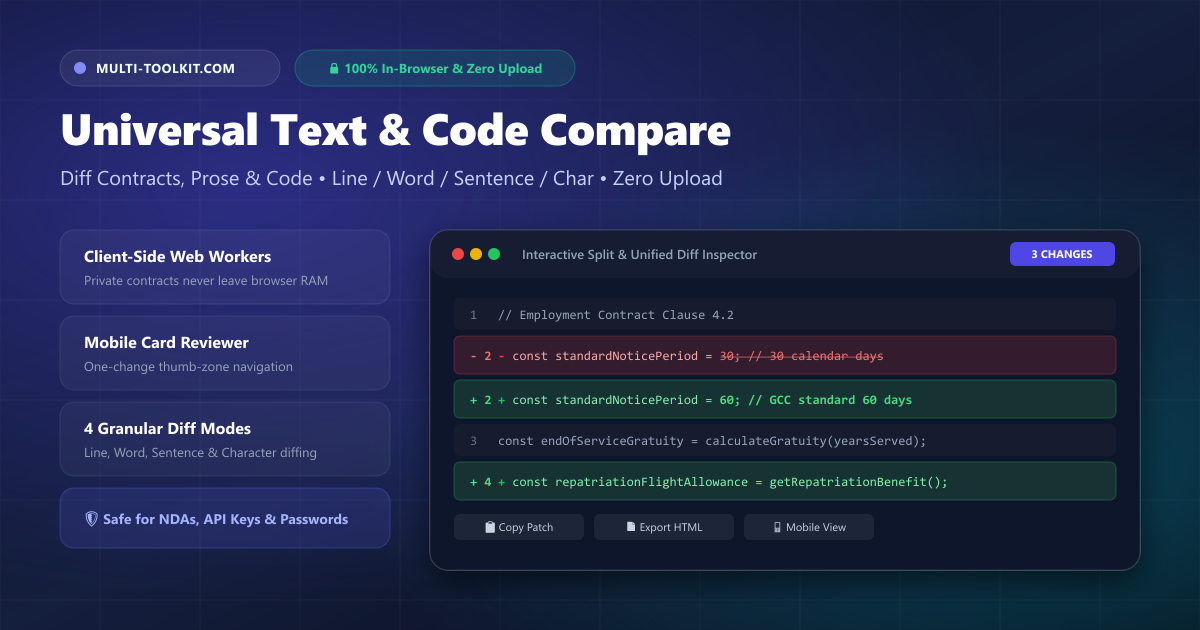
Stop uploading confidential documents to cloud diff checkers: compare texts, contracts, and source code 100% in your browser.
Whether you are an engineer inspecting code revisions, a business executive reviewing a multi-page employment contract in the GCC, a student proofreading an essay, or a writer tracking editorial tweaks, comparing two versions of text to spot changes is a daily necessity.
Yet for over a decade, the default habit has been pasting confidential text into traditional cloud-based diff checkers like Diffchecker, Draftable, or generic online difference tools. What many users don’t realize is that these platforms transmit your raw text to remote servers for processing, log clipboard contents, gate essential offline use behind $15–$40/month subscriptions, and present rigid desktop layouts that completely break on mobile phones.
The Multi-Toolkit Universal Text Compare provides the private, modern alternative: a high-performance, 100% in-browser compare two texts online engine. Powered by client-side Web Workers and flexible diffing algorithms, your sensitive documents never leave your device memory, and you can review changes effortlessly on any desktop or smartphone screen.
The hidden traps of cloud-based diff checkers
1. Critical privacy leaks & NDA violations
When you paste a proprietary algorithm, an unreleased press statement, an employee salary addendum, or a client NDA into a cloud diff tool, that data travels over the public internet to third-party web servers. Even when services promise not to store inputs permanently, server memory caching, error logging, and analytics trackers create unnecessary data exposure. For legal teams, developers handling API tokens, and corporate employees bound by strict non-disclosure agreements, uploading text to an external server is an avoidable compliance risk.
2. Aggressive subscription paywalls & desktop gating
Incumbent cloud comparison tools aggressively monetize basic productivity features. Diffchecker charges between $15 and $40 per month for unlimited history and gates true offline diffing behind a proprietary desktop app install. Draftable charges $10.75 to $20.75 per user/month. Free web tiers routinely impose character limits, bombard users with intrusive banner ads, or force you to register an account just to download a diff patch.
3. Broken mobile ergonomics
Over 85% of modern web traffic in regions like the GCC happens on smartphones. Yet traditional diff tools remain trapped in the 2010s desktop era—forcing two fixed-width horizontal columns onto narrow mobile viewports. Reviewing changes on your phone becomes a frustrating exercise in pinch-zooming, horizontal scrolling, and guessing which side-by-side lines correspond to each other.
How the Multi-Toolkit Universal Text Compare works
Universal Text Compare replaces legacy server-dependent diffing with a modern, client-side architecture:
- 100% Client-Side Web Workers: Text comparison calculations execute entirely on a background thread inside your browser. Your text stays in local RAM and is never transmitted across the network.
- 4 Granular Diff Modes: Switch instantly between Line (ideal for code and structured configs), Word (best for prose and articles), Sentence (perfect for legal clauses), and Character (for subtle typos and license keys).
- Mobile-First One-Change Reviewer: On mobile screens, the tool automatically activates a focused single-change reviewer card with clear Before/After blocks and a sticky bottom thumb-zone navigation bar.
- Intelligent Normalization Filters: Ignore whitespace indentation differences (spaces vs. tabs), ignore letter casing, or toggle invisible glyph formatting (
·for spaces,⇥for tabs,↵for newlines). - Smart JSON Handoff: When structured JSON is detected in your inputs, the tool automatically offers a 1-tap transition to our dedicated JSON Diff Tool for semantic tree analysis and RFC 6902 patch generation.
- Free & Offline Ready: No subscriptions, no daily limits, and works offline as a progressive web app (PWA).
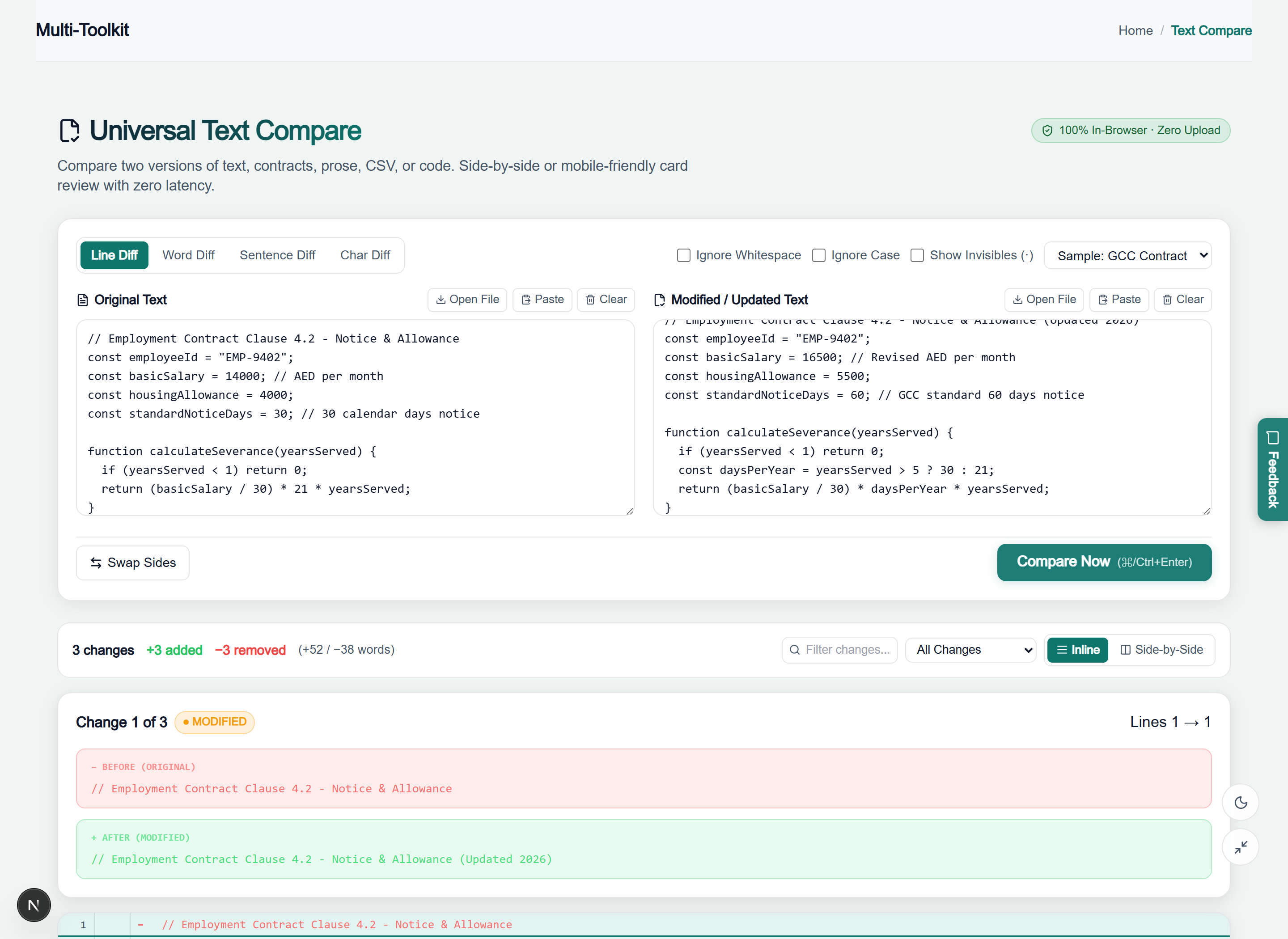
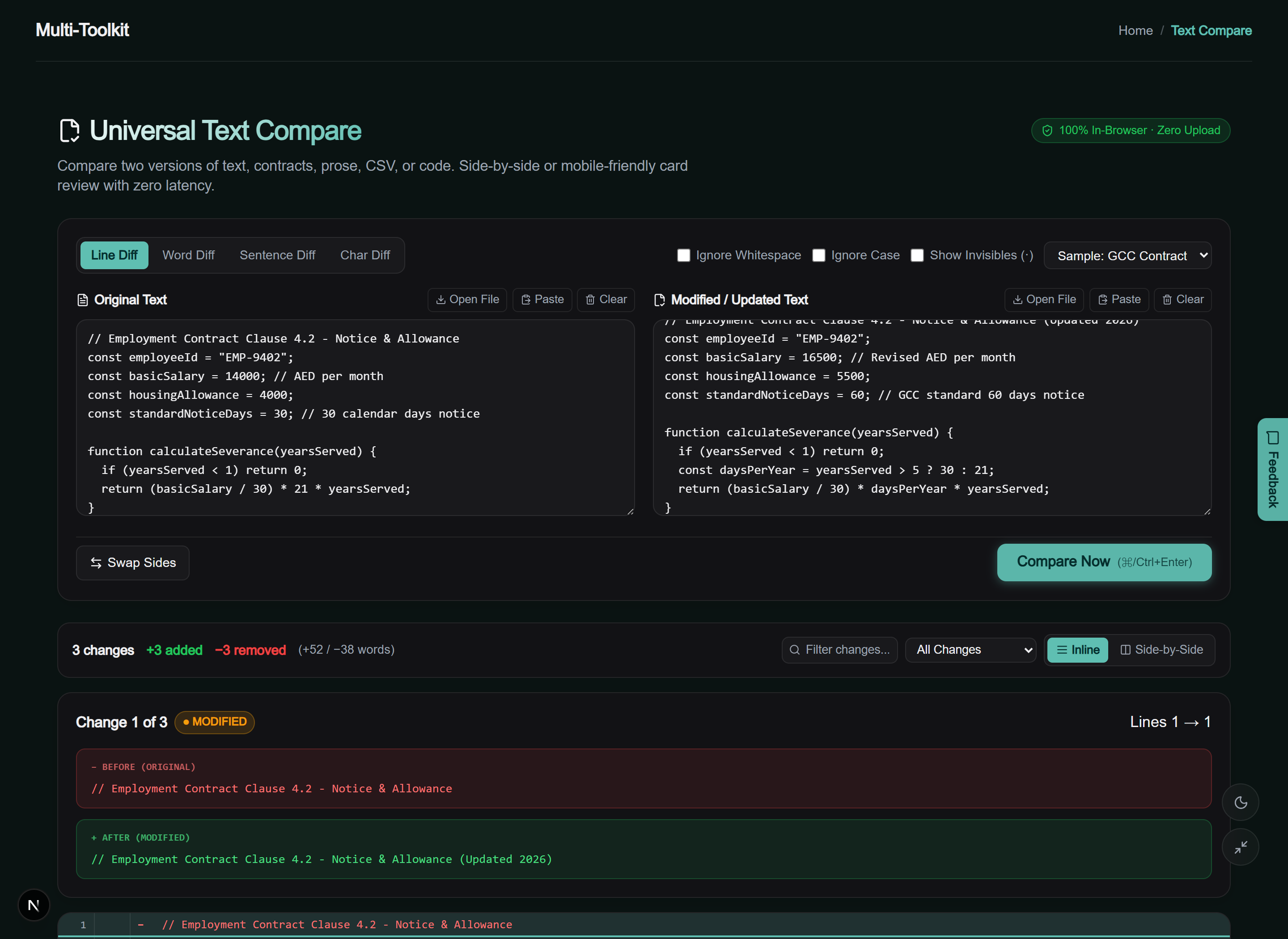
User interface: Light & dark modes
Designed with a clean, high-contrast interface that keeps you focused on the changes that matter:
How to compare two texts in 4 simple steps
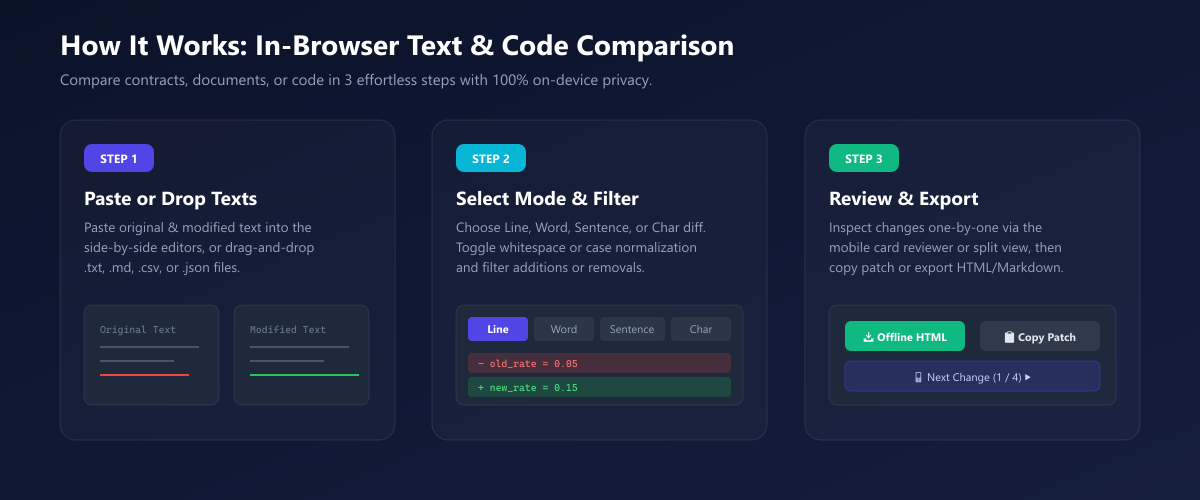
- Paste or drop your texts: Open Universal Text Compare and paste the original text into the left panel and the updated version into the right panel (or drag and drop
.txt,.md,.csv, or.jsonfiles). - Select your comparison mode & filters: Pick your required granularity (Line, Word, Sentence, or Char) and toggle “Ignore Whitespace” or “Ignore Case” if needed.
- Inspect differences: On desktop, explore the side-by-side split view or unified inline view. On mobile, step through differences change-by-change using the hero reviewer card and thumb-zone ◀ Prev / Next ▶ controls (or press p / n on desktop keyboard).
- Export your results: Click Actions to copy the unified diff patch to your clipboard, or download a structured Markdown report (
.md) or an offline, styled HTML report (.html).
Common real-world use cases (GCC & global)
- GCC Employment Contracts & Offer Letters: Compare revised employment contracts against initial offer letters to ensure basic salary, housing allowance, notice periods, and end-of-service gratuity clauses match UAE, Saudi, or Bahrain labour regulations before signing.
- Software Developers & DevOps Engineers: Inspect configuration files, Dockerfiles, SQL migration scripts, and code snippets quickly without committing them to git or pasting proprietary code into external web tools.
- Legal & Business Agreements: Proofread non-disclosure agreements (NDAs), terms of service, partnership contracts, and real estate tenancy leases (Ejari/Tawtheeq) to pinpoint subtle clause modifications.
- Content Writers & Editors: Verify proofreading revisions in manuscripts, blog posts, and marketing copy using Word or Sentence diff modes to identify rewritten paragraphs instantly.
- Financial Audits & Data Reconciliation: Compare exported CSV ledgers, customer rosters, and bank statement transaction logs to verify balance updates or locate missing rows.
Multi-Toolkit vs. traditional cloud diff tools
| Feature | Multi-Toolkit Text Compare | Diffchecker | Draftable |
|---|---|---|---|
| Data Privacy (Zero Server Uploads) | 100% In-Browser (Local RAM) | Uploaded to cloud servers | Uploaded to cloud servers |
| Price / Subscriptions | 100% Free Forever | $15–$40 / month for Pro | $10.75–$20.75 / user / mo |
| Mobile Experience | Dedicated 1-Change Reviewer Card | Clunky desktop 2-column view | Desktop-focused layout |
| Comparison Granularities | Line, Word, Sentence, Char | Line, Character | Document-level / Redline |
| Works Offline | Yes (PWA & cached client) | Paid desktop app only | Enterprise desktop only |
| Account Required | None (Instant access) | Required for full features | Required |
| Export Options | Patch, .txt, .md, Offline HTML | PDF (Gated), Text | Redline PDF, Word |
Frequently asked questions
How do I compare two texts for free without uploading them to a website?
Open the Multi-Toolkit Universal Text Compare tool in your browser, paste the original text into the left editor and the revised text into the right editor (or drag and drop files). The comparison engine runs directly in your browser memory via Web Workers, calculating differences in milliseconds without sending any data over the internet.
Is my confidential text, contract, or code uploaded to any server?
No. All diff processing happens 100% client-side on your local device. Your private business agreements, passwords, API credentials, and proprietary code never touch any server or cloud storage.
Can I compare text differences on a mobile phone easily?
Yes! Unlike conventional diff tools that squeeze desktop tables onto small screens, Universal Text Compare includes a dedicated one-change-at-a-time card reviewer and a sticky thumb-zone bottom navigation bar designed specifically for smartphone use.
Can I ignore whitespace differences or letter case?
Yes. You can toggle “Ignore Whitespace” to disregard indentation variations (tabs vs. spaces) and trailing spaces, or toggle “Ignore Case” to perform case-insensitive comparisons.
What comparison modes are supported?
Universal Text Compare supports 4 granular comparison modes: Line (for code, scripts, and configs), Word (for articles, essays, and draft copy), Sentence (for contract clauses and manuscripts), and Char (for subtle typos, license keys, and cryptographic hashes).
What export formats can I download?
You can copy the standard unified diff patch to your clipboard, download a .txt or .patch file, export a Markdown report (.md), or download a self-contained, standalone .html report that can be viewed and shared offline.
Compare texts, contracts, and code locally with zero uploads — 100% free and private:
Open Universal Text Compare →Related text & developer tools: JSON Diff · Word Counter · Case Converter · Text Lab