robots.txt file is the primary gatekeeper for search engine crawler directives, telling bots like Googlebot and Bingbot which URLs to crawl and which to ignore. Simple syntax mistakes—such as accidental full-site blocks (Disallow: /) or confusing Disallow with noindex—can devastate organic search visibility. The Multi-Toolkit Robots.txt Generator provides an interactive visual rule builder, 1-click platform presets (WordPress, Shopify, SaaS, E-Commerce), real-time syntax error validation, and instant .txt file export—operating 100% inside your browser with complete privacy.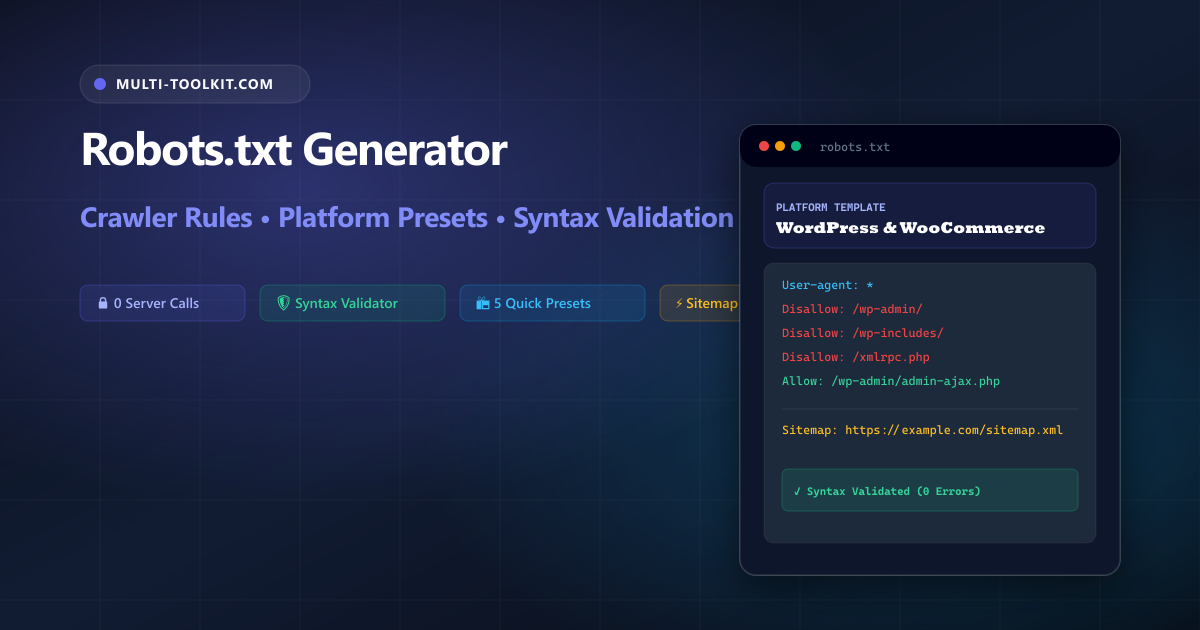
Build, validate, and export search engine crawler rules: protect private administration directories, allow critical rendering assets, integrate XML sitemaps, and avoid catastrophic site de-indexing with 100% in-browser privacy.
Search engine crawlers, digital assistants, and AI indexers constantly scour the web to discover, read, and index web pages. Located at the root of your domain (e.g., https://example.com/robots.txt), your robots.txt file establishes the ground rules of the Robots Exclusion Protocol (REP). It instructs automated user-agents which directories, files, or query patterns they are allowed or forbidden to crawl.
Despite being a standard plain text file, misconfiguring robots.txt remains one of the most frequent causes of sudden SEO traffic collapse:
- The Accidental De-Indexing Blunder: Placing a trailing slash error like
Disallow: /on a production site instructs all search engines to immediately halt crawling every page on your domain. - The “Disallow vs. Noindex” Confusion: Many developers believe adding a path to
Disallowremoves it from Google search results. In reality,Disallowonly prevents crawling; if external backlinks point to that URL, Google will still index the naked URL in search snippets. True index removal requires a<meta name="robots" content="noindex">tag or anX-Robots-Tag: noindexheader. - Blocking CSS and JavaScript Assets: Blocking
/css/,/js/, or font directories prevents Googlebot from rendering the mobile layout, damaging mobile-friendliness scores and Core Web Vitals rankings.
The Multi-Toolkit Robots.txt Generator simplifies crawler management with platform-ready presets, automated syntax safeguards, and real-time live preview.
Robots.txt feature comparison: Multi-Toolkit vs alternatives
Compare how Multi-Toolkit streamlines crawler rule generation compared to manual editing and legacy online scripts:
| Feature & Capability | Multi-Toolkit Generator | Generic Web Generators | Manual Text Editing |
|---|---|---|---|
| Platform Presets | WordPress, Shopify, SaaS & E-Commerce | Generic fallback only | Manual research required |
| Syntax Validation | Real-time warnings for full blocks & syntax | None | Prone to human error |
| Longest-Match Precedence | Visual pairing of Allow exceptions | Flat text lines | Manual order calculation |
| Sitemap Integration | Validated absolute URL formatting | Basic input box | Manual typing |
| Privacy & Data Security | 100% In-Browser (0 telemetry & 0 network calls) | Server-side processing | Local file only |
Dual interface: clean visual builder & syntax validator
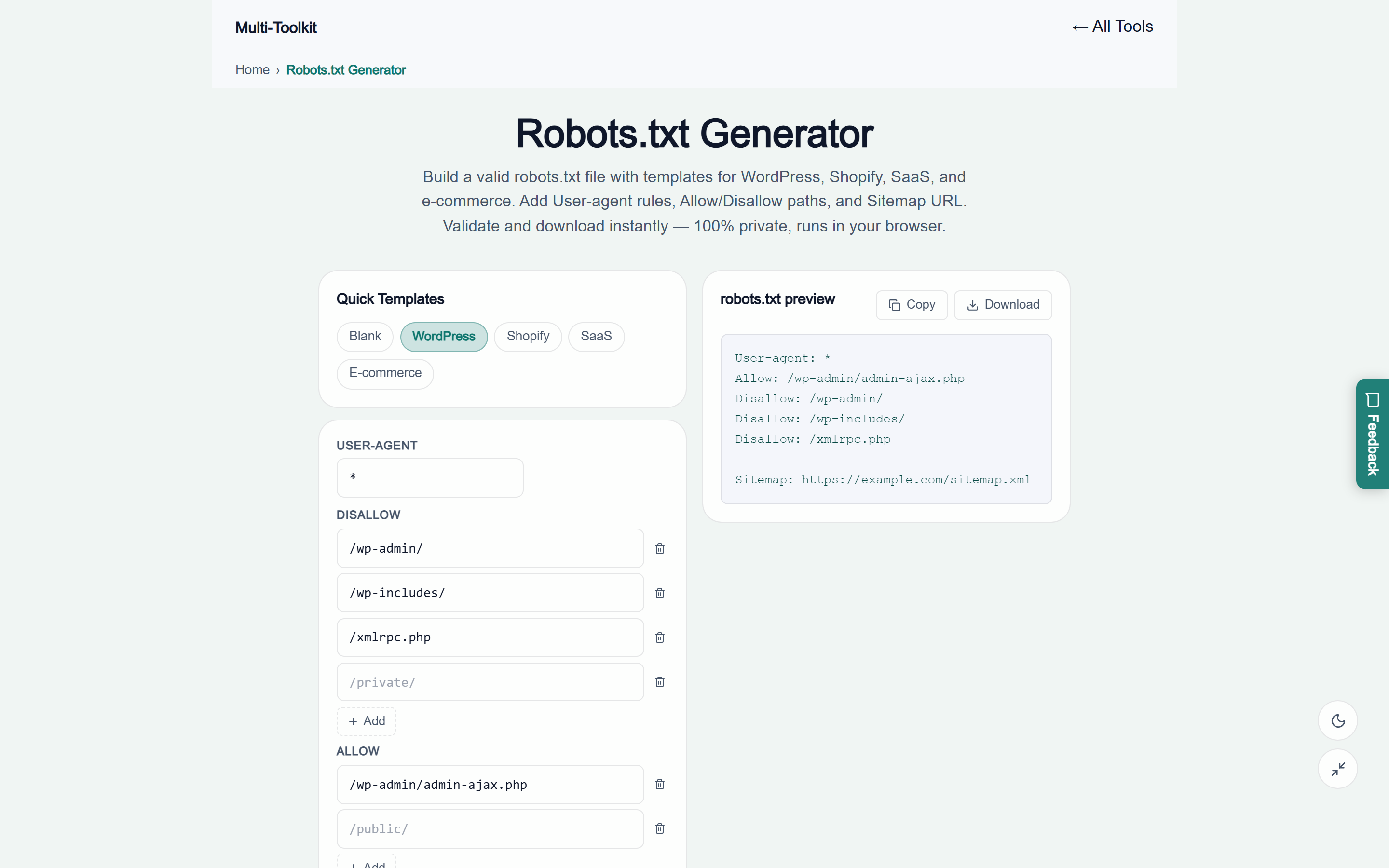
The tool provides a streamlined dual-theme interface designed for rapid configuration, real-time directive validation, and instant code generation:
Technical anatomy: core directives & precedence rules
A compliant robots.txt file consists of one or more directive blocks separated by blank lines. Each block begins with one or more User-agent declarations followed by access rules:
1. The User-agent directive
Identifies which web crawler the following group of rules applies to. Search engines evaluate the most specific user-agent match first before falling back to the universal wildcard:
User-agent: *— Targets all standard-compliant search engine bots and web crawlers.User-agent: Googlebot— Targets Google’s main web indexer specifically.User-agent: Bingbot— Targets Microsoft Bing’s crawler.User-agent: GPTBot— Targets OpenAI’s training data scraper.
2. Disallow vs. Allow path precedence
When multiple rules match a request URL, compliant search engines (including Google and Bing) resolve conflicts using the longest matching path rule rather than file order:
User-agent: *
Disallow: /wp-admin/
Allow: /wp-admin/admin-ajax.php
In this standard WordPress configuration, an HTTP request to /wp-admin/admin-ajax.php matches both rules. Because the Allow path length (27 characters) is longer and more specific than the Disallow path (10 characters), the crawler is granted access to execute AJAX queries while admin dashboards remain protected.
3. The Sitemap: directive
The Sitemap: directive provides search engines with the absolute location of your XML sitemap index. Unlike user-agent directives, sitemap declarations apply globally regardless of where they are placed in the file:
Sitemap: https://multi-toolkit.com/sitemap.xml3-step workflow: generating production crawler directives
Follow this 3-step workflow to generate, validate, and deploy your site crawler directives in under 30 seconds:
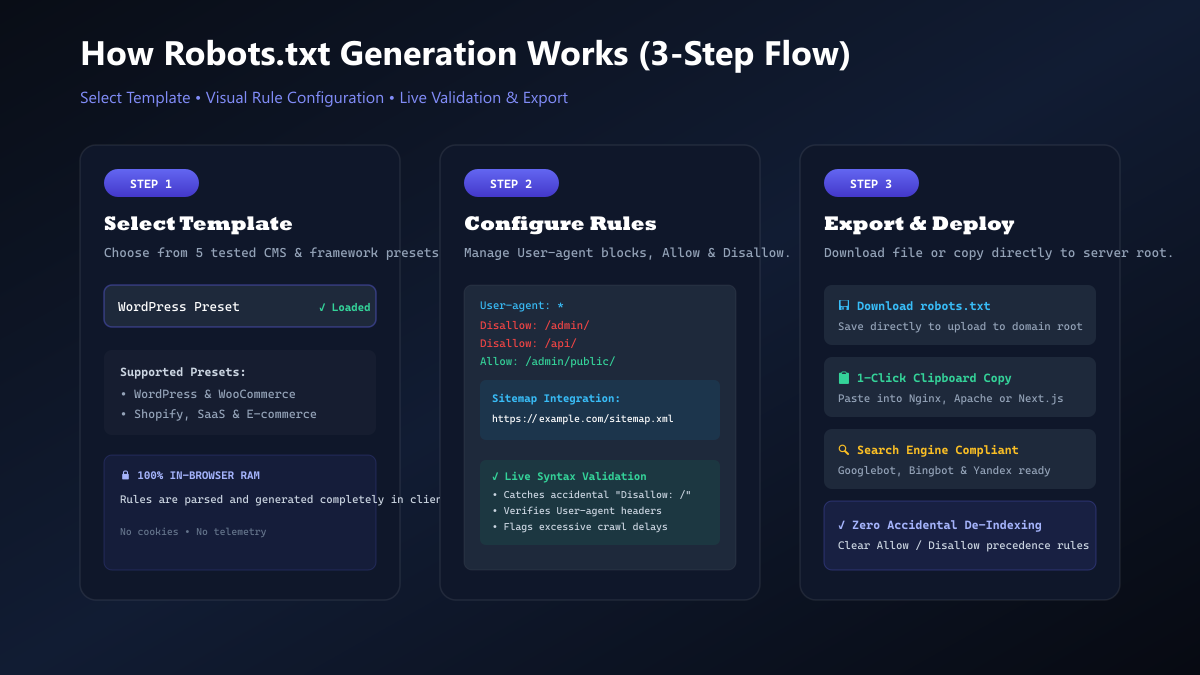
- Select a Platform Template: Open the Robots.txt Generator and pick your stack preset (WordPress, Shopify, SaaS, or E-Commerce) to immediately apply standard directory protections.
- Customize Rules & Endpoints: Add custom
Disallowdirectories (such as internal APIs, stagings, or cart checkouts) and enter specificAllowexceptions for public assets. Input your full XML sitemap URL. - Validate & Export: Review the live preview output and automatic safety validation alerts. Click Copy to paste into your server root or click Download to save
robots.txtdirectly.
Platform presets: production templates for top tech stacks
Different web frameworks and CMS platforms have unique directory layouts. Here are the recommended configurations supported natively in the generator:
WordPress configuration
Blocks core administration panels while explicitly allowing the critical AJAX handler for frontend interactive plugins:
User-agent: *
Disallow: /wp-admin/
Allow: /wp-admin/admin-ajax.php
Disallow: /wp-includes/
Allow: /wp-includes/js/
Disallow: /xmlrpc.php

Sitemap: https://example.com/sitemap_index.xml
Shopify & e-commerce stores
Blocks dynamic shopping carts, checkout funnels, and duplicate search facet parameters:
User-agent: *
Disallow: /cart
Disallow: /checkout
Disallow: /account/
Disallow: /*?*q=*
Disallow: /*?*sort_by=*

Sitemap: https://example.com/sitemap.xml
SaaS & web applications
Shields private backend API routes, tenant dashboards, and authentication screens:
User-agent: *
Disallow: /api/
Disallow: /dashboard/
Disallow: /admin/
Disallow: /auth/

Sitemap: https://example.com/sitemap.xml
Common robots.txt pitfalls & how to fix them
| Critical Mistake | Why It Breaks SEO | Correct Safe Solution |
|---|---|---|
Disallow: / | Blocks crawlers from entire website; de-indexes domain | Target specific folders: Disallow: /admin/ |
Disallowing /js/ & /css/ | Googlebot cannot render page layout or calculate CWV | Keep assets open or add Allow: /js/ |
| Using Disallow for indexing removal | Naked URLs still appear in search results via backlinks | Use <meta name="robots" content="noindex"> |
| Relative Sitemap URL | Bots ignore sitemaps lacking full HTTP/HTTPS protocol | Always use full URL: https://domain.com/sitemap.xml |
100% in-browser privacy & zero-telemetry guarantee
Server configuration and directory structures often contain private architecture details. Unlike traditional online webmaster tools that send your URL structures and custom admin paths to external servers, Multi-Toolkit operates with an uncompromising privacy architecture:
- Client-Side Execution: All directive compilation, syntax validation, and file generation execute purely in your browser’s local JavaScript memory.
- Zero Data Telemetry: No URLs, directory paths, or sitemap configurations are transmitted across the network or logged in any database.
- No Account Required: Immediate access without registrations, cookies, or API keys.
Frequently asked questions
What is the purpose of a robots.txt file?
A robots.txt file provides crawler directives following the Robots Exclusion Protocol (REP), telling search engine web robots (like Googlebot and Bingbot) which URLs and folders they are permitted or forbidden to crawl.
Does Disallow remove a web page from Google Search results?
No. Disallow only prevents search engines from crawling the page content. If other websites link to that URL, Google may still index the naked URL. To completely remove a page from search results, allow crawling and include a <meta name="robots" content="noindex"> tag or an X-Robots-Tag: noindex HTTP header.
Where must the robots.txt file be uploaded on a web server?
The robots.txt file must always reside at the absolute root of your domain (e.g. https://yourdomain.com/robots.txt). Search engine crawlers will never look for it inside subdirectories.
What is the difference between Allow and Disallow precedence?
When both Allow and Disallow rules match a given URL, search engines follow the longest matching path rule. For example, Allow: /wp-admin/admin-ajax.php (27 characters) takes precedence over Disallow: /wp-admin/ (10 characters).
Should I block CSS and JavaScript files in robots.txt?
No. Modern search engines need access to CSS, JavaScript, and asset files to properly render the webpage layout and evaluate mobile usability and Core Web Vitals. Blocking assets can severely hurt rankings.
Are my drafted crawler rules stored or transmitted across the internet?
No. All rule configurations, syntax validations, and file downloads are processed 100% locally inside your web browser RAM with zero server communication or data logging.
Generate and validate your robots.txt file in seconds
Build production-ready crawler directives, apply WordPress or Shopify presets, and verify syntax safeguards with 100% in-browser privacy.
Open Free Robots.txt Generator →