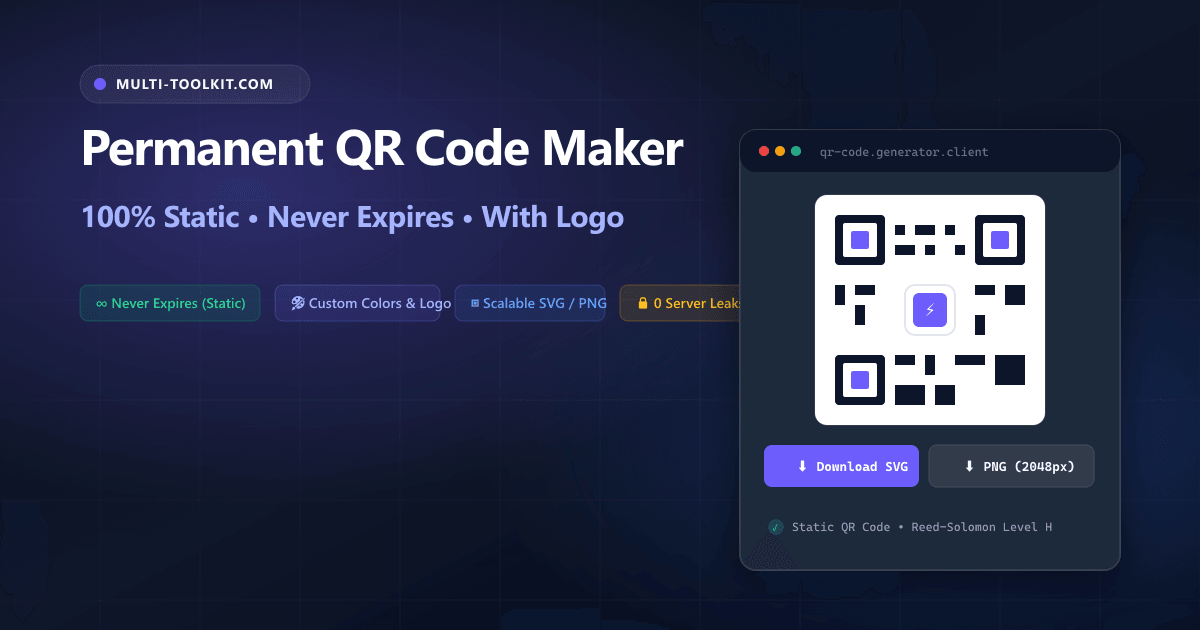
Stop paying for expired QR codes: generate permanent, print-ready vector QR codes with custom brand logos and error correction 100% inside your browser with zero subscriptions.
Whether you are printing physical table tents for a café, designing event badges for an international tech conference, packaging consumer goods, or sharing your office Wi-Fi network with guests, QR codes have become the ubiquitous bridge between the physical and digital world.
However, searching Google for a free qr code generator no signup often leads straight into a predatory trap known as the dynamic QR redirect scam. Millions of business owners unknowingly print thousands of marketing flyers only to discover two weeks later that their codes have stopped working because a cloud service locked their destination URL behind a $19.99/month paywall.
To put an end to broken links, privacy leaks, and artificial paywalls, the Multi-Toolkit QR Code Generator provides an open, permanent, and client-side static qr code generator no expiration. All matrix encoding, color rendering, and logo overlays execute entirely inside your local browser memory with zero server uploads and zero expiration dates.
The “Dynamic QR Code” scam: why printed marketing materials break
1. The 14-day paywall bait-and-switch
Many commercial QR websites advertise “free dynamic QR codes.” In reality, they do not encode your actual URL into the black-and-white pixel modules. Instead, they encode an intermediary redirect link pointing to their own cloud servers (e.g., https://qr-tracker.io/x89f2). For the first 14 days, the redirect forwards visitors to your website. Once the trial window elapses, the service cuts the connection and redirects scanners to an embarrassing billing page demanding a costly monthly subscription.
2. The static vs. dynamic reality
A pure static QR code encodes the exact payload (such as your full URL, Wi-Fi password, or vCard contact details) directly into the binary 2D matrix modules. When a smartphone camera scans a static QR code, the optical scanner parses the destination string locally off the paper and launches the destination app directly. Static QR codes cannot expire, cannot be held for ransom, and cannot be throttled, because no middleman server is involved in the resolution chain.
3. Privacy leaks on private Wi-Fi and contact data
When you use cloud-based QR generators to create Wi-Fi access codes or virtual business cards, you are uploading private network passwords and employee phone numbers to external databases. Multi-Toolkit ensures absolute privacy by processing all strings locally in client-side memory.
Client-side architecture: how Multi-Toolkit builds permanent vector QR codes
Multi-Toolkit eliminates intermediary servers by handling 100% of payload parsing, matrix calculations, and image rasterization in your browser’s JavaScript engine.
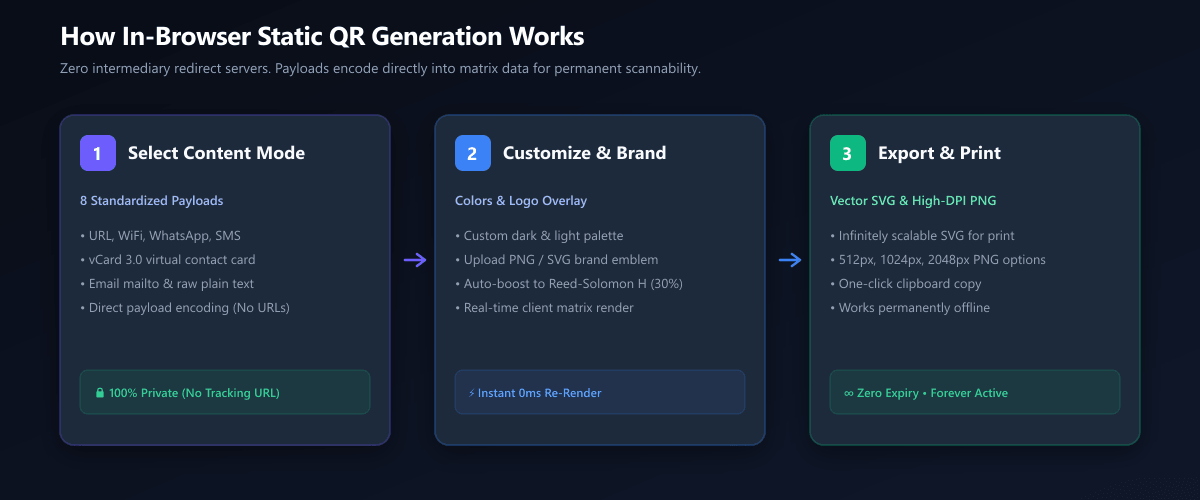
1. RFC Payload Formatting
Input strings are converted into international standards, including WIFI:S:...;P:...;; for routers and BEGIN:VCARD for digital address cards.
2. Reed-Solomon Math
The binary data stream is encoded with polynomial parity blocks across 4 error correction levels (L 7%, M 15%, Q 25%, H 30%).
3. Vector & Canvas Render
The 2D module grid renders in real time to scalable SVG vectors and high-DPI HTML5 Canvas elements for instant 2048px PNG export.
8 dedicated payload modes supported out-of-the-box
Multi-Toolkit provides structured form templates for all major QR application protocols:
| Mode | Encoded Format | Smartphone Native Action |
|---|---|---|
| URL / Web Link | https://example.com/menu | Opens default web browser directly |
| Wi-Fi Network | WIFI:S:Guest;T:WPA;P:Secret;; | Prompts “Join Network” with 1 tap |
| vCard 3.0 Contact | BEGIN:VCARD...END:VCARD | Opens Address Book & creates new contact |
| WhatsApp Direct | https://wa.me/971501234567?text=... | Opens WhatsApp chat with pre-filled message |
| SMS / Text Message | smsto:+1234567890:Hello | Opens native SMS messaging app |
| Phone Call | tel:+1234567890 | Dials recipient phone number directly |
| Email (mailto) | mailto:info@domain.com?subject=... | Opens email client with subject & body |
| Raw Plain Text | Arbitrary strings, keys, serial numbers | Displays raw text string on screen |
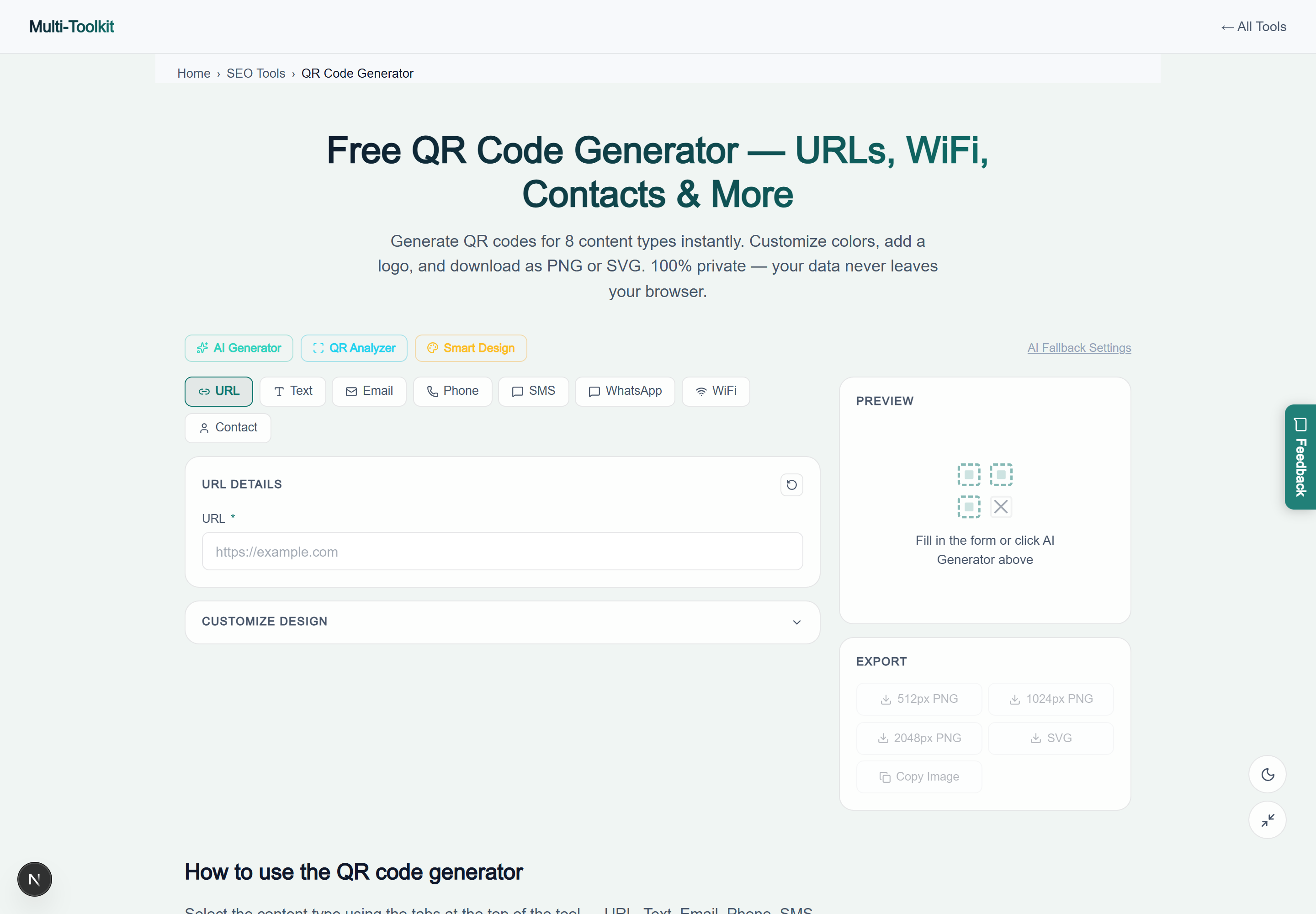
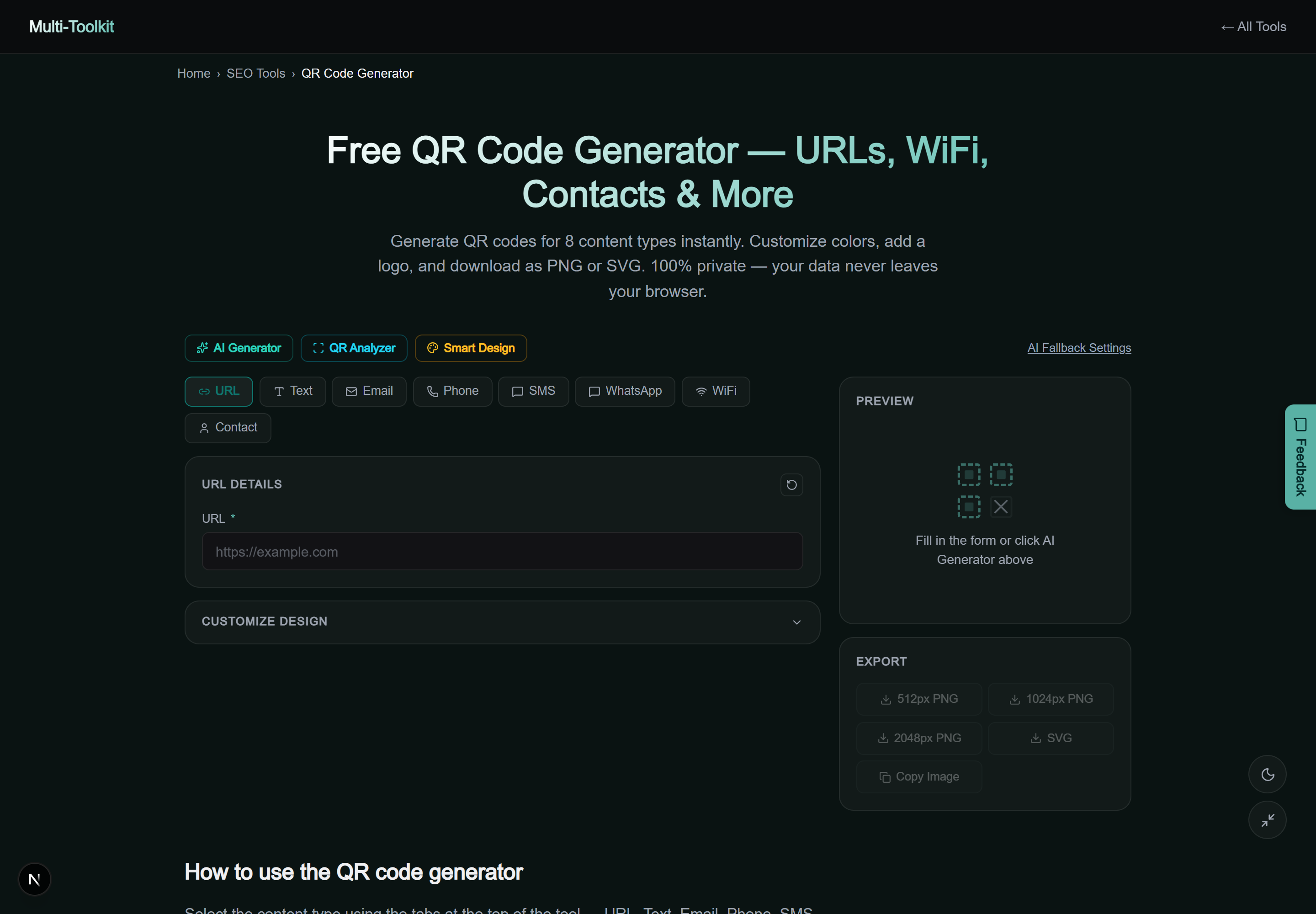
Dual-mode interface preview
Multi-Toolkit provides a distraction-free, responsive user interface with real-time preview updating on every keystroke in both light and dark display modes:
Error correction math & logo embedding rules
The core strength of the QR code standard (ISO/IEC 18004) lies in Reed-Solomon Error Correction. Parity polynomials are interspersed throughout the matrix modules, allowing camera lenses to reconstruct missing or distorted data:
- Level L (Low – 7% recovery): Lowest redundancy. Best for high-density payloads where keeping module size large is essential.
- Level M (Medium – 15% recovery): The universal default for standard digital flyers and print collateral.
- Level Q (Quartile – 25% recovery): Higher redundancy for outdoor stickers or packaging exposed to physical wear.
- Level H (High – 30% recovery): Maximum resilience. Essential for qr code generator with logo creation.
When you upload a brand logo in Multi-Toolkit, the generator automatically switches to Level H (30%) error correction. This mathematical redundancy ensures that covering the center 15% to 20% of the code matrix with an image leaves 100% of the payload data fully recoverable by any camera lens.
Optical scan geometry: size and distance formulas
To ensure physical QR codes scan instantly in print, adhere to the optical 10:1 distance-to-size formula:
The 10:1 Print Sizing Rule:
Minimum QR Width (W) = Viewing Distance (D) ÷ 10
| Physical Use Case | Scanning Distance | Minimum Printed Width | Recommended Export |
|---|---|---|---|
| Business Card / Badge | 15 cm – 25 cm | 2.5 cm × 2.5 cm (1 × 1 in) | PNG 512px |
| Restaurant Table Tent | 30 cm – 50 cm | 4.0 cm × 4.0 cm (1.6 × 1.6 in) | PNG 1024px |
| A4 Poster / Magazine | 1.0 m – 1.5 m | 12 cm × 12 cm (4.7 × 4.7 in) | PNG 2048px / SVG |
| Exhibition Banner / Billboard | 3.0 m – 15 m+ | 35 cm – 1.5 m+ | Scalable Vector SVG |
Step-by-step: creating a custom branded QR code
- Choose Content Mode: Open the QR Code Generator and select your desired mode (URL, Wi-Fi, vCard, WhatsApp, SMS, etc.).
- Enter Information: Type your link or network credentials. The live preview updates simultaneously.
- Customize Palette & Logo: Expand the design options to select foreground and background colors. Upload your brand logo image—Multi-Toolkit automatically adjusts the error correction to Level H.
- Download Print-Ready Assets: Select Download SVG for vector illustration tools (Figma, Adobe Illustrator) or PNG (2048px) for crisp digital assets.
Comparative matrix: Multi-Toolkit vs. Alternatives
| Feature | Multi-Toolkit | Generic QR Sites | QR Code Monkey | Canva |
|---|---|---|---|---|
| Pricing | 100% Free Forever | Freemium ($15–$35/mo) | Free (Ad supported) | Subscription Account |
| Expiration Risk | 0% (Pure Static) | High (14-day trial paywall) | Low (Static supported) | None |
| Scalable Vector SVG | Included Free | Paywalled | Included Free | Canva Pro Required |
| Wi-Fi & vCard Modes | 8 Built-in Modes | Partial | Yes | Basic URL only |
| Client-Side Privacy | 100% In-Browser | Cloud Logged | Server Processed | Cloud Logged |
Common troubleshooting & scanning pitfalls
To prevent scanning failures across various smartphone hardware and camera sensors:
- Ensure High Contrast: Optical sensors rely on luminance contrast. Never place light yellow dots on white paper or dark blue dots on black cardstock. Always maintain at least a 4.5:1 contrast ratio.
- Preserve the 4-Module Quiet Zone: Never crop the white margin flush against the QR corner finders. Optical edge-detection algorithms require the 4-module quiet zone to detect matrix orientation.
- Avoid Inverted Contrast for Retail Scanners: While smartphones can read white modules on a dark background, older point-of-sale laser barcode scanners often fail on inverted codes. Always prioritize dark modules on a light background for retail.
- Shorten Lengthy Tracking URLs: Before generating QR codes for complex tracking URLs with multiple UTM tags, clean up unnecessary parameters using our UTM Builder to prevent overly dense, hard-to-focus dot grids.
Frequently asked questions
Do QR codes generated with Multi-Toolkit ever expire?
No. Multi-Toolkit generates static QR codes that encode your text, link, or Wi-Fi data directly into the pixel pattern. Because no middleman server is used, the codes work indefinitely.
Is there any limit on how many QR codes I can create?
None. You can generate unlimited high-resolution PNG and vector SVG QR codes for personal and commercial projects with zero fees or account sign-ups.
Can I add my company logo to the QR code?
Yes. Upload any PNG, JPG, or SVG image in the Customize Design panel. The tool automatically centers your logo and raises error correction to Level H (30%) to maintain 100% scanning reliability.
What is the best export format for printing on posters and banners?
Download the Scalable Vector Graphics (SVG) export. SVG files can be enlarged to any physical billboard size without pixelation or loss of clarity. For digital sharing, 1024px or 2048px PNG is recommended.
How do guests connect to Wi-Fi using a generated QR code?
Guests simply open the default camera app on iOS (iPhone) or Android and point it at the code. A system prompt will appear offering to join the Wi-Fi network instantly without manually typing the password.
Is my Wi-Fi password or personal contact information secure?
Yes, 100%. All matrix encoding is performed locally in your browser memory using client-side JavaScript. No passwords, contact details, or payloads are ever sent across the network.
Create permanent, print-ready QR codes with logos and custom colors—100% free with zero expiration:
Open Free QR Code Generator →