<p> tags), Markdown, or JSON string arrays—running 100% locally in your browser with complete privacy.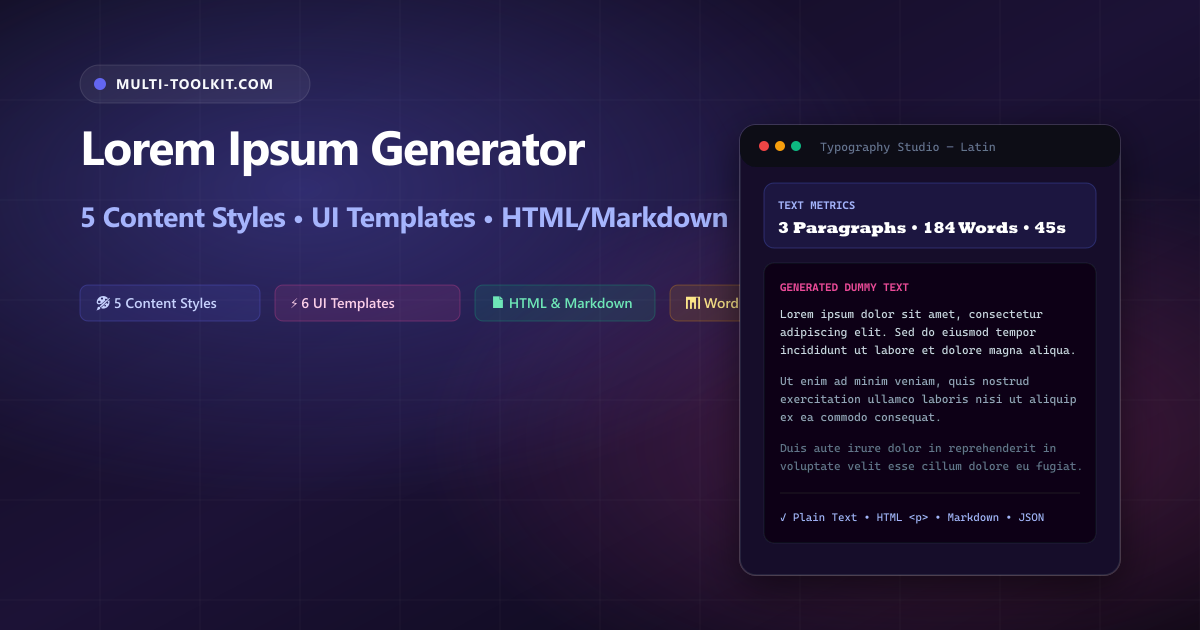
Generate custom placeholder text in seconds: craft realistic wireframe copy with 5 contextual vocabulary styles, 6 rapid UI layout presets, live typography metrics, and 1-click multi-format exports 100% inside your browser.
Placeholder text has served as the cornerstone of typography, typesetting, and graphic design for over five centuries. Derived from Cicero’s 45 BC philosophical treatise De Finibus Bonorum et Malorum (“On the Ends of Good and Evil”), the scrambled Latin passage starting with “Lorem ipsum dolor sit amet” allows designers to establish visual balance, font weight, and spatial hierarchy without readers getting distracted by unfinished draft copy.
However, modern UI/UX design workflows and web development demands have evolved beyond basic Latin paragraphs:
- The Client Confusion Barrier: Presenting a corporate dashboard or SaaS landing page wireframe filled with Latin gibberish frequently derails design reviews. Stakeholders often fixate on the unfamiliar language rather than evaluating component layout, typography sizing, and information architecture.
- Manual Format Wrapping: Frontend engineers and CMS editors waste valuable minutes manually wrapping dummy text in semantic HTML
<p>tags, Markdown linebreaks, or JSON string arrays for mock API payloads. - Sizing Guesswork: Tailoring placeholder copy for specific UI components—such as punchy hero headlines, e-commerce product cards, or email newsletters—often requires trial-and-error character counting.
The Multi-Toolkit Lorem Ipsum Generator solves these bottlenecks with an intuitive, contextual typography studio built directly into your web browser.
Placeholder typography studio comparison
Compare how Multi-Toolkit streamlines placeholder copy generation compared to traditional Latin generators:
| Feature & Capability | Multi-Toolkit Typography Studio | Classic Lipsum.com | Generic Cloud Generators |
|---|---|---|---|
| Vocabulary Styles | 5 (Latin, English, Corporate, Tech, Hipster) | Classic Latin only | Latin + maybe 1 other |
| Quick UI Layout Presets | 6 (Hero, Blog, Product, Card, Email, Social) | None | None |
| Output Formats | Plain Text, HTML <p>, Markdown, JSON | Plain text only | Plain text / basic HTML |
| Granularity Controls | Exact Words (1–500), Sentences, Paragraphs | Paragraphs / bytes | Paragraphs only |
| Live Typography Metrics | Words, Characters, Paragraphs, Reading Time | Word/byte count | None |
| Privacy & Telemetry | 100% In-Browser (0 network calls) | Server-side generation | Server-side execution |
Dual interface: clean visual generator & preview canvas
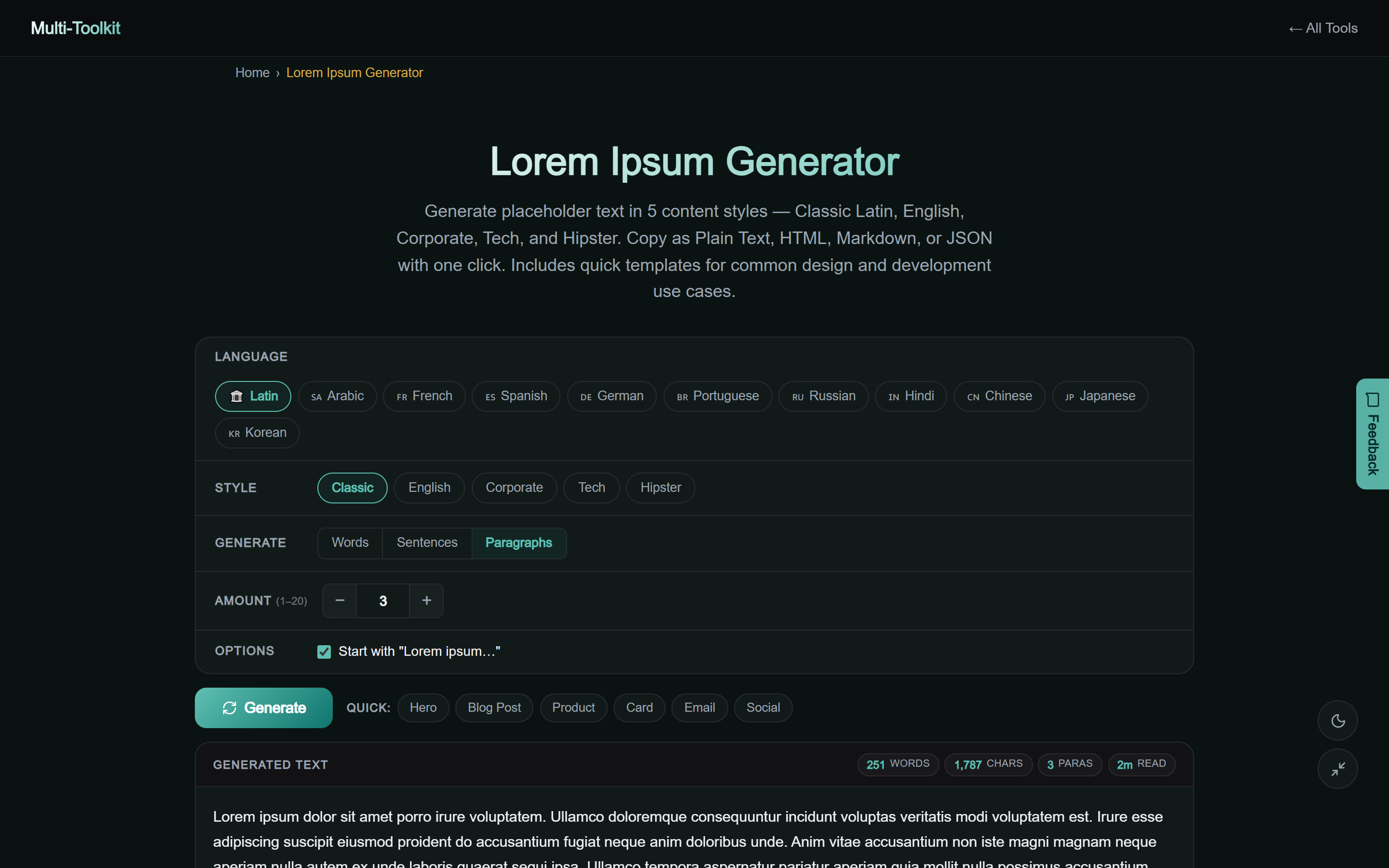
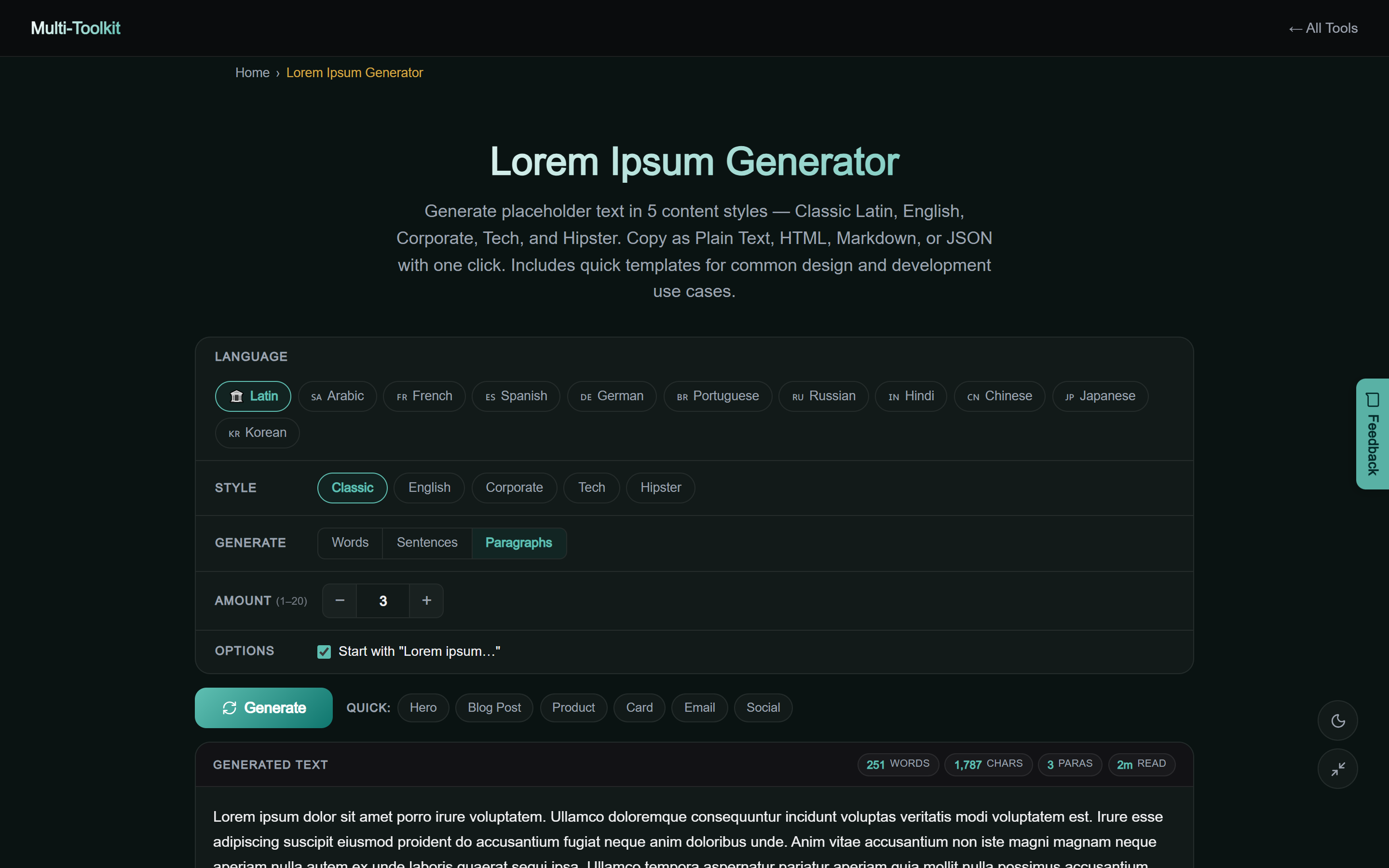
The tool offers a responsive dual-theme interface designed for rapid style selection, preset injection, and real-time text formatting:
3-step workflow: generating custom placeholder text
Generate perfectly sized dummy copy for any wireframe or mockup in three simple steps:
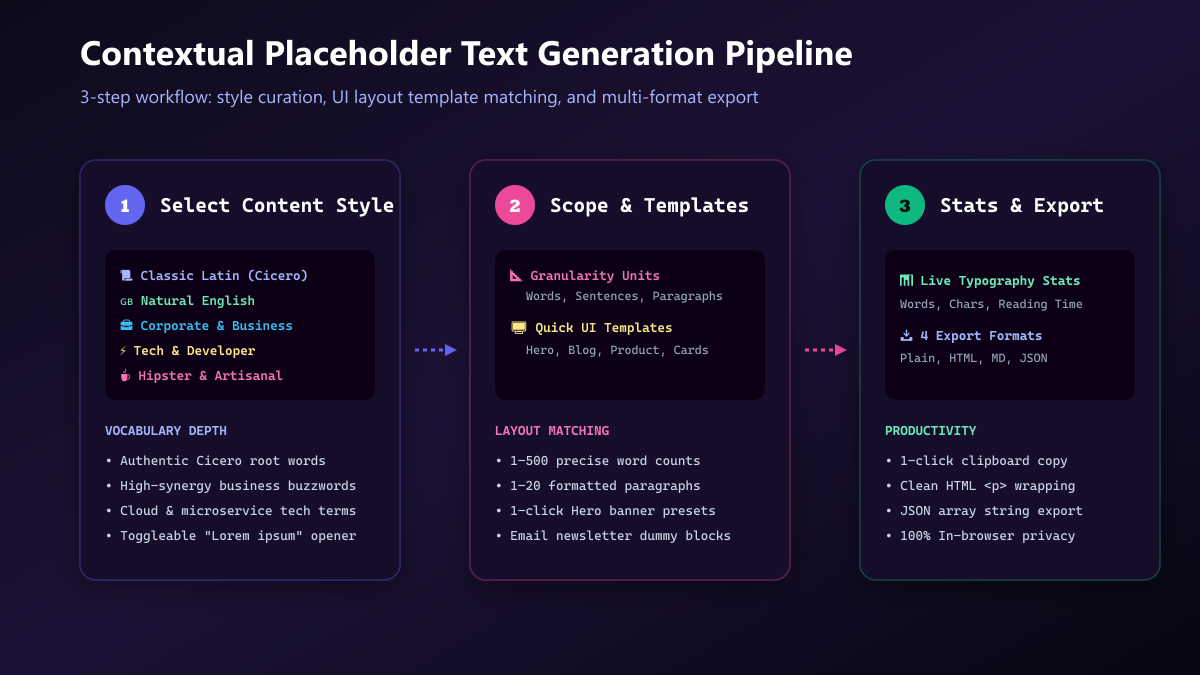
- Choose Content Style: Open the Lorem Ipsum Generator and select your desired tone: Classic Latin, Natural English, Corporate Business, Tech Developer, or Hipster Artisanal.
- Configure Scope or Pick a Template: Set exact quantities by Words (1–500), Sentences (1–50), or Paragraphs (1–20), or click a 1-click UI preset like Hero Banner, Blog Post, or Product Card.
- Inspect Metrics & Export: Review real-time word counts and estimated reading time. Copy the output in your preferred format (Plain Text, HTML, Markdown, or JSON) or download as a text file.
The 5 specialized vocabulary styles
Tailoring your placeholder text to the target product domain dramatically improves stakeholder alignment during design presentations:
1. Classic Latin
The historical standard derived from Cicero’s 1st-century BC work. Its natural distribution of word lengths and character frequencies closely mimics Western European Romance languages, making it the ideal neutral choice for print and typography layout proofs.
2. Natural English
Composed of grammatically structured English words and sentences. It allows clients to read mockups smoothly without stumbling over Latin phrases, while keeping the copy sufficiently generic so it is clearly understood as placeholder content.
3. Corporate & Business
Infused with enterprise strategy and B2B SaaS terminology (“synergize core deliverables”, “leverage scalable paradigms”, “streamline omnichannel ROI”). Perfect for executive pitch decks, enterprise dashboards, and marketing agency wireframes.
4. Tech & Developer
Loaded with modern engineering, cloud, and DevOps concepts (“Kubernetes clusters”, “CI/CD deployment pipelines”, “RESTful GraphQL microservices”). Ideal for developer documentation wireframes, API dashboards, and tech blog mockups.
5. Hipster & Artisanal
Featuring quirky, creative lifestyle buzzwords (“cold-pressed kombucha”, “bespoke aesthetic”, “single-origin pour-over”). Tailored for boutique e-commerce shops, artisan cafes, fashion portfolios, and creative agency sites.
6 quick UI design component templates
Instead of manually guessing word counts for standard UI components, use one-click layout presets:
- Hero Banner: Produces a high-impact 4–8 word headline paired with a concise 15–25 word supporting subtitle.
- Blog Post: Generates a full multi-paragraph article structure with headings, introduction, body points, and summary.
- Product Card: Creates an e-commerce product summary highlighting item specifications, materials, and benefits.
- Feature Card: Generates compact 20–30 word snippets optimized for three-column feature grids and pricing tables.
- Email Newsletter: Builds realistic email greeting, opening context, announcement body, and sign-off sections.
- Social Media Post: Produces a punchy 1–2 sentence update complete with simulated hashtags and call-to-action.
Multi-format exports for developers and writers
Eliminate repetitive manual formatting with instant multi-format code generation:
- Plain Text: Standard unformatted text ready to paste into Figma, Sketch, or Adobe XD text layers.
- HTML (
<p>): Wraps each paragraph in semantic<p>...</p>tags ready for React JSX, Vue templates, or HTML markup. - Markdown: Formats paragraphs with double line breaks for seamless pasting into static site generators, Notion, or GitHub documentation.
- JSON Array: Serializes paragraphs into a clean JSON string array (
["Paragraph 1...", "Paragraph 2..."]), perfect for seeding mock API routes and database testing suites.
Real-time typography metrics
The generator continuously updates four essential typographic measurements as you adjust parameters:
- Word Count: The exact number of space-delimited words generated.
- Character Count: Total characters including and excluding whitespace for precise database field limit validation.
- Paragraph Count: Total structural text blocks generated.
- Estimated Reading Time: Calculated based on the standard average adult reading pace of 200 words per minute (WPM), helping content planners scope layout dimensions.
100% in-browser privacy & zero-telemetry guarantee
Design confidentiality and client privacy are strictly preserved. Multi-Toolkit enforces complete client-side execution:
- Local Generation: All vocabulary selection, sentence assembly, and formatting occur 100% inside your browser’s JavaScript runtime.
- Zero Data Telemetry: No text, parameters, or layout configurations are ever sent to external servers or logged in analytics.
- Offline Ready: Works completely offline without requiring an active internet connection once loaded.
Frequently asked questions
What is Lorem Ipsum placeholder text?
Lorem Ipsum is standard dummy text used across graphic design, UI/UX, and web development. It enables designers to showcase visual layouts, fonts, and typographic hierarchies before final written copy is ready.
Where does the classic Latin text originate from?
The text originates from sections 1.10.32 and 1.10.33 of Cicero’s 45 BC philosophical treatise De Finibus Bonorum et Malorum (“On the Ends of Good and Evil”), discovered by Latin scholar Richard McClintock in the 1980s.
Why should I use Corporate or Tech styles instead of Latin?
When presenting mockups to clients or non-designer stakeholders, Latin text often creates confusion, prompting questions about translation. Using contextual English, Corporate, or Tech placeholder text makes wireframes feel realistic and keeps feedback focused on design and layout.
Can I export dummy text as HTML or JSON?
Yes. You can toggle between Plain Text, semantic HTML (<p> tags), Markdown, and JSON string arrays with a single click.
How does the tool calculate reading time?
The tool calculates reading time based on the standard average adult reading pace of 200 words per minute (WPM).
Is my generated text uploaded to any server?
No. All vocabulary generation and formatting occur 100% locally in your browser JavaScript engine with complete privacy.
Generate custom placeholder text in seconds
Create tailored dummy copy with 5 vocabulary styles, 6 UI component presets, live metrics, and 1-click multi-format exports.
Open Free Lorem Ipsum Generator →