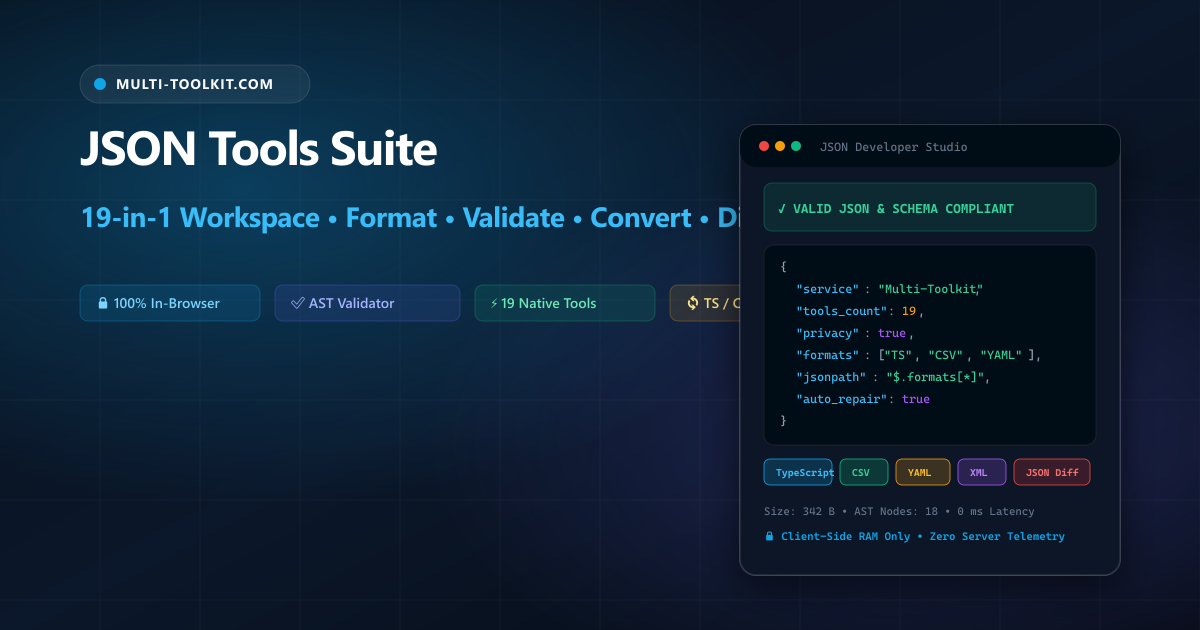
Master your JSON payloads in one unified developer workspace: pretty-print, validate syntax, auto-repair broken structures, evaluate JSONPath queries, generate typed schemas, and convert data across 6 formats 100% in your browser.
JSON (JavaScript Object Notation) serves as the primary data exchange standard across modern software architectures. Every RESTful API response, GraphQL query result, microservice message queue, NoSQL document store, and frontend state tree communicates through JSON structures.
Yet despite its foundational role in software engineering, developers face recurring operational hurdles when working with JSON payloads:
- The Cloud Formatting Security Trap: Pasting proprietary company records, database secrets, authentication headers, or production error logs into cloud-hosted formatters sends confidential data across public networks where it can be logged, cached, or indexed.
- Vague Syntax Errors & Broken Payloads: Hunting down a missing comma, unescaped quote, or trailing delimiter in a 10,000-line minified JSON response often results in cryptic errors like
Unexpected token at position 8142without actionable guidance. - Fragmented Multi-Site Toolchains: Engineers routinely waste time hopping across multiple disparate websites—using one site to format indentation, another to validate JSON5, a third to test JSONPath queries, and a fourth to generate TypeScript interfaces.
The Multi-Toolkit JSON Tools Suite consolidates 19 enterprise-grade developer utilities into a single, zero-telemetry workspace that runs entirely in client-side RAM.
JSON developer workspace comparison
Compare how Multi-Toolkit delivers an all-in-one, secure developer workflow compared to traditional online tools and desktop software:
| Feature & Capability | Multi-Toolkit JSON Hub | Traditional Cloud Formatters | Desktop GUI Tools (Postman/VS Code) |
|---|---|---|---|
| Integrated Tool Count | 19 Native Tools (Format, Diff, Schema, Converters) | 1–2 basic functions | Requires extensions & plugins |
| Privacy & Telemetry | 100% In-Browser RAM (0 network calls) | Server-side processing & log storage | Local, but often transmits cloud telemetry |
| Intelligent Auto-Repair | 1-Click fix for quotes, commas & keys | Throws syntax error, no auto-fix | Manual regex / linter fixes |
| AST Multi-Target Converters | TypeScript, Python, Java, CSV, YAML, XML | XML or CSV only | Requires language-specific extensions |
| JSONPath Querying | Interactive tester with matching node extractor | Not supported | Specialized plugin required |
| Schema Synthesis | Auto-generates Draft 7 & 2020-12 Schemas | Not supported | CLI tools required |
| Cost & Access | 100% Free, Instant, No Sign-up | Ad-heavy or freemium limits | Paid licenses or account barriers |
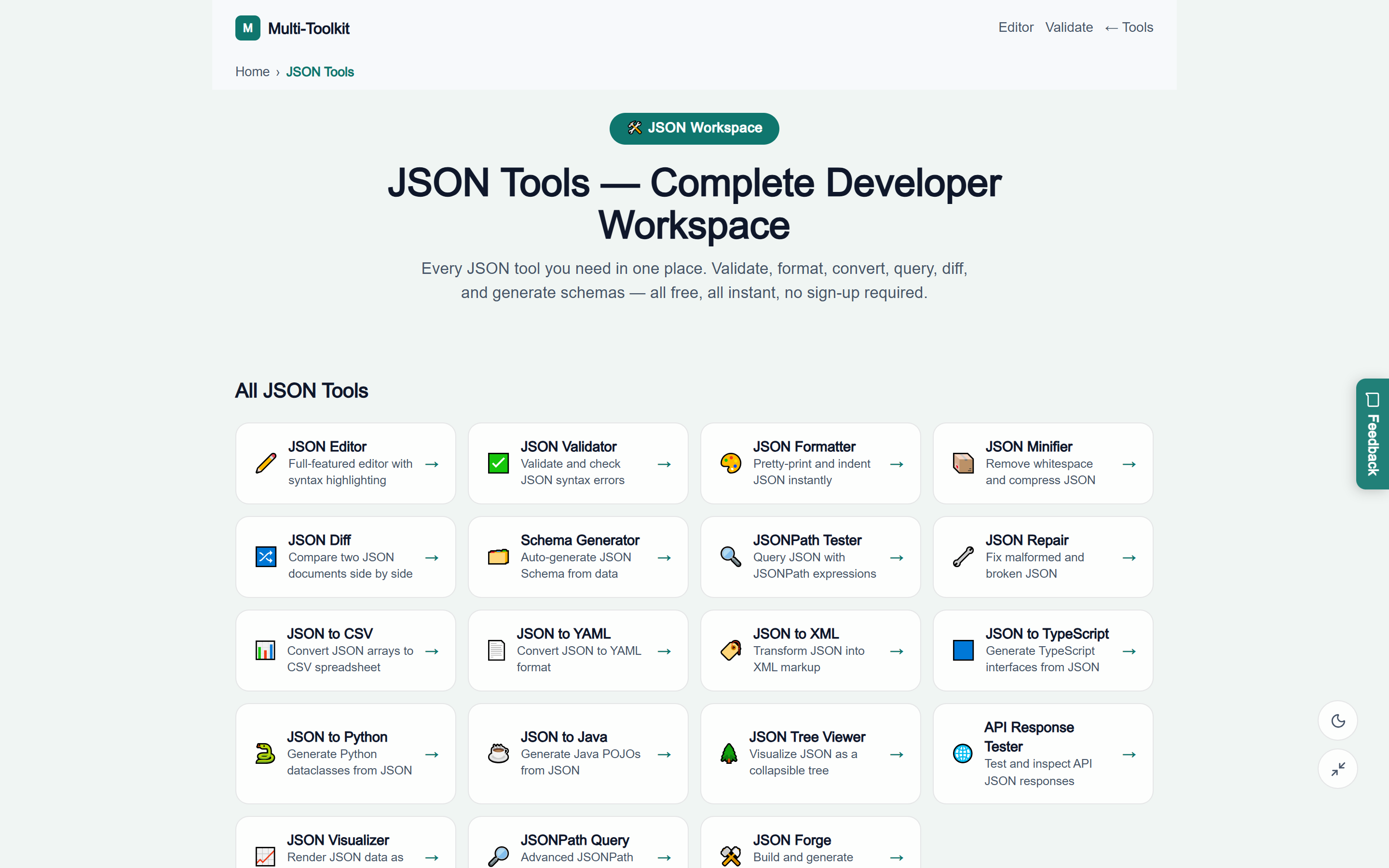
Dual interface: clean visual editor & tool navigation hub
The workspace provides an intuitive interface tailored for high-speed data engineering, instant error navigation, and seamless format switching:
3-step workflow: engineering JSON data in seconds
Transform, validate, and convert complex JSON payloads in three straightforward steps:
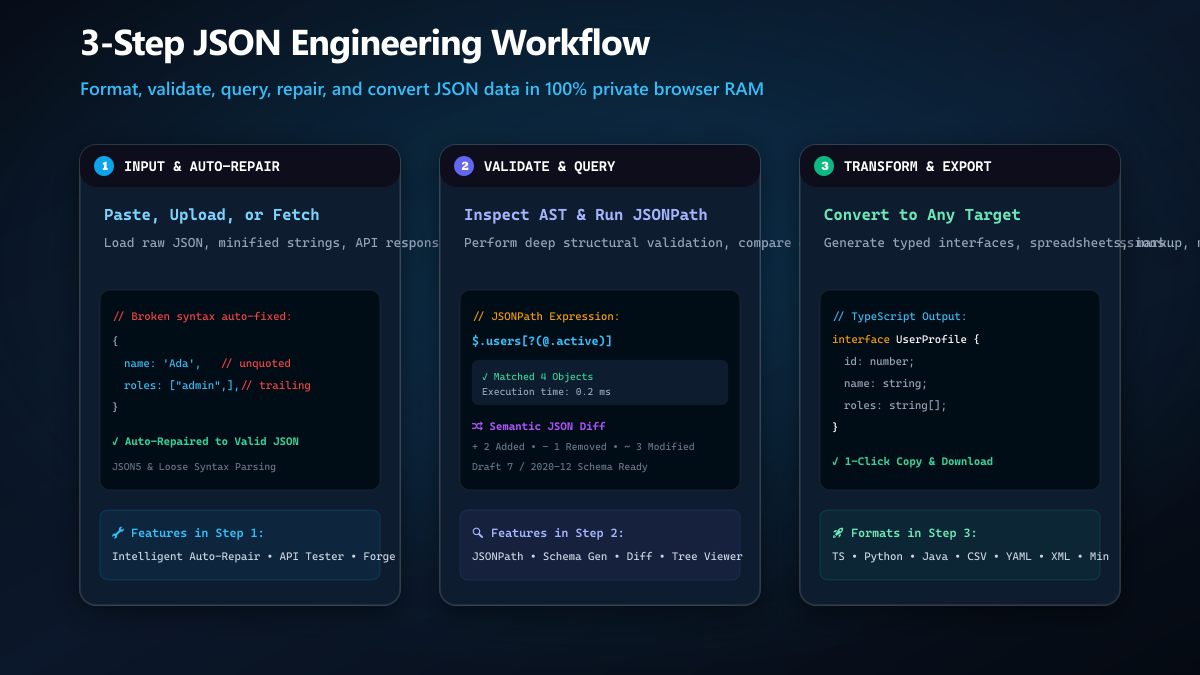
- Input & Auto-Repair: Open the JSON Tools Hub. Paste your raw payload, drag-and-drop a file, or test an API endpoint. If your text has broken syntax (single quotes, unquoted keys, trailing commas), click JSON Repair to automatically produce strict RFC 8259 compliant JSON.
- Validate, Query & Diff: Inspect exact line and column syntax errors with visual highlights. Use the JSONPath Tester to query deep nodes (e.g.
$.store.book[*].author), compare two documents side by side with JSON Diff, or generate a JSON Schema. - Transform & Export: Pretty-print with 2-space, 4-space, or tab indentation, compress with JSON Minifier, or export typed code interfaces (TypeScript, Python, Java) and data formats (CSV, YAML, XML) with one click.
The 19 specialized JSON developer utilities
The suite organizes 19 dedicated engineering tools into five functional categories:
1. Core Editing & Maintenance
- JSON Formatter: Pretty-prints and indents raw JSON with customizable spacing (2 spaces, 4 spaces, tabs) for maximum human readability.
- JSON Validator: Performs strict AST validation, identifying syntax errors with exact line and column markers, handling deeply nested objects and JSON5 structures.
- JSON Minifier: Strips all non-essential whitespace, comments, and line breaks to minimize payload size for network transfers.
- JSON Repair: Automatically repairs malformed JSON syntax—converting single quotes, quoting unquoted keys, stripping trailing commas, and fixing escape characters.
- JSON Editor: Full-featured in-browser code editor with syntax highlighting, line numbers, search/replace, and folding.
2. Structural Inspection & Comparison
- JSON Diff: Semantically compares two JSON structures side by side, highlighting added keys, deleted fields, and modified values independently of key ordering.
- JSON Tree Viewer: Renders hierarchical data as an interactive collapsible tree, enabling effortless navigation of massive nested documents.
- JSON Visualizer: Parses numeric and categorical records to generate interactive charts and visual graphs directly from raw payloads.
3. Querying & Schema Engineering
- JSONPath Tester: Evaluates JSONPath queries in real time with live match extraction, array slicing, and filter expressions.
- JSONPath Query Builder: Guided visual builder to construct sophisticated JSONPath queries without memorizing syntax.
- JSON Schema Generator: Synthesizes fully compliant JSON Schema (Draft 7 and Draft 2020-12) specifications from live data samples.
4. Code Generation & Type Synthesis
- JSON to TypeScript: Generates strongly typed TypeScript interfaces and type definitions from JSON structures, handling nested objects, arrays, and optional properties.
- JSON to Python: Produces clean Python
dataclassorTypedDictcode models for backend API development. - JSON to Java: Generates Java POJO classes with standard getters, setters, and Jackson/Gson annotations.
5. Data Format Interoperability & Testing
- JSON to CSV: Flattens JSON object arrays into standard CSV spreadsheets with custom delimiters and dot-notation key flattening.
- JSON to YAML: Transforms JSON hierarchies into clean, human-readable YAML configurations for Kubernetes, Docker, and CI/CD pipelines.
- JSON to XML: Converts structured JSON into semantic XML markup with customizable root tags and element attributes.
- API Response Tester: Directly triggers HTTP requests in your browser to inspect and debug live API JSON responses.
- JSON Forge: Generates customized synthetic mock JSON datasets using schema blueprints for automated testing and UI mockups.
Common JSON syntax traps & best practices
| Common Syntax Mistake | Why JSON Parsers Fail | Multi-Toolkit Auto-Fix |
|---|---|---|
Trailing Commas: {"a": 1, "b": 2,} | RFC 8259 strictly forbids trailing commas in objects and arrays | Repair engine strips trailing commas automatically |
Single Quotes: {'name': 'Ada'} | Standard JSON requires double quotes for all keys and strings | Converts single quotes to double quotes safely |
Unquoted Keys: {name: "Ada"} | JavaScript object literals allow unquoted keys, but JSON requires double quotes | Encloses unquoted identifiers in double quotes |
| Unescaped Control Chars: Raw newlines in strings | Literal line breaks inside strings violate JSON lexical rules | Escapes literal newlines to \\n and tabs to \\t |
100% in-browser privacy & zero-telemetry guarantee
Enterprise data privacy and regulatory compliance (GDPR, HIPAA, SOC 2) are non-negotiable when handling sensitive payloads. Multi-Toolkit enforces strict client-side isolation:
- Local In-Memory Execution: All parsing, formatting, validation, and conversion happen purely in your browser’s JavaScript runtime.
- Zero Data Telemetry: No JSON data, API keys, or schema parameters are ever transmitted to any remote server or stored in cookies.
- Air-Gapped & Offline Compatible: Once loaded, all 19 JSON tools operate completely offline without active internet connectivity.
Frequently asked questions
What is JSON and why is it so widely used?
JSON (JavaScript Object Notation) is an open standard text-based format for representing structured data using attribute-value pairs and arrays. It is language-independent, human-readable, and natively supported by JavaScript, making it the primary data format for web APIs, microservices, and configuration files.
Why should I avoid third-party online JSON formatters?
Most online formatters upload your data to remote backend servers. If your JSON contains API tokens, customer emails, database IDs, or private business metrics, you risk exposing confidential records in third-party server access logs and analytics trackers. Multi-Toolkit performs all operations 100% locally in your browser.
How does the JSON Repair tool fix malformed syntax?
The Repair engine applies a multi-pass parser that identifies common syntax errors: it converts Python/JavaScript single quotes ('key') to valid double quotes ("key"), wraps unquoted object keys, removes illegal trailing commas before closing braces/brackets, and handles unescaped characters.
Can I generate TypeScript interfaces from deeply nested JSON?
Yes. The JSON to TypeScript tool traverses all nested objects and arrays, automatically extracting child interfaces and deduplicating identical structures.
Does the JSON Diff tool account for reordered keys?
Yes. Unlike generic text diff tools that produce false positives when object keys appear in different orders, Multi-Toolkit’s JSON Diff performs semantic AST comparison, comparing actual key-value semantics rather than line strings.
Is my JSON data uploaded to any server?
No. All formatting, validation, repair, and conversion execute 100% locally in your browser memory. Nothing is ever sent to any remote server.
Master your JSON payloads with 19 free in-browser tools
Format, validate, repair, query, and convert JSON data in seconds with complete privacy and zero server uploads.
Open Free JSON Tools Workspace →