html-minifier-terser AST engine alongside CSSO and Terser to safely compress markup, inline styles, and embedded scripts with real-time byte metrics, multi-file batch drag-and-drop, and beautify formatting—running 100% in your browser with complete privacy.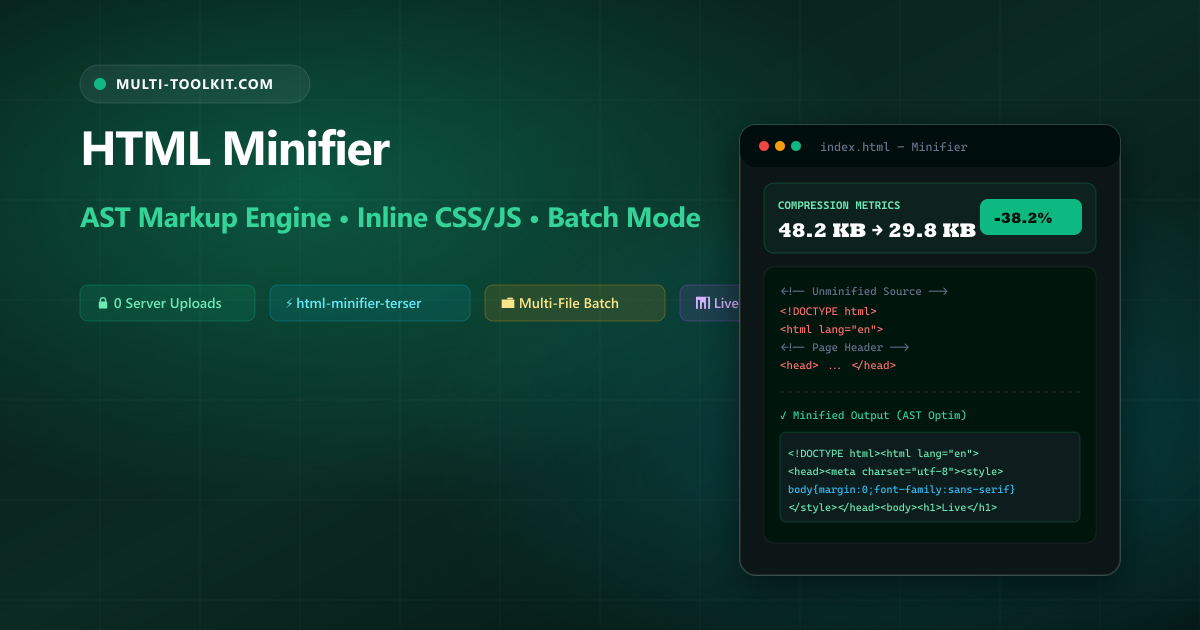
Compress HTML documents, inline styles, and embedded scripts in seconds: boost Core Web Vitals, speed up DOM parsing, and eliminate bandwidth waste with AST-based structural minification 100% in your browser.
In modern web architecture, frontend performance directly influences search engine rankings, bounce rates, and user conversions. While engineers routinely optimize image assets into modern formats (such as WebP or AVIF) and bundle JavaScript via Webpack or Vite, raw HTML markup often ships with significant bloat: hundreds of lines of indentation, forgotten debugging comments, optional closing tags, and unminified inline <style> and <script> blocks.
A common misconception is that network-layer compression (Gzip or Brotli) eliminates the need for HTML minification. In practice, minification strips Abstract Syntax Tree (AST) tokens before transmission, enabling Gzip and Brotli dictionaries to compress payload streams much more efficiently—delivering an additional 15% to 30% reduction in transfer weight and accelerating client-side DOM parsing on mobile devices.
The Multi-Toolkit HTML Minifier provides an instant, comprehensive, and private asset optimizer that runs entirely in client-side memory.
AST minification vs. naive regex compressors
Many legacy online tools rely on basic regular expressions (such as input.replace(/\s+/g, ' ')). This naive approach frequently breaks preformatted code blocks and corrupts inline JavaScript. Compare the difference:
| Feature & Capability | Multi-Toolkit HTML Minifier | Generic Web Minifiers | Regex Scripts |
|---|---|---|---|
| Parsing Engine | html-minifier-terser (Full AST) | Crude string replacements | Simple regex replace |
| Inline CSS Compression | CSSO engine with rule restructuring | Whitespace only | None |
| Inline JS Compression | Terser engine with safe mangling | Whitespace only | None |
| Sensitive Tag Safety | Preserves <pre>, <code>, <textarea> | Collapses spacing | Destroys formatting |
| Batch Processing | Multi-file drag-and-drop with per-file stats | Single file only | None |
| Privacy & Data Security | 100% In-Browser (0 server uploads) | Server-side processing | Local script only |
Dual interface: clean visual editor & batch processing
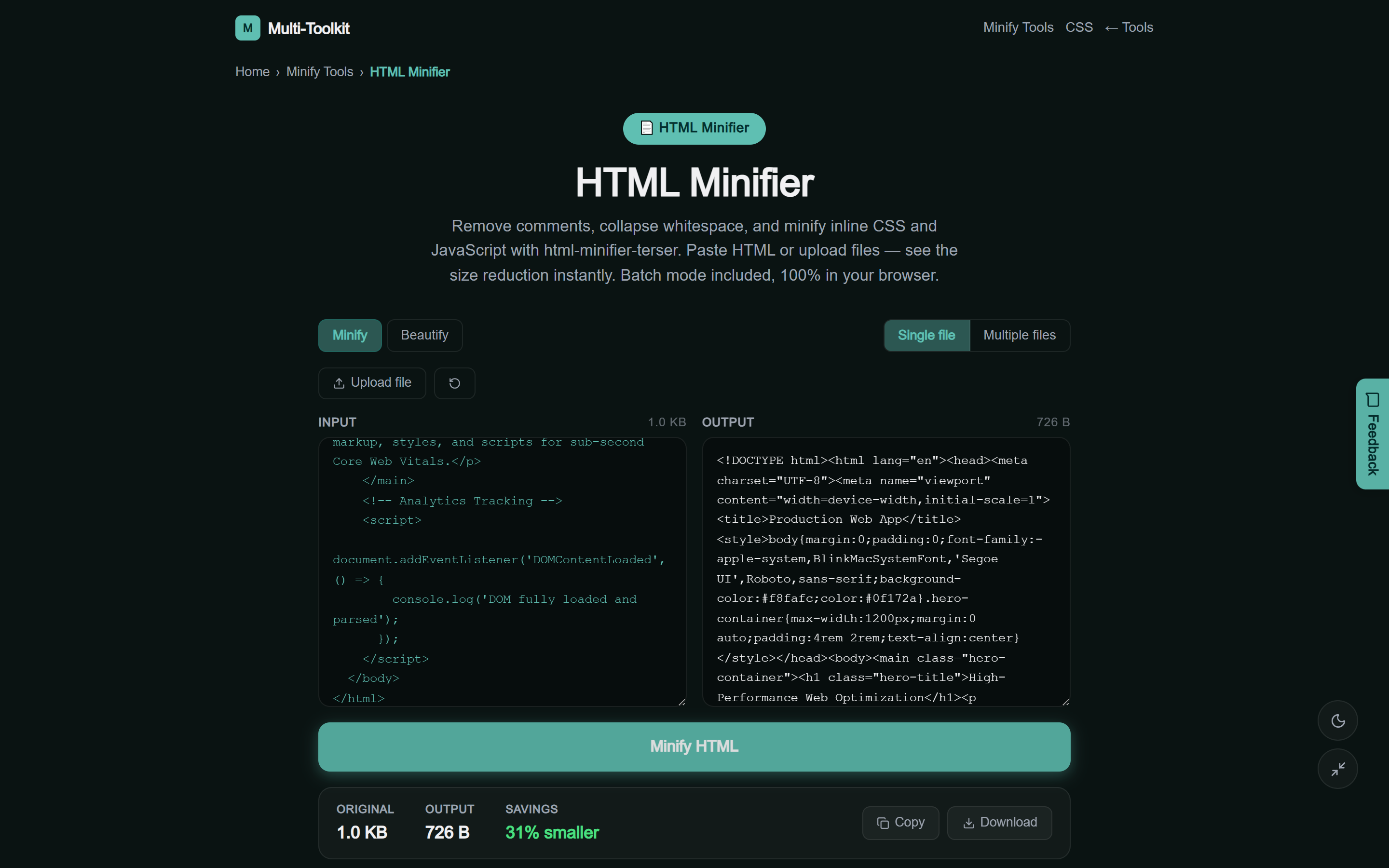
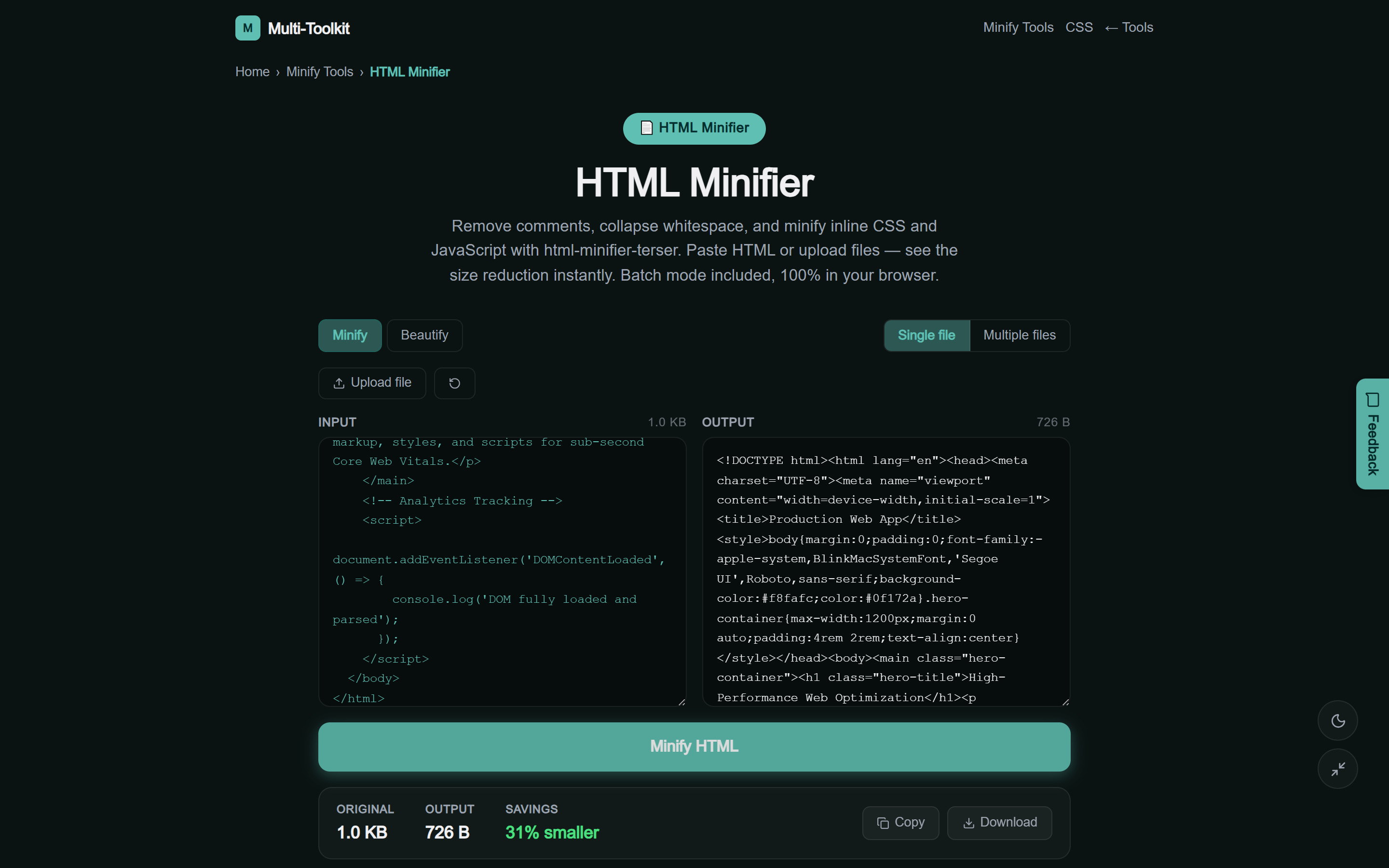
The tool provides a streamlined dual-theme interface designed for rapid single-snippet optimization, multi-file batch workflows, and live byte metrics:
Technical anatomy: how AST HTML minification works
Rather than treating your document as plain text, html-minifier-terser converts markup into an Abstract Syntax Tree (AST). This allows precise, spec-compliant optimizations:
1. Whitespace collapsing & comment removal
Browsers render multiple whitespace characters as a single space. The minifier removes redundant tabs, leading spaces, and line breaks while preserving valid structural delimiters:
- Strips HTML comments (
<!-- ... -->) that contain internal developer notes or legacy code. - Collapses boolean attributes (e.g.
disabled="disabled"→disabled). - Removes unneeded attribute quotes and default attribute values where standard HTML5 specifications permit.
2. Sub-engine inline CSS and JavaScript compression
Modern single-page applications and landing pages embed critical styles in <style> tags and bootstrap scripts in <script> tags. Multi-Toolkit runs dedicated sub-engines:
<!-- Before Minification -->
<style>
  .hero-container {
    margin-top: 0px;
    padding-bottom: 20px;
    background-color: #ffffff;
  }
</style>

<!-- After CSSO Inline Minification -->
<style>.hero-container{margin-top:0;padding-bottom:20px;background-color:#fff}</style>
3. Compounding benefits with Gzip & Brotli
Gzip and Brotli utilize dictionary-based compression algorithms. When you minify your HTML first:
- The raw token dictionary is significantly smaller.
- More unique application content fits inside the initial TCP congestion window (14 KB CWND).
- Client-side mobile CPUs parse the DOM tree in fewer clock cycles, improving Interaction to Next Paint (INP).
3-step workflow: compressing HTML in seconds
Follow this 3-step workflow to compress single templates or batch-process entire static folders:
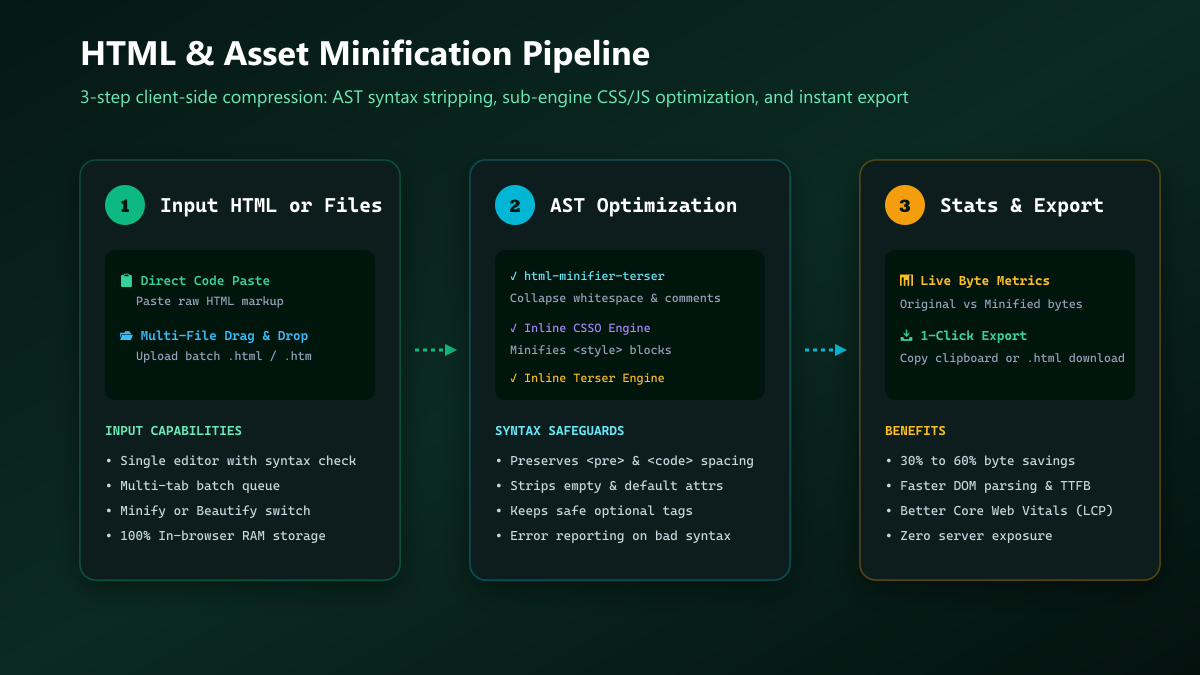
- Input Markup or Files: Open the HTML Minifier. Paste raw HTML into the code editor or switch to the Multi tab to drag and drop multiple
.htmland.htmfiles. - Run AST Optimization: Click Minify HTML. The engine parses the structure, strips redundant tokens, and compresses inline styles and scripts.
- Review Savings & Export: Check the live metrics card displaying original bytes, minified bytes, and bandwidth percentage saved. Click Copy or Download to export your production-ready file.
Common HTML minification pitfalls & how to avoid them
| Common Mistake | Why It Causes Bugs | Safe Best Practice |
|---|---|---|
Collapsing <pre> & <code> | Destroys code indentation and markdown formatting | Use AST minifiers that protect preformatted blocks |
| Skipping inline scripts | Leaves unminified JS in the critical render path | Enable Terser inline script optimization |
| Uploading code to cloud APIs | Exposes private templates, auth tokens, and emails | Use 100% in-browser client-side minifiers |
Complete web minification suite
In addition to HTML, Multi-Toolkit provides specialized minifiers for every layer of your web stack:
- CSS Minifier: Compresses stylesheets with CSSO, restructuring rules and stripping comments.
- JavaScript Minifier: Mangles variable names and eliminates dead code with Terser.
- JSON Minifier: Removes whitespace from API payloads and configuration files.
- Minify Tools Hub: Access all developer minification utilities in one place.
100% in-browser privacy & zero-telemetry guarantee
Proprietary landing pages, customer email templates, and internal dashboards often contain sensitive corporate data. Multi-Toolkit operates with complete privacy:
- Local Client-Side Execution: All AST compilation and minification algorithms execute purely in your browser’s JavaScript memory.
- Zero Data Telemetry: No files, code snippets, or markup data are transmitted across the internet or stored on external servers.
- No Account Required: Instant access with zero paywalls, registrations, or usage limits.
Frequently asked questions
What does an HTML minifier do?
An HTML minifier parses HTML markup and removes unnecessary characters that web browsers do not need to display the page—including source comments, extra whitespace, line breaks, and default attribute values. It also compresses inline CSS and JavaScript embedded in the document.
Will minifying HTML break my website layout or scripts?
No. Multi-Toolkit uses html-minifier-terser to perform structural AST parsing rather than blind text replacement. Spacing inside <pre>, <code>, and <textarea> tags is carefully preserved, and inline scripts are processed safely with Terser.
How much file size reduction can I expect?
Typical HTML documents experience a 20% to 50% reduction in raw file size. Pages with extensive internal comments, inline SVG graphics, or embedded styles can see savings exceeding 60%.
Is minification still necessary if my server uses Gzip or Brotli?
Yes. Minification removes redundant AST tokens before network compression occurs. Minified files compress more efficiently with gzip/Brotli, reducing transfer payload and speeding up client-side HTML parsing.
Can I minify multiple HTML files at the same time?
Yes. Switch to the Multi tab in the tool to upload or drag-and-drop multiple .html and .htm files. Each file is compressed locally with detailed byte savings reported.
Is my code uploaded to any external server?
No. All processing happens 100% locally in your browser using client-side JavaScript. Your code never leaves your computer.
Compress your HTML markup in seconds
Boost page speed, reduce payload weight, and optimize inline CSS & JS with 100% in-browser privacy.
Open Free HTML Minifier →