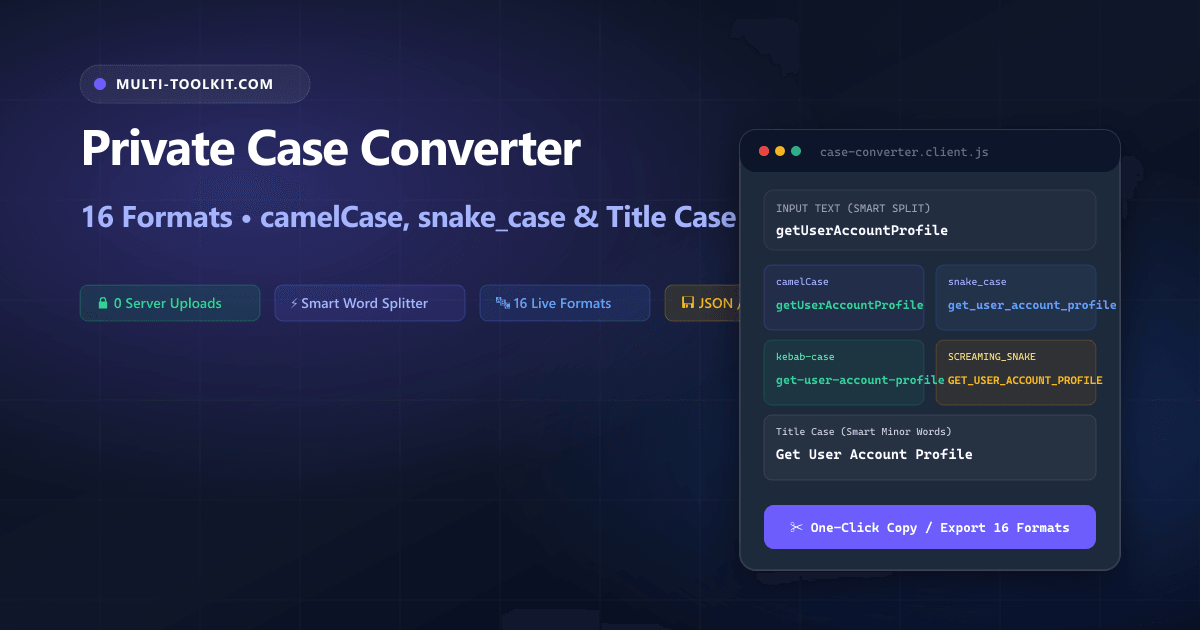
Stop manually retyping variable names: convert text to 16 case formats simultaneously with a smart camelCase word boundary splitter and zero server uploads 100% inside your browser.
Every software engineer, database administrator, technical writer, and frontend developer constantly bridges the gap between disparate naming conventions. You might receive a database schema in snake_case (user_billing_address), need a TypeScript model in camelCase (userBillingAddress), a React component in PascalCase (UserBillingAddress), an API endpoint in kebab-case (user-billing-address), and an environment constant in SCREAMING_SNAKE (USER_BILLING_ADDRESS).
However, searching Google for a case converter online frequently leads to outdated ad-heavy websites that require clicking separate buttons for each individual format, break when encountering already-formatted camelCase strings, or transmit your proprietary source code to remote web servers.
To eliminate these workflow bottlenecks and security liabilities, the Multi-Toolkit Case Converter provides an instant, 100% private camel case converter and 16-format transformation engine. Powered by client-side regex tokenizers and local browser memory, all transformations execute in real time without sending a single byte across the network.
The code transformation trap: why manual retyping and cloud converters fail
1. Proprietary source code and API schema exposure
Pasting internal database column names, microservice paths, proprietary business logic variables, or configuration keys into third-party cloud tools exposes your software architecture to remote server logs and multi-tenant telemetry.
2. Naive word boundary splitting
Many primitive converters cannot tokenize existing camelCase or PascalCase strings, collapsing getUserAccountProfile into getuseraccountprofile rather than correctly identifying uppercase word boundaries.
3. Single-format friction and lack of batch processing
Legacy tools force you to convert one string into one target format at a time, preventing you from scanning multiple naming conventions simultaneously or exporting lists of database columns.
In-browser architecture: how Multi-Toolkit converts 16 formats locally
Multi-Toolkit moves the entire lexical parsing, boundary tokenization, and format reconstruction pipeline directly into client-side JavaScript.
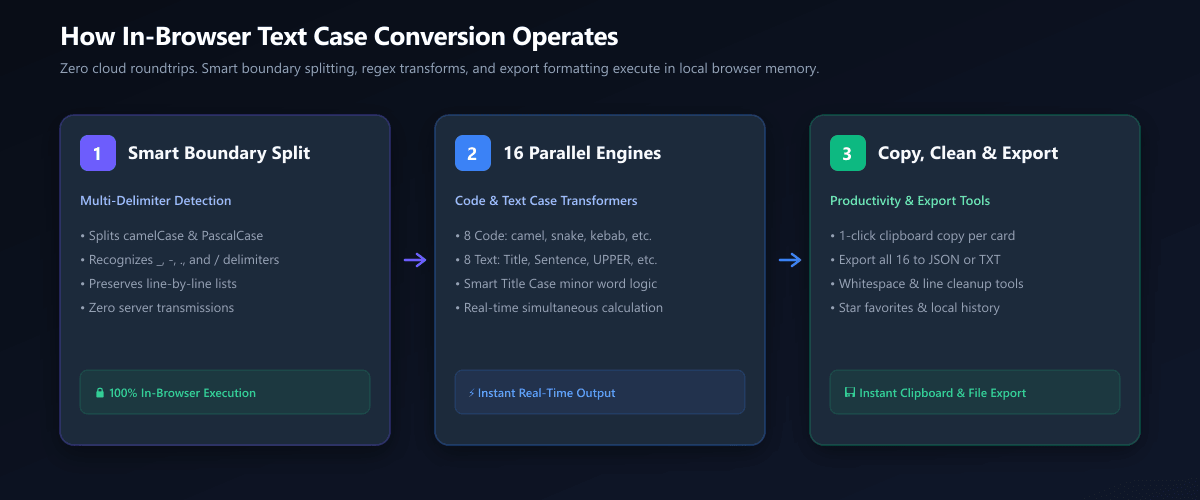
1. Smart Boundary Split
Multi-pass regex lexer tokenizes camelCase, PascalCase, underscores, hyphens, and slashes into normalized lexical words.
2. 16 Parallel Engines
Simultaneously computes 8 code conventions and 8 textual formatting styles with AP/Chicago minor words grammar in under 5ms.
3. Copy, Clean & Export
One-click clipboard copy per format, whitespace cleanup utilities, and complete dictionary export to structured JSON or TXT.
Complete 16-format breakdown: code conventions and text styles
Multi-Toolkit provides dedicated transformers for all modern programming languages, serialization schemas, and editorial publication standards:
| Case Format | Category | Transformation Example | Primary Use Case |
|---|---|---|---|
| camelCase | Code | getUserAccountProfile | JavaScript, TypeScript, Java, Swift, Kotlin |
| PascalCase | Code | GetUserAccountProfile | React components, C# classes, TypeScript types |
| snake_case | Code | get_user_account_profile | Python variables, Rust functions, SQL columns |
| SCREAMING_SNAKE | Code | GET_USER_ACCOUNT_PROFILE | Environment variables, constants, C/C++ macros |
| kebab-case | Code | get-user-account-profile | CSS class names, HTML IDs, URL slugs, npm packages |
| Train-Case | Code | Get-User-Account-Profile | HTTP headers, RFC MIME headers |
| dot.case | Code | get.user.account.profile | Metric names, i18n translation keys, Java packages |
| path/case | Code | get/user/account/profile | File paths, API routing endpoints, cloud URIs |
| Title Case | Text | Get User Account Profile | Article headlines, book titles, UI button labels |
| Sentence case | Text | Get user account profile | Standard prose, email copy, documentation paragraphs |
| UPPERCASE / lowercase | Text | GET USER / get user | SQL keywords, case normalization |
| Capitalize Words | Text | Get User Account Profile | Capitalize every single word indiscriminately |
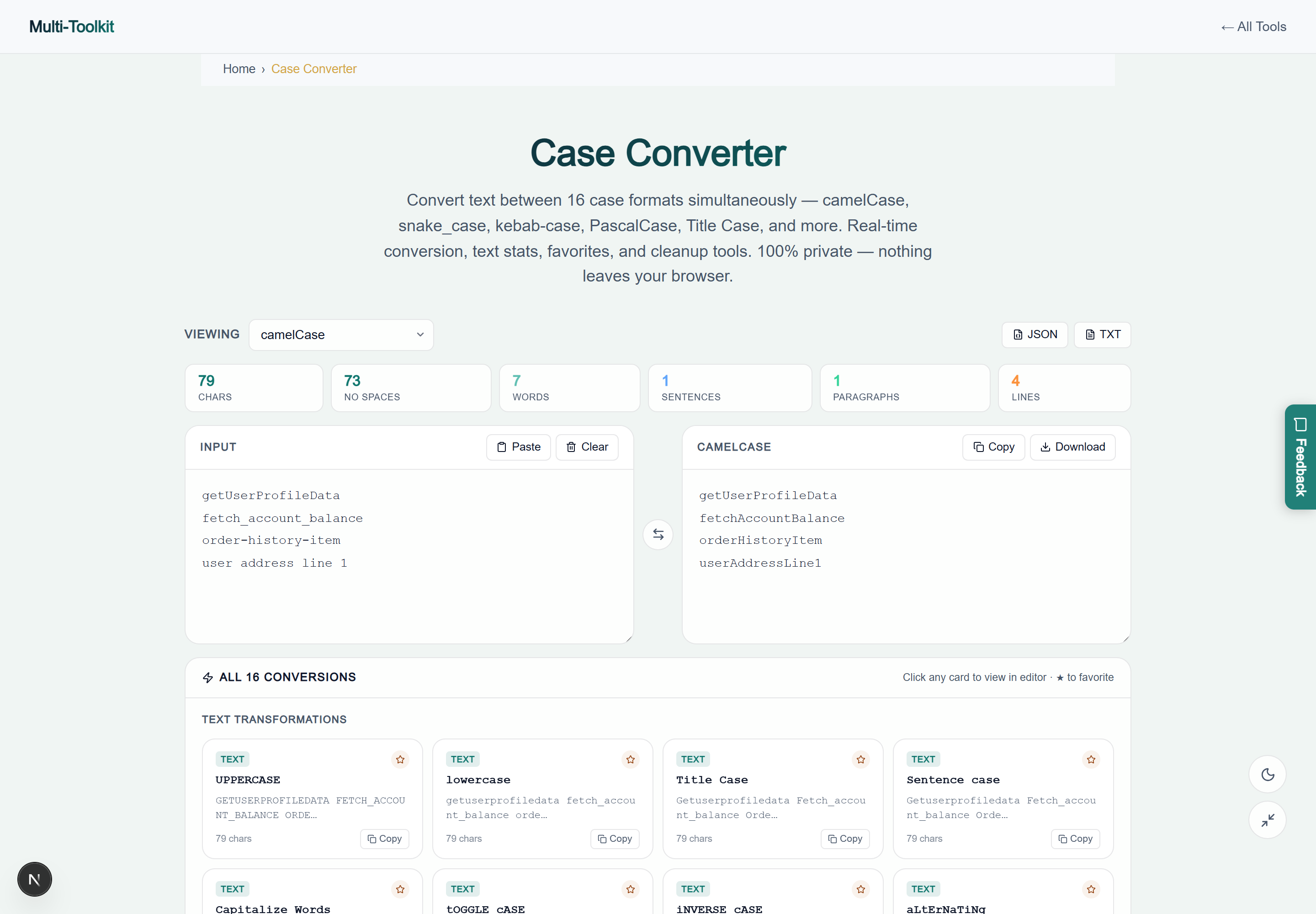
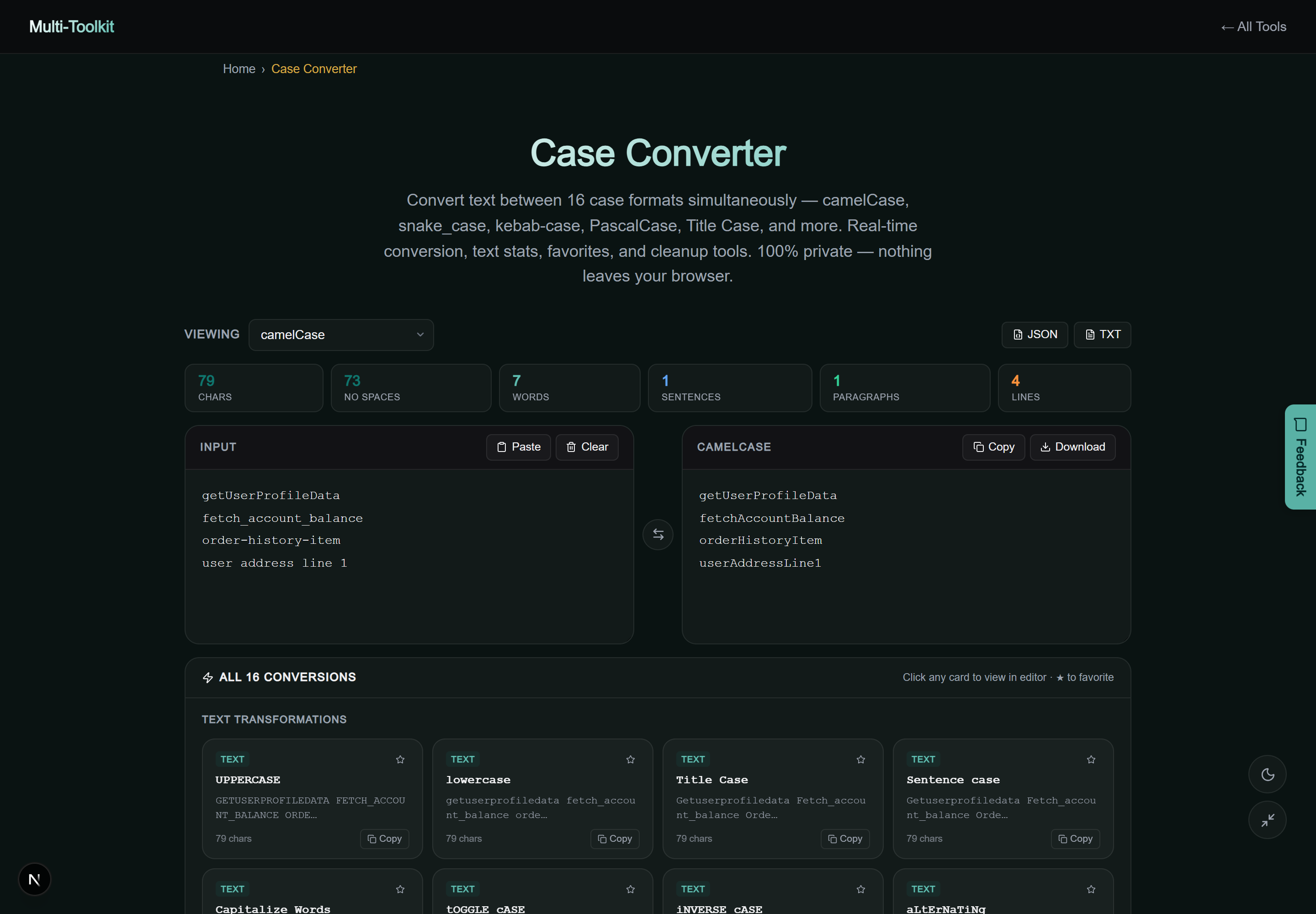
Dual-mode interface preview
Multi-Toolkit provides a distraction-free interface with live character/word counters, favorite pinning, and instant one-click copy buttons in both light and dark themes:
Technical architecture: regex tokenization & word boundary math
The core tokenizer handles transitions across uppercase letters, digits, and multi-character delimiters without destroying acronyms:
Lexical Splitting Logic:
text.replace(/([a-z\d])([A-Z])/g, '$1 $2').replace(/([A-Z]{2,})([A-Z][a-z])/g, '$1 $2').replace(/[-_./\\]+/g, ' ')
This allows compound terms like parseJSONResponse or fetchV2UserData to cleanly split into ["parse", "json", "response"] and ["fetch", "v2", "user", "data"].
Step-by-step: how to convert text case
- Open Tool & Paste Input: Open the Case Converter and paste your text, list of variables, or article headline into the input panel.
- View Real-Time Results: All 16 case cards in the transformation grid update immediately as you type.
- Copy or Export: Click the copy icon on any specific format card, or click Export JSON / Export TXT to download the full conversion dictionary.
Comparative feature matrix: Multi-Toolkit vs. Alternatives
| Feature | Multi-Toolkit | ConvertCase | CaseConverter.com | DevUtils |
|---|---|---|---|---|
| Pricing | 100% Free Forever | Free (Ad supported) | Free (Ad supported) | Paid ($29) |
| Simultaneous Formats | 16 Formats at Once | Separate Buttons | Separate Buttons | 12 Formats |
| Smart Word Splitter | Included (camelCase safe) | No (Breaks camelCase) | No | Included |
| Multi-Line List Support | Preserves Line Matrix | Partial | No | Supported |
| Client-Side Privacy | 0 Bytes Uploaded | Browser | Browser | Desktop Local |
Common pitfalls & troubleshooting
- camelCase with Numbers: When converting identifiers with numbers (such as
oauth2Token), the smart splitter preservesoauth2andtokenas discrete entities rather than breaking them into individual digits. - Title Case in Headlines: Minor words (a, an, the, and, in, of, with) stay in lowercase inside sentences, but are automatically capitalized if they appear as the first or last word of the title.
- Multi-line Variable Dumps: For code conversions (like
snake_case), lines are converted individually. Ensure there are no stray empty lines if you need continuous output.
Frequently asked questions
What is the difference between Title Case and Sentence case?
Title Case capitalizes the first letter of major words while keeping short grammatical words (like a, the, and, in, of) in lowercase according to standard editorial headline rules. Sentence case capitalizes only the first letter of the first word in each sentence.
Which programming languages use camelCase vs PascalCase?
camelCase is the industry standard for variables, properties, and functions in JavaScript, TypeScript, Java, Swift, Kotlin, and Dart. PascalCase is standard for React components, class names, TypeScript type definitions, and C# method declarations.
When should I use snake_case vs kebab-case?
Use snake_case for programming identifiers where hyphens are illegal arithmetic operators—such as Python variables, Rust functions, and PostgreSQL column names. Use kebab-case for web identifiers, CSS class names, HTML attributes, and URL routing slugs.
How does the smart word splitter handle mixed inputs?
The tool automatically detects word boundaries regardless of input format. It splits camelCase and PascalCase transitions, underscores (_), hyphens (-), dots (.), and slashes (/), allowing you to paste any naming style and instantly generate all others.
What is SCREAMING_SNAKE_CASE used for?
SCREAMING_SNAKE_CASE (also called MACRO_CASE or UPPER_SNAKE_CASE) is the universal standard for environment variables (DATABASE_URL, API_SECRET_KEY) and immutable constants across JavaScript, Python, C++, and Go.
Can I convert multi-line lists of identifiers?
Yes. For programming conventions, the converter processes each non-empty line independently, allowing developers to paste whole lists of database columns or JSON properties and convert them all in a single batch.
Convert text and code identifiers across 16 case formats—100% in your browser with complete privacy:
Open Free Case Converter →