TextEncoder byte streams—allowing you to encode and decode standard RFC 4648 and URL-safe strings, inspect JWT header/payload JSON objects, render live image previews (PNG, JPEG, WebP, SVG), and drag-and-drop files up to 10 MB with complete privacy.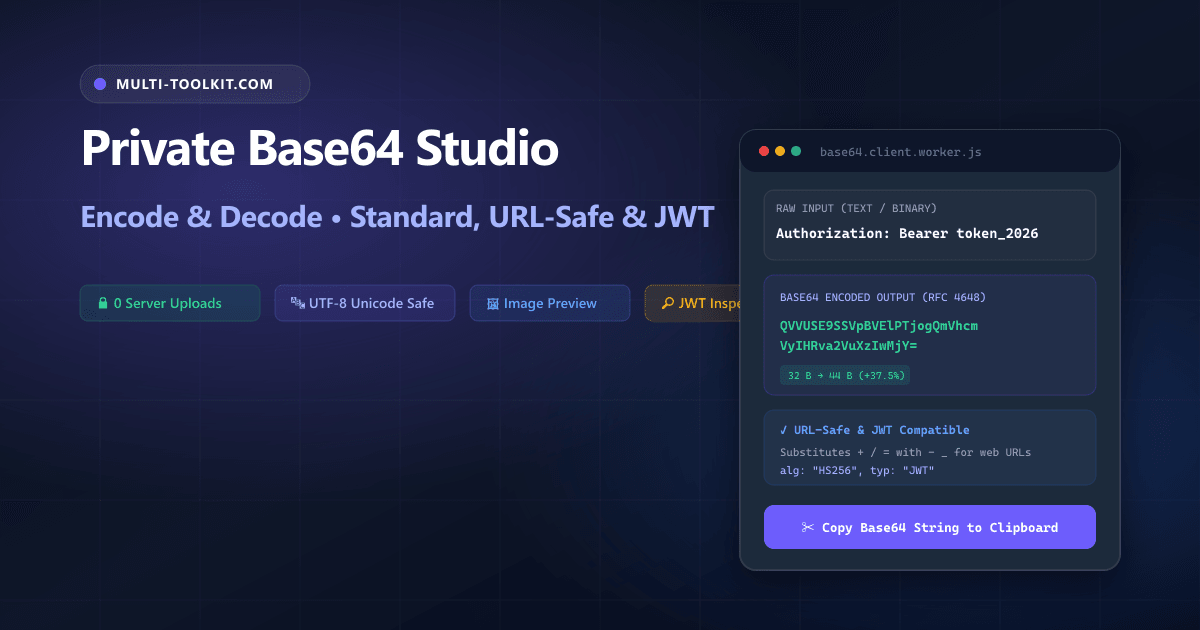
Stop uploading API secrets and tokens to cloud converters: encode and decode Base64 with standard/URL-safe modes, image previews, and zero server uploads 100% inside your browser.
Base64 is one of the most ubiquitous binary-to-text encoding algorithms in modern web development, network engineering, and cloud architecture. It is the core encoding powering HTTP Authorization: Basic headers, OAuth2 JSON Web Tokens (JWTs), inline CSS background images, email MIME attachments, and Kubernetes secret configurations.
However, searching Google for a base64 encoder decoder online frequently directs engineers to ad-saturated utility websites that send input strings to remote web servers, fail on Unicode emojis with JavaScript btoa exceptions, or lack critical URL-safe formatting capabilities.
To eliminate these security vulnerabilities and encoding pitfalls, the Multi-Toolkit Base64 Studio delivers a modern, 100% private base64 encode online and base64 decode online utility. Built on browser-native TextEncoder, TextDecoder, and FileReader Web APIs, all binary chunking and string transformations run locally in device memory with zero server uploads.
The Base64 cloud converter trap: why pasting credentials online is dangerous
1. Production API key and token leakage
Pasting production JWTs, database connection URIs, or webhook signing secrets into third-party cloud tools exposes sensitive credentials to remote server access logs, caching layers, and potential telemetry scrapers.
2. Unicode and emoji encoding crashes
Legacy web decoders rely on naive window.btoa() implementations that throw unhandled InvalidCharacterError exceptions when encountering characters outside the Latin-1 range (such as emojis, Arabic script, or CJK symbols).
3. URL parameter corruption without URL-safe variants
Standard Base64 utilizes + and /, which have reserved syntactic meanings in URL query parameters and routing paths. Without a dedicated URL-safe RFC 4648 §5 mode, passing encoded strings across web APIs leads to broken data transmission.
In-browser architecture: how Multi-Toolkit encodes & decodes Base64 locally
Multi-Toolkit moves the entire binary byte stream encoding, 6-bit chunking, and Data URI generation directly into client-side JavaScript.
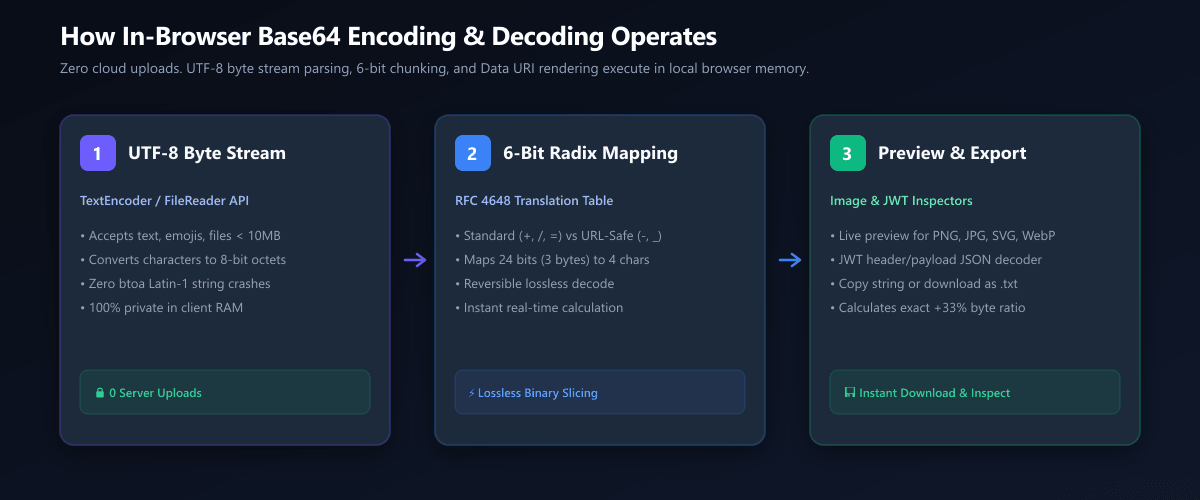
1. UTF-8 Byte Stream
Text and emojis are converted to 8-bit octets via TextEncoder, while files are ingested via FileReader. Zero network requests occur.
2. 6-Bit Radix Mapping
Maps 24 bits (3 bytes) into 4 characters across standard (+, /, =) or URL-safe (-, _) alphabets.
3. Preview & Export
Live preview for image Data URIs, automatic JWT JSON claims inspection, byte overhead statistics, and direct file downloads.
Core capabilities: standard, URL-safe, JWT & image preview
Multi-Toolkit provides versatile controls for developers, DevOps engineers, and security analysts:
| Feature / Mode | Behavior & Alphabet | Recommended Use Case |
|---|---|---|
| Standard RFC 4648 | Uses +, /, and = padding | HTTP Basic Auth, MIME email attachments, binary storage |
| URL-Safe RFC 4648 §5 | Substitutes -, _ and omits padding | URL query parameters, REST API endpoints, JWT tokens |
| Unicode & Emoji Safe | Binary UTF-8 stream via Uint8Array | International text, multi-byte character sets, emojis |
| Image Data URI Preview | Auto-renders PNG, JPEG, GIF, WebP, SVG, AVIF | Verifying inline CSS icons, email banners, HTML mockups |
| JWT Token Inspector | Parses 3-part tokens into JSON header and payload | Inspecting OAuth2 tokens, expiry dates, user claims |
| File Drag-and-Drop | Direct local binary file ingestion up to 10 MB | Encoding favicons, small PDF documents, font files |
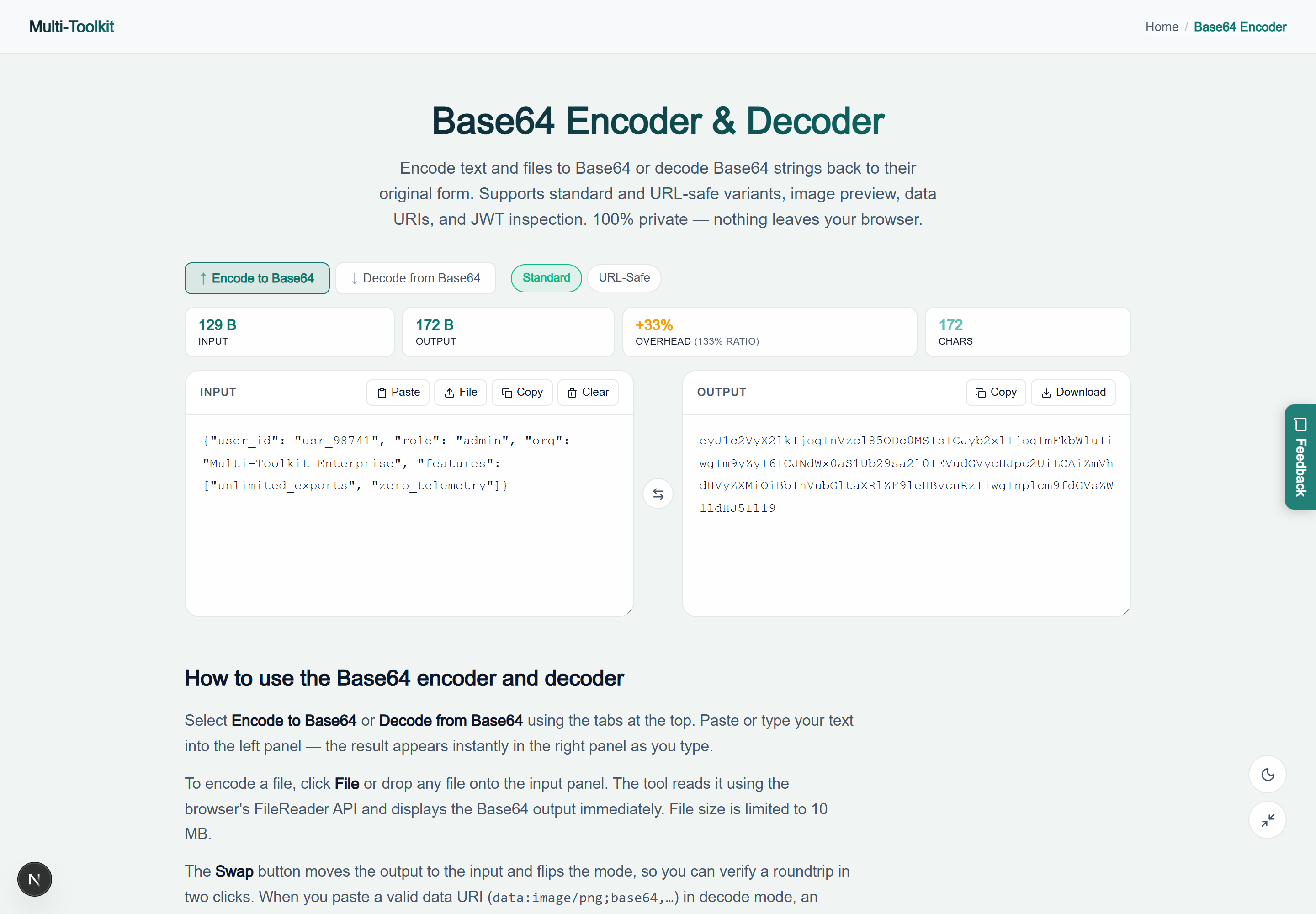
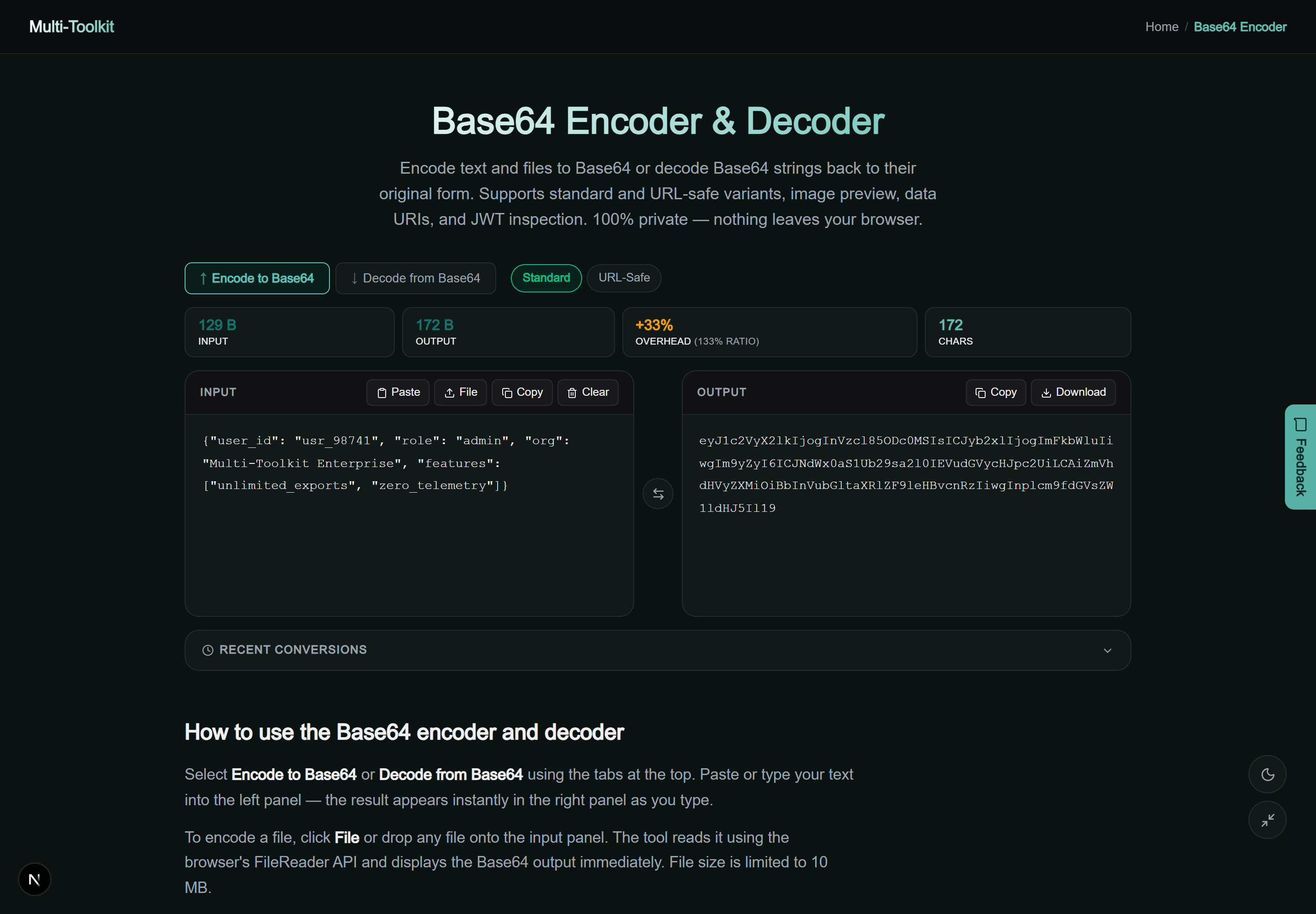
Dual-mode interface preview
Multi-Toolkit provides a responsive interface with live character/byte counters, overhead ratios, and one-click copy buttons across both light and dark themes:
Technical math: binary bitwise operations & the 33.3% overhead ratio
Base64 maps binary data by taking groups of 3 bytes (24 bits) and redistributing them into 4 six-bit chunks (values 0 to 63):
Base64 Expansion Math:
Overhead Ratio = (4 Output Bytes - 3 Input Bytes) ÷ 3 Input Bytes = +33.33%
Because 3 bytes become 4 ASCII characters, Base64 strings are always approximately 33.3% larger than the raw binary input. If the total byte count is not divisible by 3, trailing = padding characters ensure the string length remains a multiple of 4.
Step-by-step: how to encode and decode Base64
- Open Tool & Choose Mode: Open the Base64 Studio and choose Encode to Base64 or Decode from Base64.
- Select Variant: Choose Standard for traditional RFC 4648 or URL-safe (recommended for query params and JWTs).
- Paste Input or Drop File: Paste text, paste a JWT token, or drop a file (up to 10 MB) into the drop area.
- Inspect & Copy: Review the live output, inspect the decoded image preview or JWT claims, and click Copy Output or Download as TXT.
Comparative feature matrix: Multi-Toolkit vs. Alternatives
| Feature | Multi-Toolkit | Base64Decode.org | Base64Encode.org | DevUtils |
|---|---|---|---|---|
| Pricing | 100% Free Forever | Free (Ad supported) | Free (Ad supported) | Paid ($29) |
| Client-Side Privacy | 0 Bytes Uploaded | Cloud Uploaded | Cloud Uploaded | Desktop Local |
| URL-Safe Variant | Included (RFC 4648 §5) | No | No | Supported |
| Unicode & Emoji Safe | Native TextEncoder | Partial | Partial | Supported |
| Image Data URI Preview | Automatic Visual Card | Basic | No | Supported |
| JWT Token Inspector | Auto-Parsed JSON | No | No | Supported |
Common pitfalls & troubleshooting
- Base64 is NOT Encryption: Base64 is a reversible encoding scheme, not cryptographic encryption. Anyone can decode a Base64 string in milliseconds. Never store unencrypted passwords or credit cards in Base64 strings.
- URL Query Parameter Encoding: Always use URL-safe mode when passing Base64 strings in web URLs. Standard Base64 uses
+, which web servers often decode as a space character. - Binary File Artifacts: Decoding raw binary data (such as an audio file or compiled binary) as UTF-8 text will display garbled replacement characters. Use the download button to preserve raw bytes.
Frequently asked questions
What is the difference between standard and URL-safe Base64?
Standard Base64 uses + and /, which carry special reserved meanings in URL query strings and file paths. URL-safe Base64 replaces these characters with - and _ and omits the = padding, ensuring safe transmission across web routes and JWT tokens.
Does Base64 encoding encrypt my data?
No. Base64 is an encoding format, not encryption. It is completely reversible by anyone with access to the string—no password or decryption key is required. Always use cryptographic algorithms (such as AES-GCM or RSA) if you need confidentiality.
How do I decode a Base64 image?
Switch to Decode mode and paste the Base64 string or complete Data URI (data:image/png;base64,...). If the decoded byte stream represents a valid PNG, JPEG, GIF, WebP, SVG, or AVIF image, a high-resolution preview appears automatically.
How do I inspect a JWT with this tool?
Switch to Decode mode and paste the full JSON Web Token. Multi-Toolkit detects the three dot-separated segments and decodes the header and payload as formatted JSON objects.
Why does my decoded output show weird symbols?
This occurs when the Base64 string contains non-text binary data (such as an executable, audio file, or zipped archive). To access the binary content, use the file download button rather than reading it as UTF-8 text.
Are my tokens or uploaded files sent to any server?
No. All encoding, decoding, file ingestion, and image rendering execute 100% locally inside your browser memory. Your data never leaves your device.
Encode and decode text, files, images, and JWTs—100% in your browser with complete privacy:
Open Free Base64 Studio →